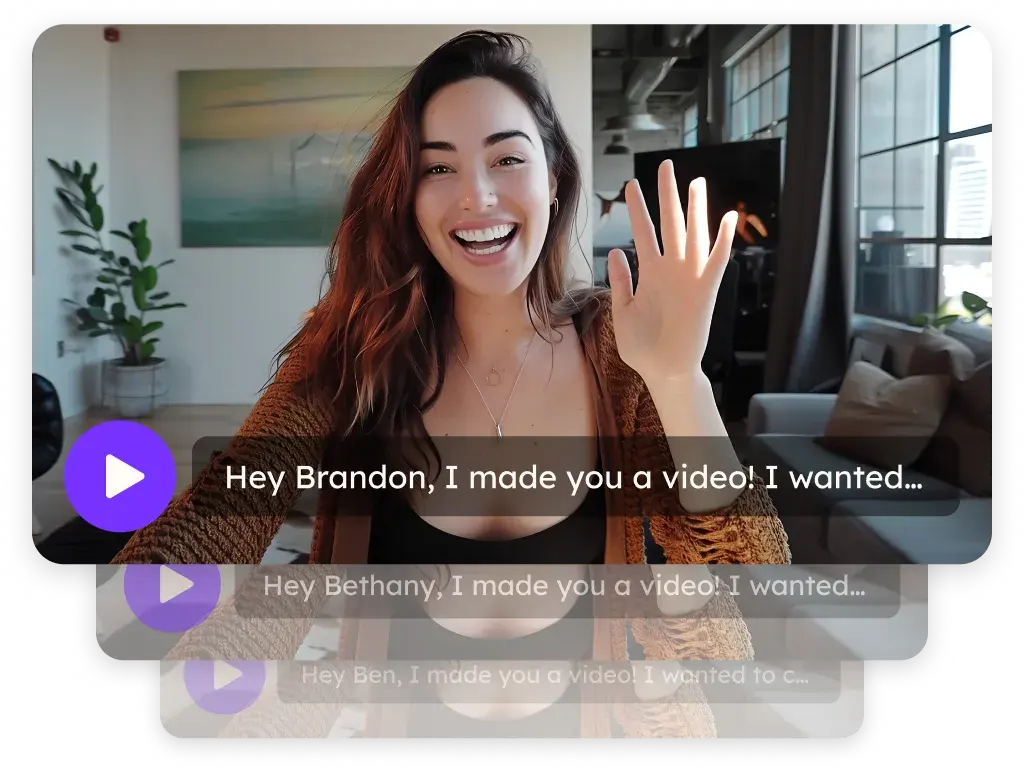
Sendspark Expandi integration for AI personalized LinkedIn videos
The Sendspark Expandi integration puts an AI personalized video into your Expandi LinkedIn campaigns: pick a Sendspark campaign under the message editor and each enrolled contact gets their own video. Sendspark is an AI personalized video platform for B2B sales and marketing teams. LinkedIn prospectors connect it once with a Sendspark API key, API secret and Workspace ID.
 SOC 2 Type II
- Read reviews on G2


Sendspark and Expandi at a glance
- Integration type
- Import source (native Expandi integration)
- How data moves
- Contacts you enroll in Expandi go to your Sendspark campaign; Expandi inserts each video link with the {sendspark_video} placeholder. Nothing syncs back to Expandi.
- Plan
- Growth and above
- What you need
- An Expandi account, a Sendspark Dynamic Video campaign, and your Sendspark Workspace ID, API key and API secret.
- Setup guides
- On Expandi's side
- Sendspark integration guide on Expandi Help
Your LinkedIn follow-ups blend into a crowded inbox
Automation gets you accepted, then your follow-up looks like every other automated message the prospect ignores. Recording a video per connection doesn't fit a campaign that runs on its own.
How to use Sendspark with Expandi
- 1
Get your Sendspark API credentials
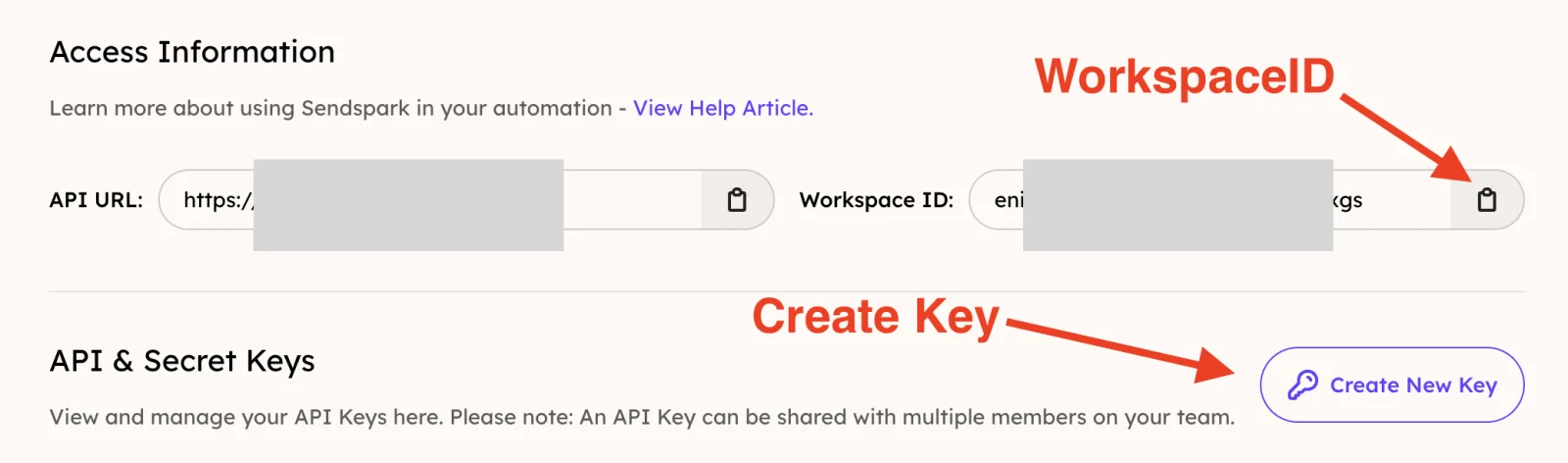
On Sendspark's API Credentials page, copy your Workspace ID, click Create New Key, and create an API Secret.
- 2
Paste them into Expandi
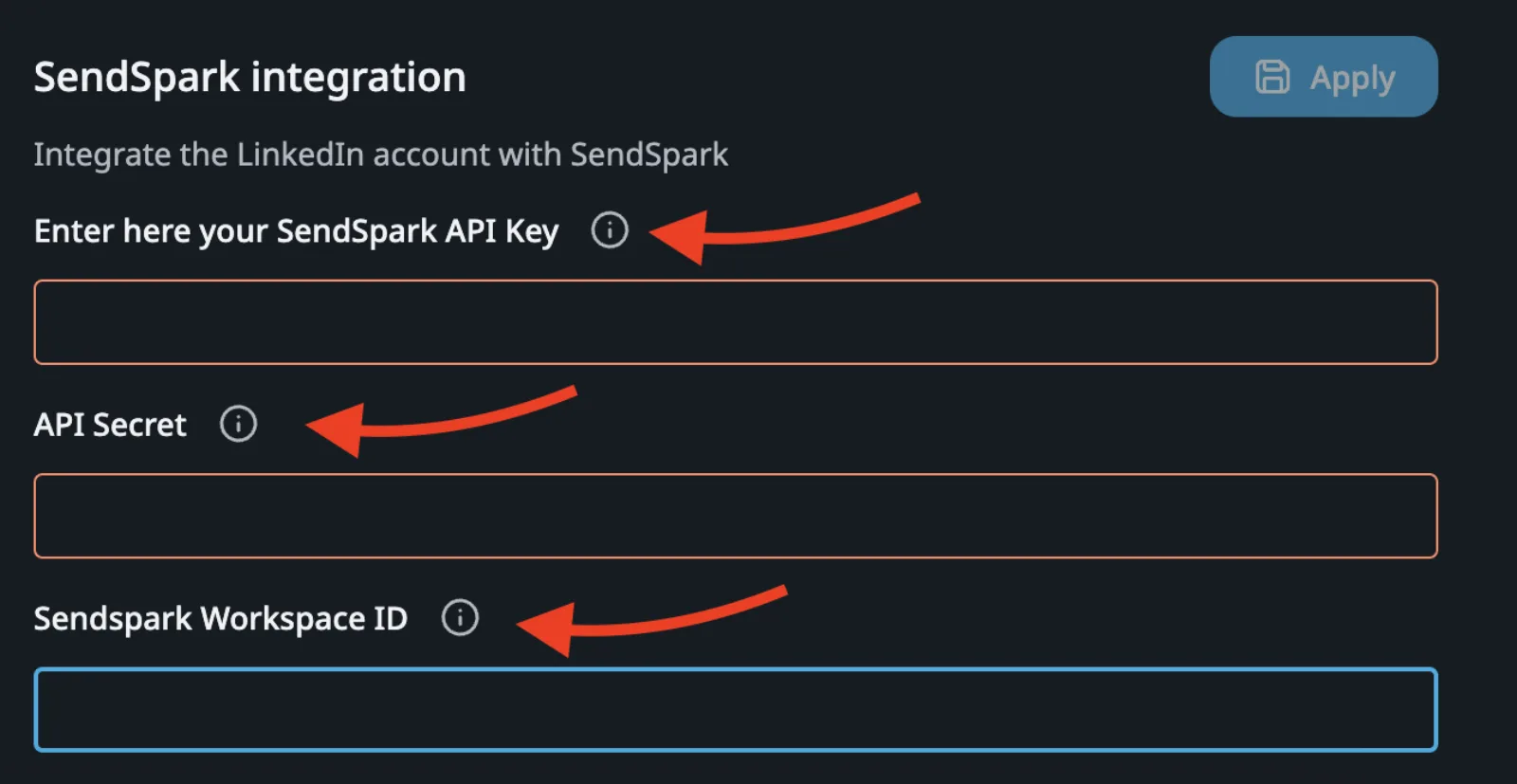
In Expandi, open the top-right menu, then Account Settings, then the Integrations Apps tab. In the SendSpark integration panel, paste the values and click Apply; nothing saves until you do.
- 3
Build the campaign in Sendspark, minus contacts
In Dynamic Videos, click Create Campaign and complete every step except adding contacts. You'll enroll contacts in Expandi.
- 4
Select the Sendspark video in Expandi
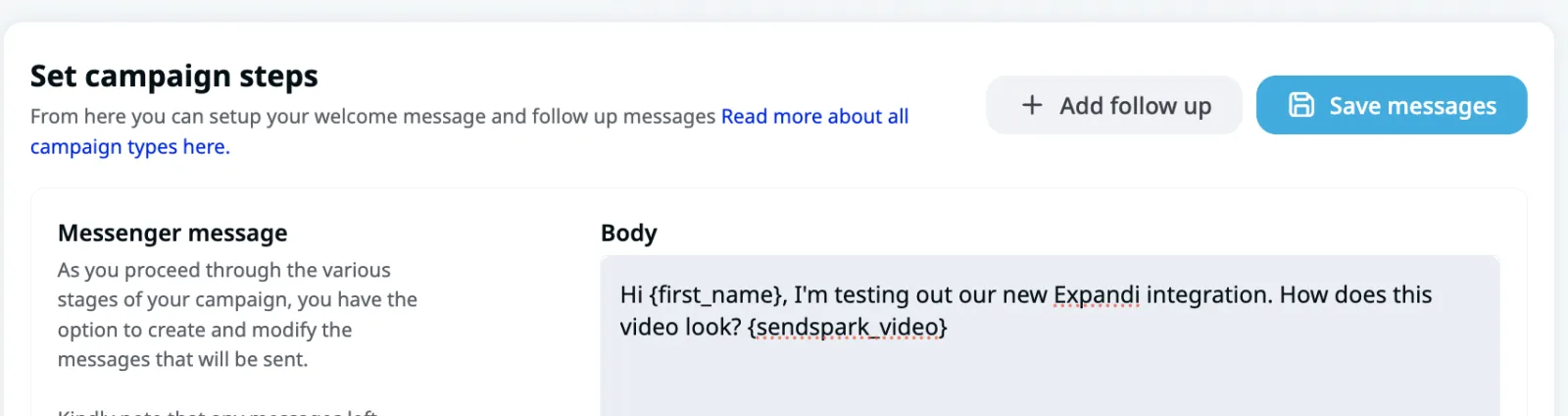
Create any type of Expandi campaign. Below the message editor, choose Select Sendspark video and pick your campaign; a {sendspark_video} placeholder is added to the message.
- 5
Place the placeholder and save
Move {sendspark_video} where you want the link, click Save messages, then enroll contacts and start the campaign.
What teams do with Sendspark and Expandi
Send the video only after they accept
Build Visit Profile, Check if Connected, an empty Send Connection Request, then another Check if Connected (Expandi waits up to two weeks). Add a Send Message step with a short delay and your {sendspark_video}.
Read the guideMatch the video to the stage of the conversation
Keep the connection request plain and save the video for a follow-up: recipients only see the video preview once they've accepted your request or InMail.
Read the guideWhat Expandi data personalizes each video
- Every lead needs a First Name; Expandi pauses leads without one.
- {sendspark_video} becomes each contact's video link, which unfurls in LinkedIn as an animated GIF preview.
- Your campaign can use AI voice cloning for the name, a dynamic background of the prospect's website or LinkedIn profile, and a landing page with booking options.
- Expandi's own dynamic fields, like {first_name}, can sit in the same message.
Where you see who watched from Expandi
Views, watch time, CTA clicks and likes are in Sendspark's analytics. Expandi tracks the LinkedIn side; video data isn't written back to it.
Explore Video AnalyticsSendspark and Expandi: frequently asked questions
Does Sendspark integrate with Expandi?
Yes. Expandi has a native SendSpark integration under Account Settings, Integrations Apps, and a Select Sendspark video option in the campaign message editor.
Do I add contacts in Sendspark or Expandi?
In Expandi. Build the Sendspark campaign up to the contacts step, then enroll leads in Expandi; each one gets a video.
Why were some Expandi leads paused?
Leads without a First Name are paused automatically. Check that field before launching.
Should I put the video in the connection request?
No. The preview only shows once someone accepts your request or InMail, so send it in a follow-up message.
Which Expandi campaign types work?
Any type. The Select Sendspark video option appears below the message editor in each.
Updated


Make your next outreach personal.
Record one video and let Sendspark do the rest.