Personalized video for recruiters
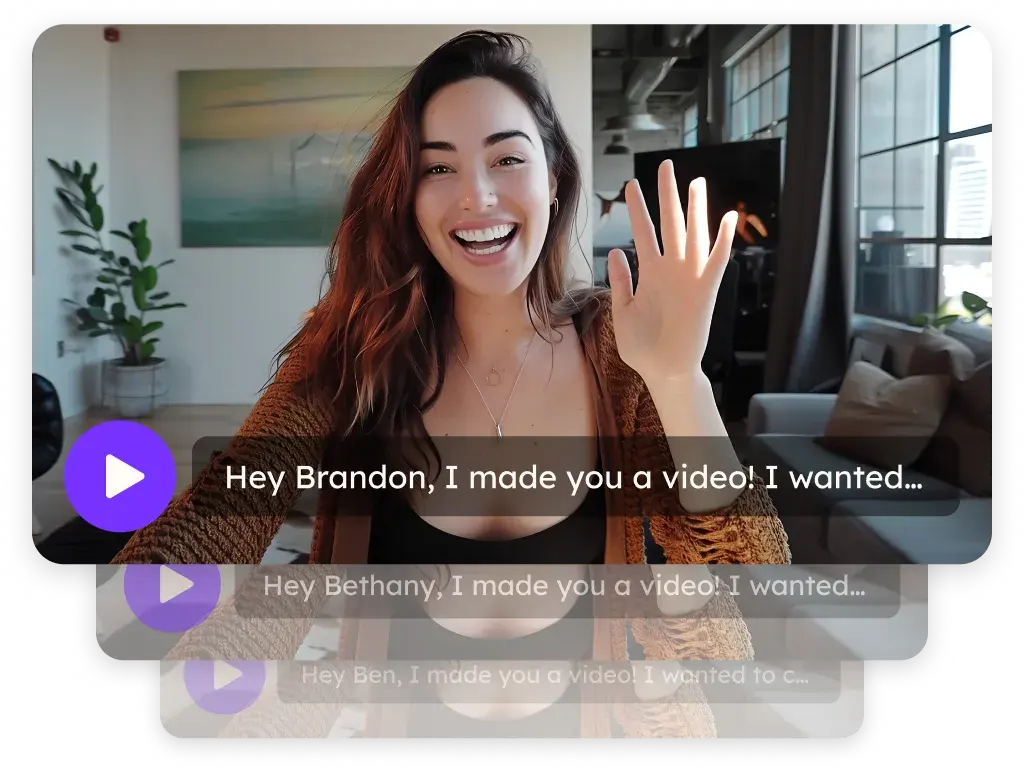
Sendspark is an AI personalized video platform that recruiting and staffing teams use to reach candidates, introduce passive candidates to roles and win hiring-manager clients. Record one video and every candidate gets a version with their name, sent through LinkedIn, Gmail or Outlook, or pasted into your ATS.
 SOC 2 Type II
- Read reviews on G2
Trusted by sales and marketing teams at











Outreach that reads like every other recruiter's
Strong candidates skim the message, decide it went to fifty people and move on, and hiring managers judge your firm by that same first touch. The role is good; the message doesn't show it.
Where a video changes a candidate's answer
- 1
Candidate outreach
Record one role pitch. Each candidate hears their name in your voice with their LinkedIn profile behind you, and the GIF thumbnail shows it in the InMail or email.
AI Personalized Video - 2
Passive-candidate intros
The person isn't looking. A video from the hiring manager, with a calendar CTA for a 15-minute chat, lands differently than a template.
Landing Pages - 3
Candidate video intros
Send a request link and candidates record a short intro from their camera or upload a file, ready to share with the hiring manager.
Request Videos - 4
Client business development
Win hiring managers the way you win candidates: a personalized video with their company's site behind you and your calendar on the landing page.
GIF Thumbnails - 5
Knowing who's interested
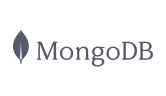
View notifications tell you which candidates watched and how much. Follow up with the ones who finished.
Video Analytics
Reach candidates where they already read
Candidates see their own profile behind you
Dynamic backgrounds put each candidate's LinkedIn profile, their company's website or an image behind you, and voice cloning says their name. Both come with the Solo plan.
Explore AI Personalized Video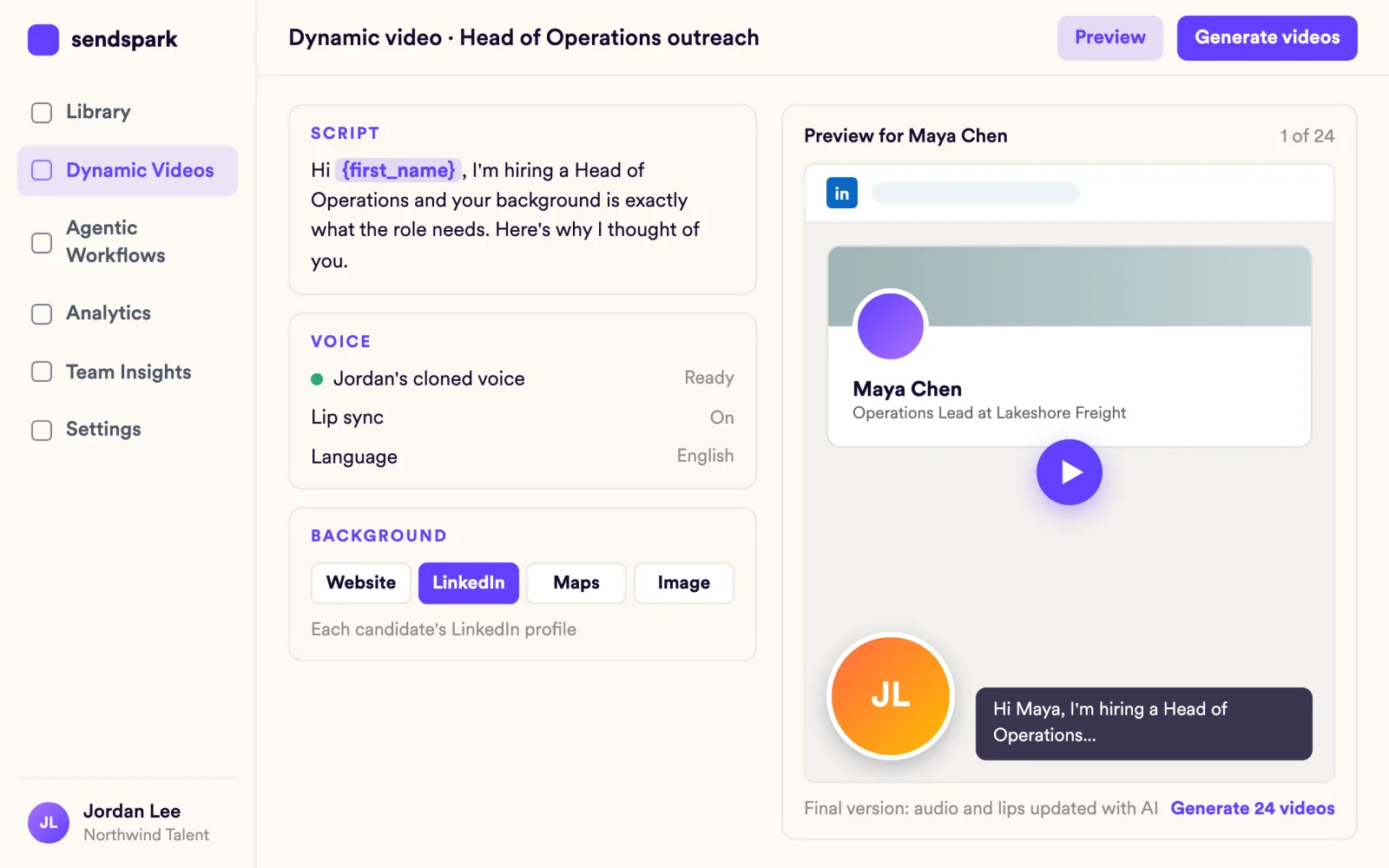
Your video goes wherever your ATS and inbox already are
Paste the share snippet into Greenhouse, Loxo, Vincere or SourceWhale, insert it in Gmail with the Chrome extension, or send it on LinkedIn or in Outlook.
Explore Video Emails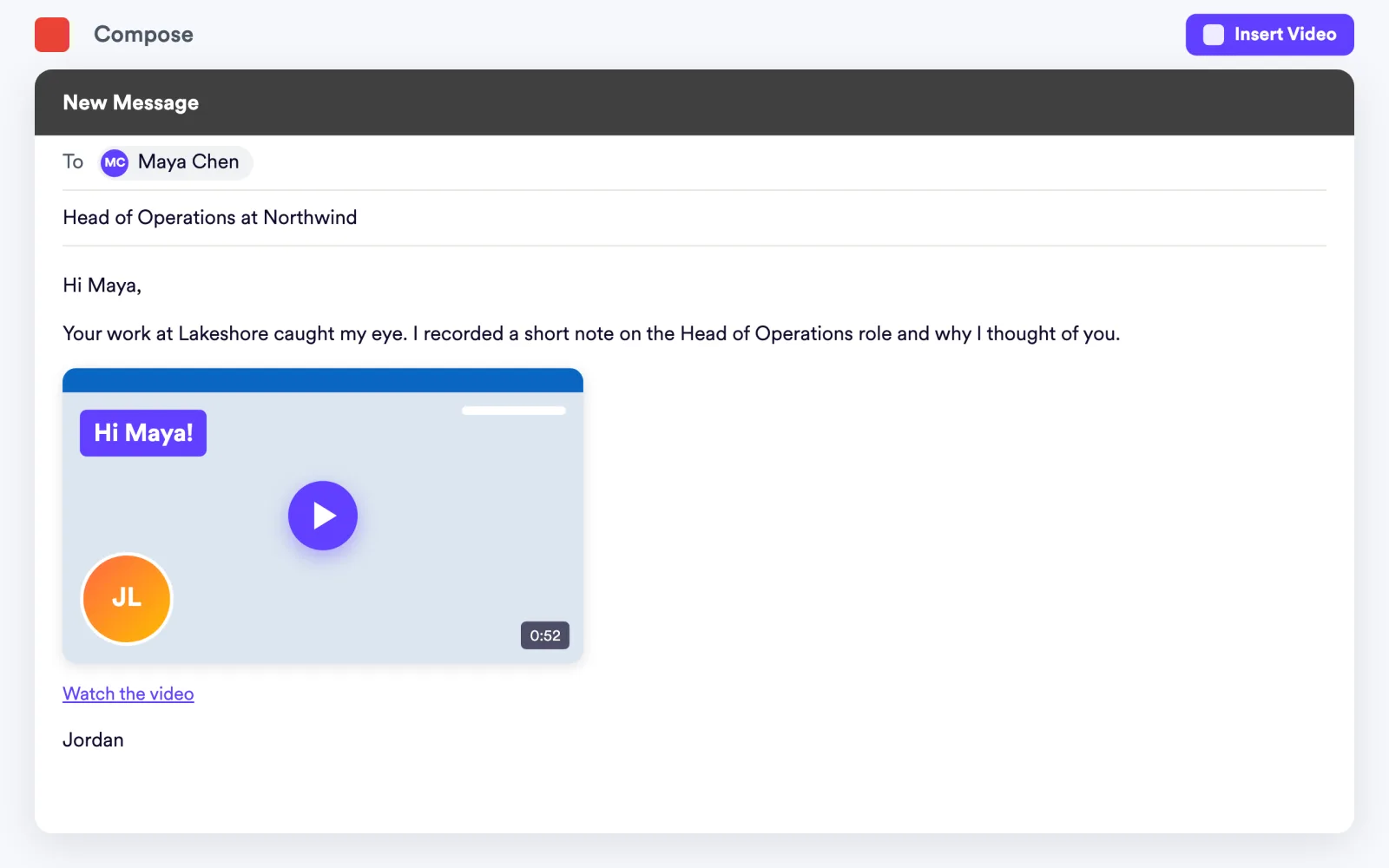
Candidate intros arrive before the first screen
Send one link, and each candidate records from camera or screen, or uploads a file. Intros collect in your request library, ready to share with the hiring manager.
Explore Request Videos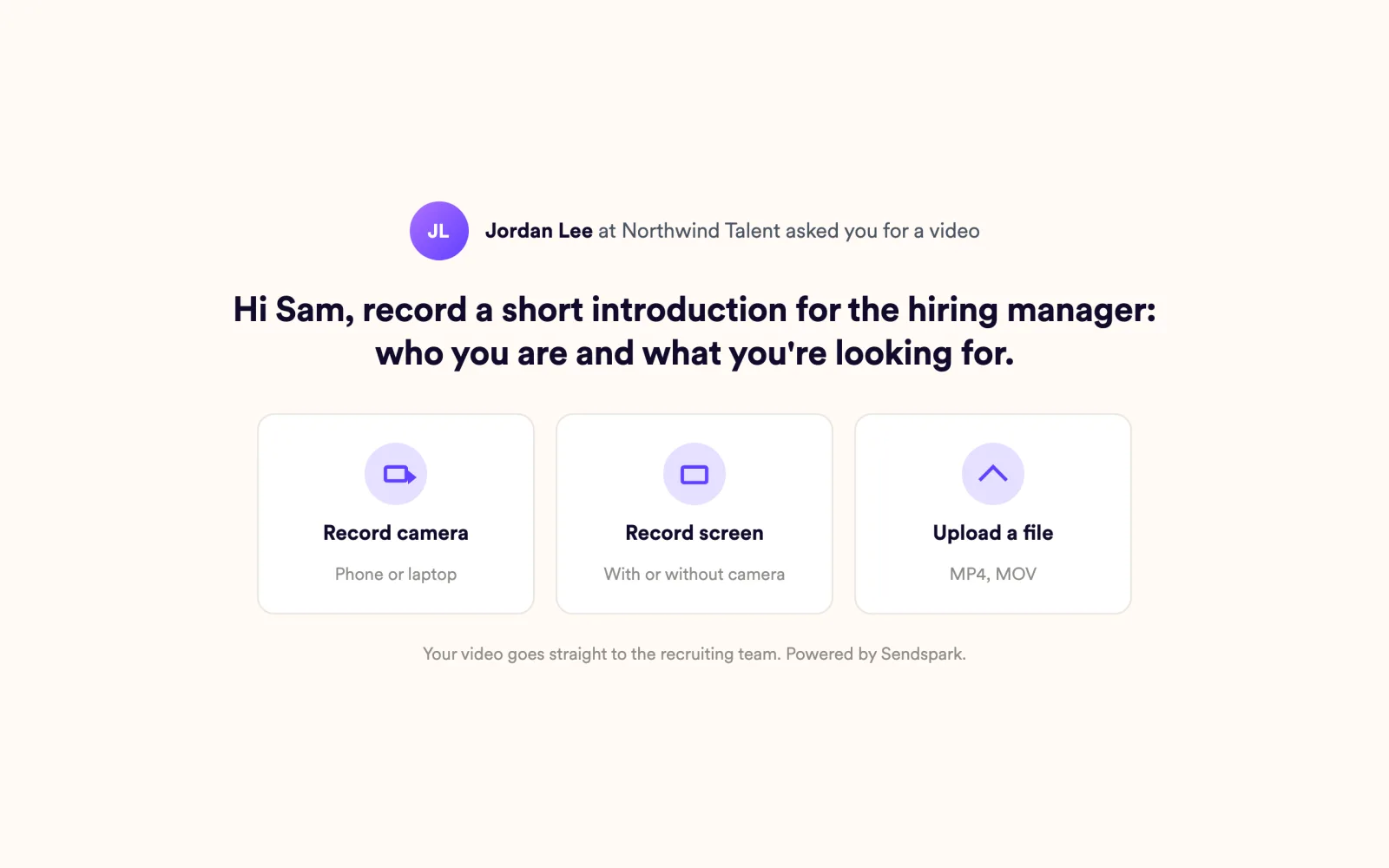
What recruiters ask first
Plain answers, from what the product does today.
"Won't candidates think it's a mass email?"
Each candidate gets their own video that says their name in your voice, a thumbnail with their name on it, and a page with your calendar. The recording is yours; only the name and background change.
"Does it sync with our ATS?"
Sendspark doesn't sync with ATS tools. You paste a video snippet into Greenhouse, Loxo, Vincere or SourceWhale, the same way you'd paste a link.
"Do we have time to record for every role?"
Record once per role. Sendspark creates the personalized versions, thumbnails and landing pages for the whole candidate list.
 Greenhouse
 Loxo
 Vincere
 SourceWhale
 LinkedIn
 Gmail
 Outlook
Frequently asked questions
What is personalized video for recruiters?
It's one role pitch that Sendspark turns into a video for every candidate, with their name in your voice and their LinkedIn profile behind you. Recruiters send it for candidate outreach, passive-candidate intros and pitches to hiring managers.
Can candidates record a video for us?
Yes. Share your request link, and candidates record or upload an intro without creating a Sendspark account.
Can I see which candidates watched?
Yes. Per-video analytics show who viewed and how much they watched, with view notifications and engagement alerts.
Can I send videos on LinkedIn?
Yes. Send your video in LinkedIn messages and InMail, with the candidate's profile behind you. Gmail and Outlook work too, and the animated thumbnail shows the video right in the message.
Which plan do recruiters need?
Dynamic backgrounds and voice cloning come with the Solo plan, Sendspark's entry paid plan. Automated Workflows and multiple AI variables per video are on Growth and above.
Updated
Make your next outreach personal.
Record one video and let Sendspark do the rest.