Key Takeaways
- Video prospecting generates 2–3x higher reply rates than text-only cold email when combined with personalization
- AI tools now let SDRs send thousands of personalized video messages in the time it once took to record one
- The biggest lift comes from personalization — showing each prospect's name, company, or website in the video thumbnail
- Embedding video across a full sales sequence (not just one touchpoint) compounds reply rates across every stage
- Three metrics define video prospecting performance: reply rate, watch-to-completion, and meeting booked rate
Video prospecting replaces generic text emails with short, personalized video messages sent directly to prospects' inboxes. Instead of crafting another cold email that gets ignored, you record a 60–90 second video addressing the prospect by name, referencing their company or role, and making a specific ask. The result: reply rates that are consistently 200–300% higher than text email alone — without requiring a larger team or more hours per rep (Sendspark customer data).
For B2B sales teams dealing with inbox saturation and declining email open rates, video prospecting is one of the highest-leverage tactics available in 2026. This guide covers everything from recording your first video message to scaling personalized outreach across thousands of prospects with AI tools, sequences, and CRM automation.
What Is Video Prospecting (and Why Does It Outperform Text Email)?
Video prospecting is the practice of sending short, personalized video messages to sales prospects as part of your outbound outreach — replacing or supplementing traditional text-based cold emails. A typical video prospecting message is 45–90 seconds, addresses the prospect by name, and includes a specific call-to-action such as booking a call or replying with a question.
Video outperforms text email for a simple reason: it signals effort and creates an immediate human connection. As more of the buying journey moves online, it gets harder to differentiate with standard email copy. Video cuts through that saturation by triggering an emotional response that text cannot replicate.
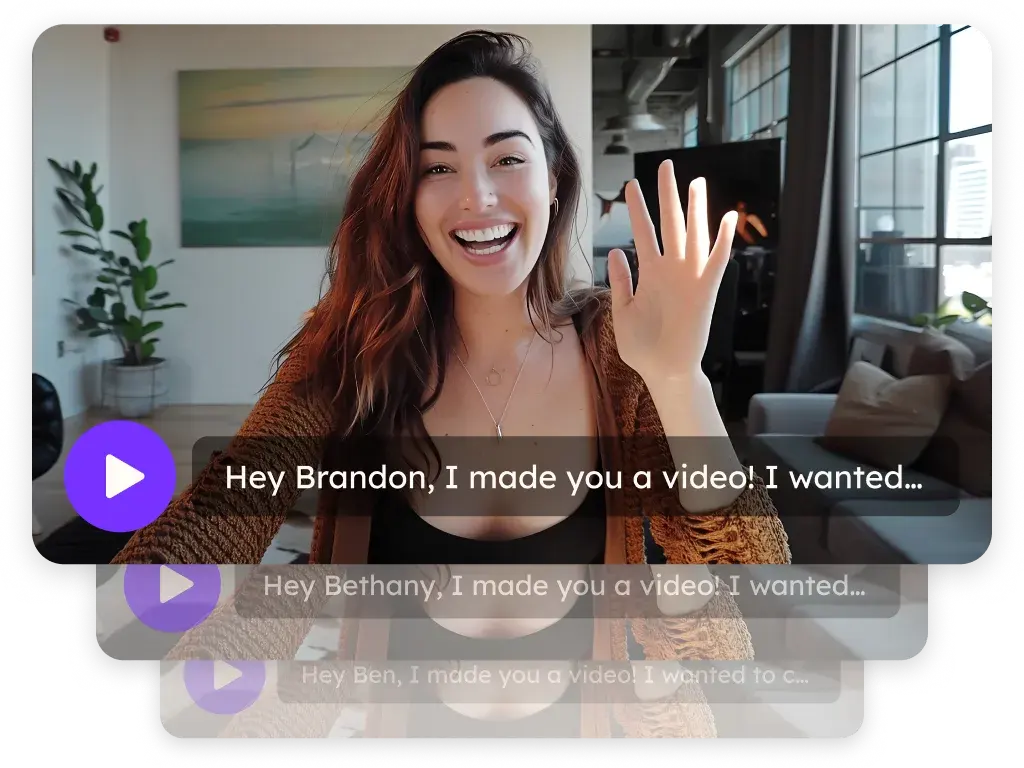
The personalization layer amplifies this further. When a prospect sees their own name, company logo, or website in the video thumbnail — even before pressing play — click-through rates jump significantly. According to HubSpot Research, personalized CTAs convert 202% better than default, generic alternatives. Video thumbnails function as the CTA in a video prospecting email, so personalized thumbnails follow the same principle.
There are three broad categories of video prospecting, each with distinct trade-offs:
| Method | Personalization Level | Typical Reply Rate Lift | Time Per 100 Prospects | Best For |
|---|---|---|---|---|
| Generic screen recording | None — same video for all | 5–10% | 2–3 hours | Low-volume, awareness stage |
| Manually recorded 1:1 video | High — custom per prospect | 30–50% | 10–15+ hours | Enterprise/ABM target accounts |
| AI-personalized video | High — automated per prospect | 200–300% (Sendspark customer data) | Under 1 hour | High-volume SDR sequences |
The third category — AI-personalized video — is the fastest-growing method because it solves the core trade-off that has always limited video prospecting: recording individual videos is too time-consuming to do at scale, while generic videos offer too little lift to justify the effort. AI tools bridge that gap by letting reps record a single master video and automatically generating a personalized version for each prospect.
For a deeper dive on outbound prospecting strategy, see Sendspark's complete guide to outbound prospecting and how to structure your prospecting cadences for maximum pipeline coverage.
How to Record a Video Prospecting Message That Gets Replies
An effective video prospecting message follows a tight four-part structure: a personalized hook (5–10 seconds), a specific observation about the prospect or their business (10–15 seconds), a clear value proposition tied to their situation (20–30 seconds), and a low-friction CTA (10 seconds). Keep the total under 90 seconds — most watched prospecting videos run 45–75 seconds.
Start with the prospect's name and a genuine observation. Opening with "Hey [Name], I noticed you just posted about [specific thing]…" or "I saw [Company] recently launched [product]…" shows you've done homework and immediately differentiates you from batch-and-blast outreach. Generic openers like "I help companies like yours" kill watch rates in the first 10 seconds.
Use a personal background or dynamic element. Recording a video on a blank background misses an opportunity. Tools like Sendspark's AI-personalized video intros automatically show the prospect's own website or LinkedIn profile as the video background — before you've said a word, the prospect sees their brand in the thumbnail and in the background, which dramatically improves click-through rate.
Frame your ask as a question, not a pitch. End with something concrete and low-effort: "Does it make sense to jump on a 15-minute call this week?" or "Would it be helpful if I sent you a quick breakdown of how [Company] typically handles this?" Avoid multi-sentence closing pitches — they signal the video is really a thinly disguised sales email.
Tip: Keep video prospecting messages under 90 seconds. According to internal Sendspark data, videos over 90 seconds see a 40% drop in watch-to-completion rates. For cold outreach, the ideal sweet spot is 45–75 seconds — enough to establish credibility and make a specific ask, not long enough to lose attention.
Equipment matters more than you think. You don't need a studio setup, but three things make a measurable difference: decent lighting (a ring light or a window facing your face), a quality USB microphone, and a clean or intentional background. Prospects judge credibility from production quality within the first two seconds. See our video lighting and sound checklist for a quick gear guide that keeps costs under $150.
Use Sendspark's browser-based screen recorder to capture your webcam, screen, or both without downloading software. The recorder includes a real-time teleprompter for scripts and lets you preview your thumbnail before sending.
How to Personalize Video Outreach at Scale
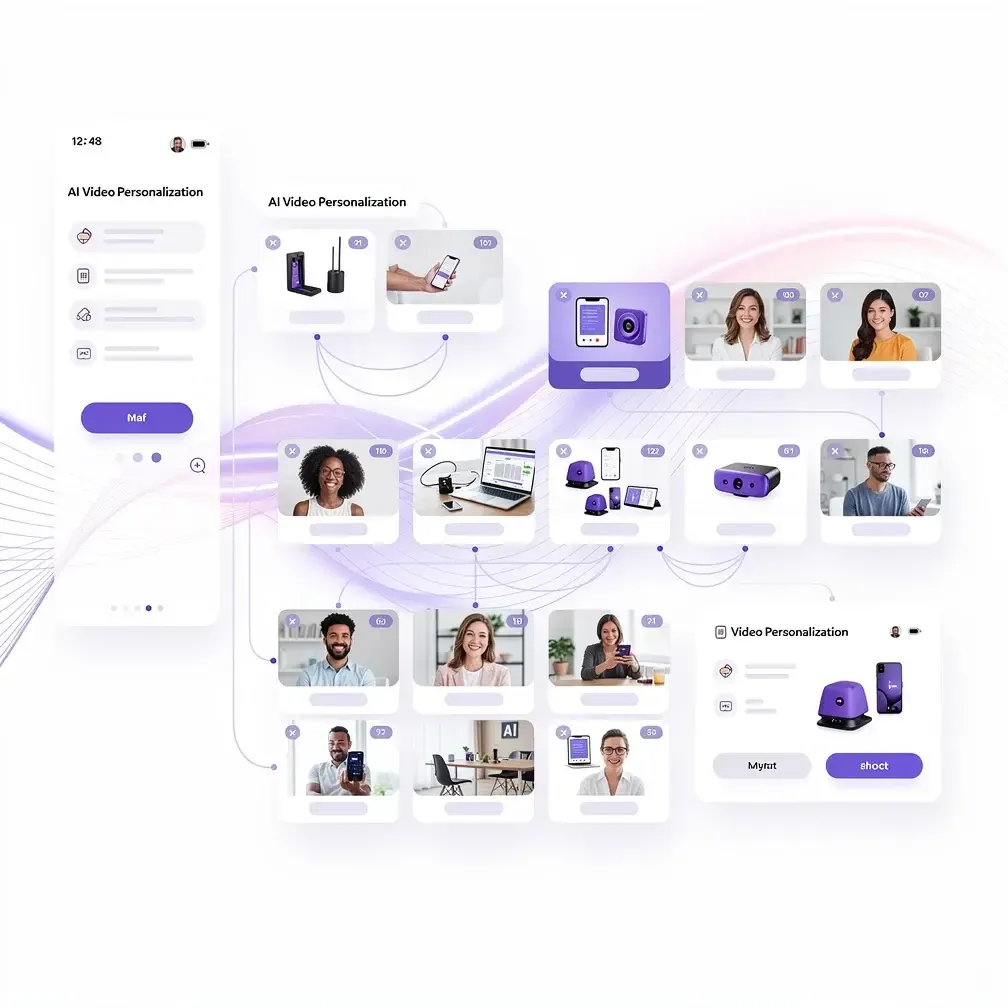
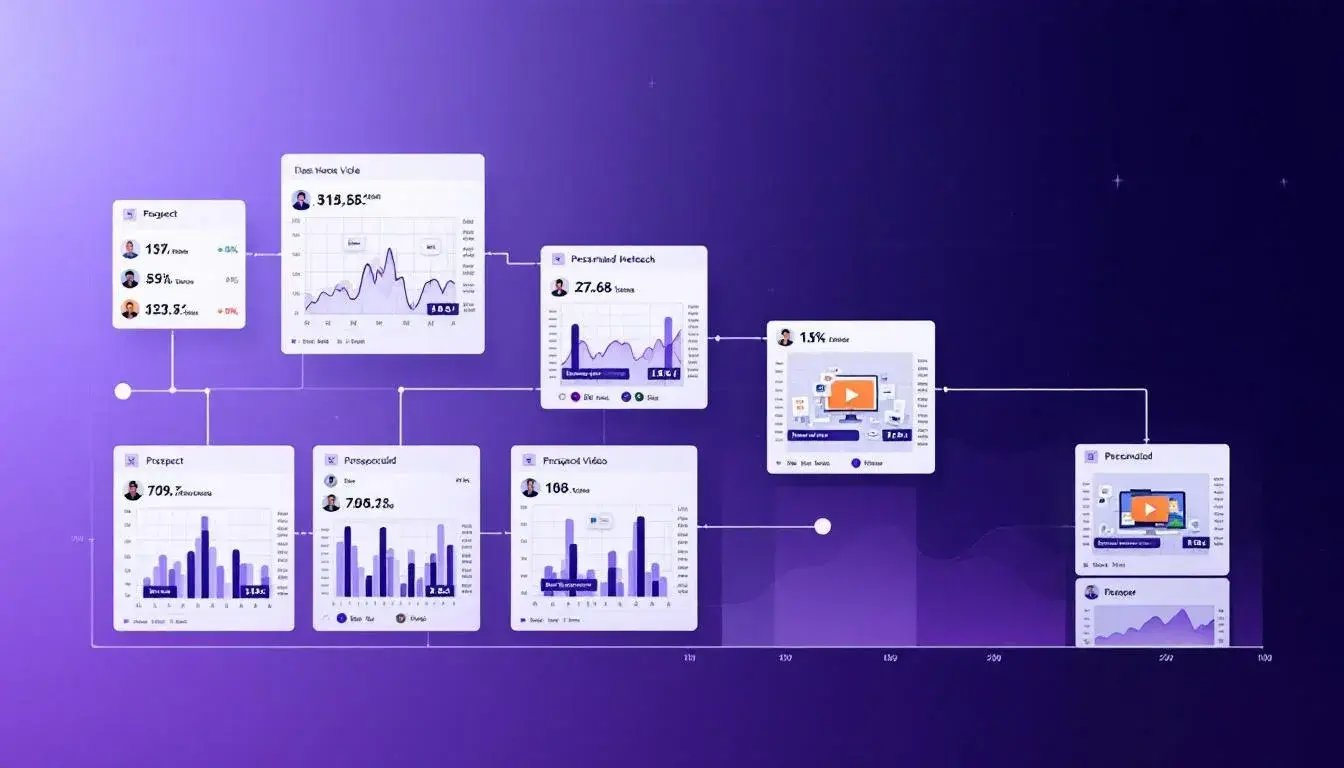
Personalizing video outreach at scale means creating one high-quality master recording and using AI to automatically generate individualized versions for each prospect — adding their name, company, and website — without re-recording. Teams using this approach report reply rate increases of 200–300% over text email while reducing per-contact video time from 5–8 minutes to under 5 seconds (Sendspark customer data).
The standard manual approach — recording a unique video per prospect — works well for enterprise ABM targets (5–20 priority accounts) but doesn't scale to 100+ contacts per week. At that volume, you need a "record once, personalize at scale" workflow:
- Record your master video. This is the core message: your pitch, the pain point you're addressing, your CTA. Record it once, optimized for your ICP segment, not individual accounts.
- Upload your prospect list. Import a CSV or connect your CRM (HubSpot, Salesforce, or a sequencing tool like Outreach/SalesLoft) to pull names, companies, and websites automatically.
- Let AI generate the personalized intros. Sendspark's AI voice cloning uses your recorded voice to say each prospect's name and company in your tone and cadence — not a robotic text-to-speech voice. Each resulting video opens with a personalized greeting before flowing seamlessly into your master recording.
- Add dynamic backgrounds. The prospect's website or LinkedIn profile appears behind you in the video, both in the thumbnail and during playback. This is the single highest-impact personalization element — it's visible before the prospect even presses play.
- Send via your existing workflow. Export the personalized video links back to your email tool, HubSpot sequence, Apollo campaign, or Outreach cadence.
This is what Sendspark's video sales prospecting solution is built for. Teams like those at Userpilot used this workflow to reach thousands of prospects in the time it previously took to manually record a few dozen. See the record-once, personalize thousands playbook for SDRs for a step-by-step breakdown.
Common Mistake: Sending generic video to large lists performs only slightly better than text email. The lift from video comes almost entirely from personalization — the prospect's name in the greeting, their website as the background, their company name in the thumbnail. Without personalization, video prospecting is an expensive way to get the same results as a regular cold email. Always personalize before scaling.
For connecting your video data to your CRM and triggering automated sends from deal stage changes, see how to set up HubSpot video integration or Outreach sequence integration for Sendspark.
See How AI Personalizes Your Video for Every Prospect
Record once — Sendspark's AI adds each prospect's name, company, and website automatically. No re-recording.
Try Sendspark Free →What to Say: Video Prospecting Scripts for Every Stage
A strong video prospecting script follows a predictable structure: a personalized hook, a specific insight about the prospect's situation, a concrete value statement, and a single low-friction ask. The script changes depending on where the prospect is in the funnel — cold outreach, follow-up, or re-engagement — but the four-part structure stays consistent.
Scripts are one of the highest-leverage investments in a video prospecting program. According to Demand Gen Report's 2015 Content Preferences Survey, 91% of B2B buyers prefer more interactive or visual content they can access on demand — but that preference evaporates if the message doesn't speak to a specific problem they recognize. A generic script delivered via video performs no better than a generic text email. Specificity is what activates the medium.
Cold outreach script (first touch):
"Hey [Name] — I was looking at [Company]'s website and noticed you're focused on [specific thing, e.g., scaling your SDR team / launching into enterprise / building out your HubSpot workflows]. Wanted to send a quick video because I think there's something relevant for you. Most [job title]s I talk to are dealing with [specific pain point] — and there's a way to [result] without [common objection, e.g., rebuilding your entire stack]. Happy to show you in 15 minutes. Worth a quick look?"
Follow-up script (second or third touch in sequence):
"Hey [Name] — sent you a note last week about [topic]. Figured a quick video would be more useful than another email. Here's the specific part I think is relevant to [Company]: [one crisp sentence on the value]. Open to a 15-minute call to see if it's a fit?"
Re-engagement script (stale leads or closed-lost):
"Hey [Name] — we spoke [timeframe] ago about [topic] and I know the timing wasn't right. Sending this because [specific reason it might be relevant now — product update, their company news, trigger event]. If anything's changed on your end, happy to pick up where we left off."
For more templates and real examples from top-performing SDRs, see our collection of video prospecting scripts for sales teams and video prospecting examples from top SDRs.
How to Integrate Video Into Your Sales Sequence
Video prospecting is most effective when embedded throughout a full sales sequence — not used as a single one-off touchpoint. The highest-converting sequences use video at touch 1 (cold intro), touch 3 or 4 (follow-up with added context), and touch 6–7 (breakup message or re-engagement). Mixing video with text emails, phone calls, and LinkedIn touchpoints outperforms any single-channel approach by a significant margin.
According to Salesforce's State of Sales report (2022), sales reps spend just 28% of their time selling. The remaining time is lost to manual tasks — including individually crafting and sending personalized video messages. Automated sequences that trigger video sends based on prospect behavior or CRM stage changes recapture that lost time while maintaining personalization quality.
A proven 7-touch video sequence structure for B2B outbound:
- Day 1 — Video intro email: Personalized AI video, 60–75 seconds, prospect name + website background, specific observation CTA
- Day 3 — Text email: Short follow-up referencing the video, adds one piece of social proof (case study, metric, customer logo)
- Day 5 — Phone call: Voicemail referencing the video they may have seen
- Day 8 — Video follow-up: Shorter (30–45 seconds), new hook, different angle on the value prop, re-states the CTA
- Day 11 — LinkedIn connection: Message referencing the video outreach
- Day 14 — Text email: Value-add content (relevant blog post, tool, insight)
- Day 17 — Video breakup: Short, respectful close — "last message, no pressure, door's open" tone
Pro Tip: Use Sendspark's automated video workflows to trigger video sends automatically when a prospect opens a proposal, visits your pricing page, or reaches a specific deal stage in your CRM. CRM-triggered video removes the manual step of deciding when to send and ensures no hot lead is left without a timely, personalized touchpoint.
For complete setup instructions on embedding personalized video into HubSpot sequences, see the guide to embedding personalized videos in HubSpot sequences, or the sales cadence best practices guide for sequence structure advice that applies across any tool stack.
How to Measure Video Prospecting Performance
The three metrics that matter most for video prospecting are reply rate (did the email get a response?), watch-to-completion rate (did the prospect watch the full video?), and meeting booked rate (did the touchpoint advance the deal?). Everything else — open rate, video views — is vanity data that doesn't correlate with pipeline generation.
Here are the benchmarks to track your video prospecting program against:
| Metric | Text Email Benchmark | Generic Video | AI-Personalized Video | Why It Matters |
|---|---|---|---|---|
| Reply rate | 1–3% | 3–5% | 6–15% | Core measure of outreach effectiveness |
| Click-through rate | 2–5% | 8–12% | 20–30% | Measures video thumbnail engagement |
| Watch-to-completion | N/A | 40–50% | 60–75% | Indicates message resonance and video quality |
| Meeting booked rate | 0.5–1% | 1–2% | 3–5% | Ultimate pipeline conversion metric |
Use these benchmarks directionally, not as hard targets — industry, ICP, and sequence position all shift the numbers. What matters more than hitting a specific number is understanding which metric is your bottleneck. Low click-through rate is a thumbnail problem. High click-through but low completion is a script or video length problem. High completion but low reply rate is a CTA problem.
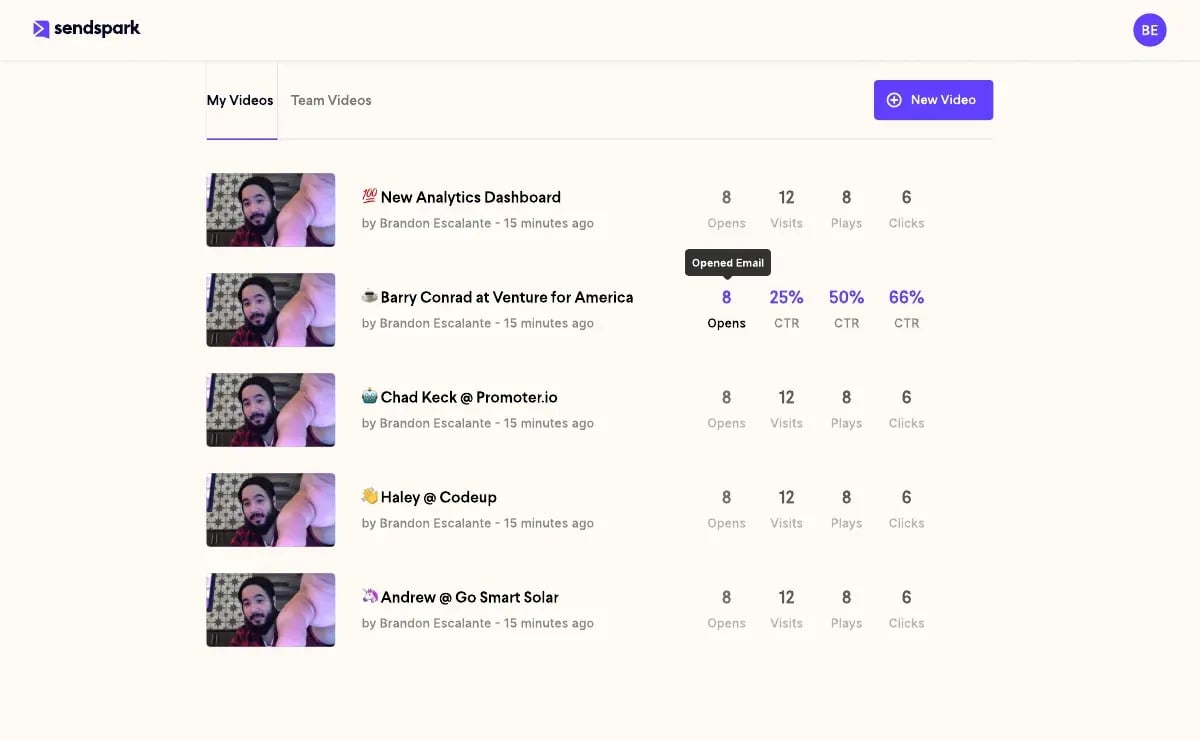
Sendspark's video engagement analytics dashboard tracks all four metrics per video, per recipient, and per campaign — with individual viewer-level data so you can see exactly which prospects watched, for how long, and whether they clicked your CTA. This data feeds directly back to your CRM via HubSpot or Salesforce, allowing you to prioritize follow-up based on actual engagement signals rather than guesswork.
For a detailed framework on using video analytics to sharpen your outreach, see how to use video analytics to improve outreach.
How to Choose the Right Video Prospecting Tool
The right video prospecting tool for a B2B sales team depends on three things: whether you need AI personalization at scale, which CRM and sequencing tools you already use, and whether you want per-recipient analytics or just basic link sharing. For most SDR teams sending more than 50 personalized videos per week, AI automation is not optional — it's the only way to keep up with quota without burning out.
Video's engagement advantage only translates into pipeline when the tool enables systematic, trackable outreach, not just one-off recordings.
Key criteria to evaluate when choosing a video prospecting tool:
- AI personalization capabilities: Can the tool auto-generate individualized video greetings using AI voice cloning — not just overlaid text?
- Dynamic backgrounds: Can it show the prospect's website, LinkedIn, or company page as the video background in the thumbnail?
- CRM integration depth: Does it sync viewer data (watch time, CTA clicks, completions) back to HubSpot or Salesforce — or does it just provide an embed code?
- Sequencing tool compatibility: Does it connect with Outreach, SalesLoft, Apollo, and similar tools natively — or require manual export?
- Per-recipient analytics: Can you see which specific prospects watched, for how long, and whether they clicked your calendar link?
- Scale limits: What's the monthly video credit limit? Can you run batch campaigns of 500+ personalized videos without hitting walls?
Sendspark is purpose-built for these requirements, with native AI voice cloning for personalized intros, 50+ integrations including HubSpot, Salesforce, Outreach, SalesLoft, and Apollo, and per-recipient analytics that sync back to your CRM. Teams using Sendspark report a 40–50% increase in meetings booked compared to text-only outreach, and save over 10 hours per campaign previously spent recording individual videos.
For a tool comparison, see best video prospecting tools for SDRs or the complete guide to sending video through email for context on how different tools handle email delivery and thumbnail rendering.
For a broader view of where your team sits on the adoption curve, the video outreach maturity model outlines the progression from beginner to scale — and what capabilities to build at each stage.
Frequently Asked Questions
What is video prospecting?
Video prospecting is an outbound sales technique where reps send short, personalized video messages to prospects instead of — or alongside — traditional text cold emails. A typical video prospecting message is 45–90 seconds, addresses the prospect by name, and ends with a specific call-to-action like booking a call. It consistently generates higher reply rates than text email because it signals effort and creates a human connection that text alone cannot.
How long should a video prospecting message be?
Video prospecting messages perform best at 45–75 seconds for cold outreach. Videos under 45 seconds can feel too brief to establish credibility; videos over 90 seconds see a sharp drop in watch-to-completion rates. Follow-up videos later in a sequence can be shorter (30–45 seconds) since the prospect already has context from prior touches.
Does video prospecting work for cold outreach?
Yes — video prospecting works particularly well for cold outreach when combined with personalization. Generic video sent to a cold list performs only marginally better than text email. The significant gains come from personalizing the thumbnail, the greeting, and the video background to each specific prospect. AI-personalized video outreach generates 200–300% higher email reply rates compared to standard text-based cold email sequences (Sendspark customer data).
How do you personalize video outreach at scale?
AI-powered tools let you record a single master video and automatically generate personalized versions for each prospect — using AI voice cloning to say their name and company in your voice, and showing their website or LinkedIn as the dynamic background. This approach reduces per-contact video time from several minutes to seconds, making it feasible to send hundreds of personalized videos per week without re-recording.
What is the best video prospecting tool for SDR teams?
The best video prospecting tool for SDR teams depends on your stack, but prioritize AI personalization (auto-generated greetings), deep CRM integration (bi-directional sync with HubSpot or Salesforce), sequencing tool compatibility (Outreach, SalesLoft, Apollo), and per-recipient analytics. Sendspark is purpose-built for this use case, with native AI intros, 50+ integrations, and analytics that sync viewer data back to your CRM.
What should I say in a video prospecting message?
Follow a four-part structure: (1) a personalized hook using the prospect's name and a specific observation about their company or role, (2) a clear statement of the problem you solve for their situation, (3) a brief value proposition with a concrete outcome, and (4) a low-friction call-to-action — typically a 15-minute call or a simple yes/no question. Avoid multi-sentence pitches at the end; one clear ask outperforms multiple requests every time.
Sources & References
- Salesforce State of Sales Report — "Sales reps spend just 28% of their time selling," from a survey of 7,700+ sales professionals (2022)
- HubSpot Research — "Personalized CTAs convert 202% better than default, generic CTAs" (2020)
- Demand Gen Report — 2015 Content Preferences Survey: 91% of buyers agree or strongly agree that they prefer more interactive/visual content that can be accessed on demand (2015)
Ready to Book More Meetings with Video Prospecting?
Sendspark's AI personalizes your video for every prospect — name, company, website — without re-recording. Record once. Scale to thousands.
Get Started Free →No credit card required • Set up in 2 minutes