Personalized video for sales teams
Sendspark is an AI personalized video platform for B2B sales teams. Sales leaders use it to give every rep one way to use video across the cycle, from the first touch to the proposal, with a shared library, workspace templates and Team Insights, the team dashboard that shows who's sending and whose videos get watched.
 SOC 2 Type II
- Read reviews on G2
Trusted by sales and marketing teams at










Every rep does video differently, or not at all
One rep records a video for every prospect, another sends none, and nobody can say which messages get watched. Without a shared way of working, video stays a personal habit instead of part of the sales process.
Where video fits from first touch to closed deal
- 1
First touch
A personalized video in the first email or LinkedIn message, with the prospect's name in the rep's voice.
See Sales Prospecting - 2
After the first meeting
A recap with the next steps and a calendar button for the follow-up.
See Deal Progression - 3
The proposal
A screen walkthrough of the proposal, with a file download button on the landing page.
Landing Pages - 4
Stalled deals
View notifications show who watched, so reps call the people who are paying attention.
Video Analytics - 5
Handoff to customer success
An intro video from the account manager, so the customer meets the next person before the kickoff.
See Customer Success
Every rep starts from the same playbook
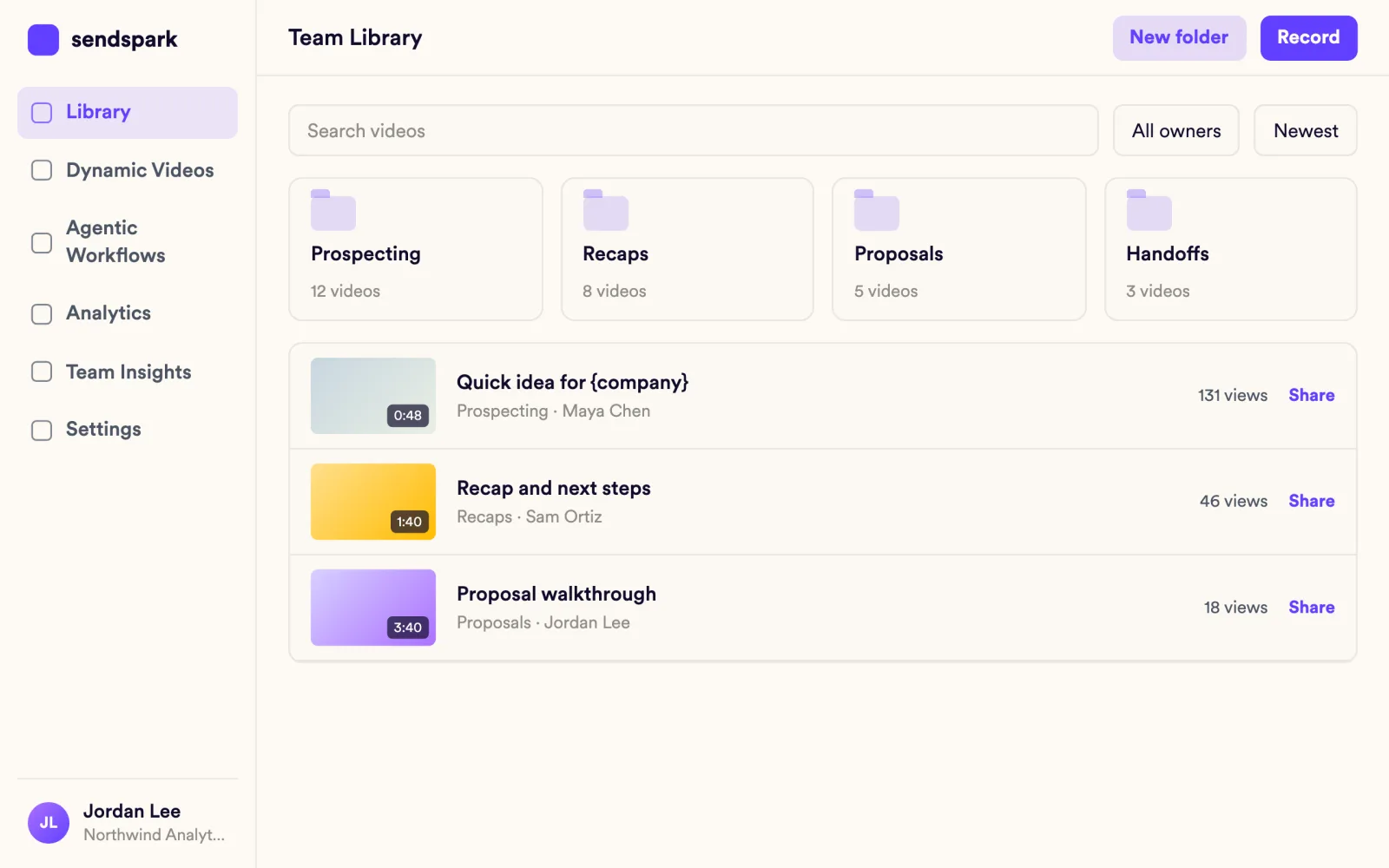
Save headers, messages and CTAs as templates shared across the workspace, and keep approved videos in the team library with folders, so new reps send what already works.
Explore Video Library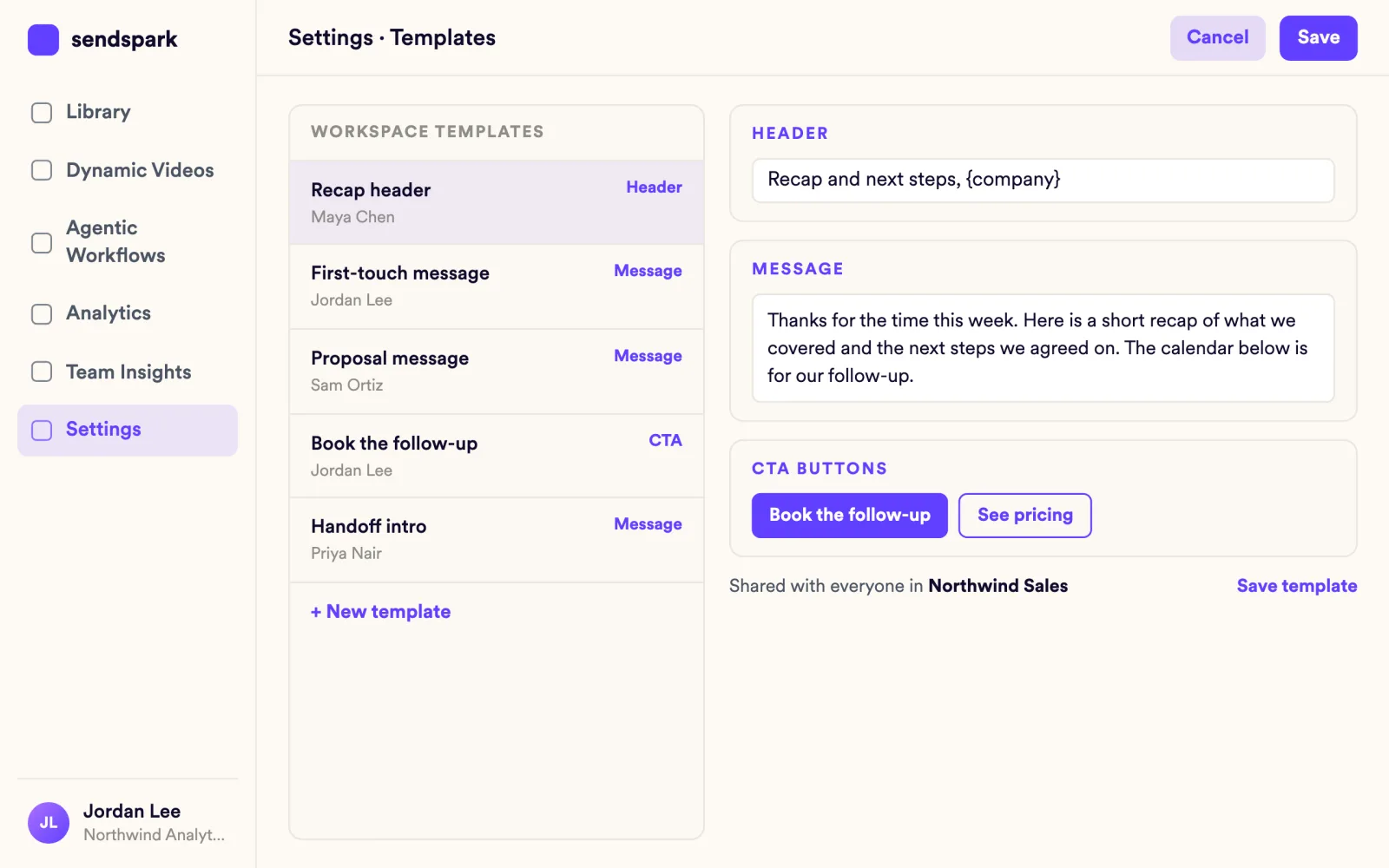
Leaders see what the whole team sends
Team Insights shows top performers, the member leaderboard, top videos and activity over time, and per-video analytics show who viewed, how much they watched and who clicked. Team Insights is on every plan, with every widget on Growth and above.
Explore Video Analytics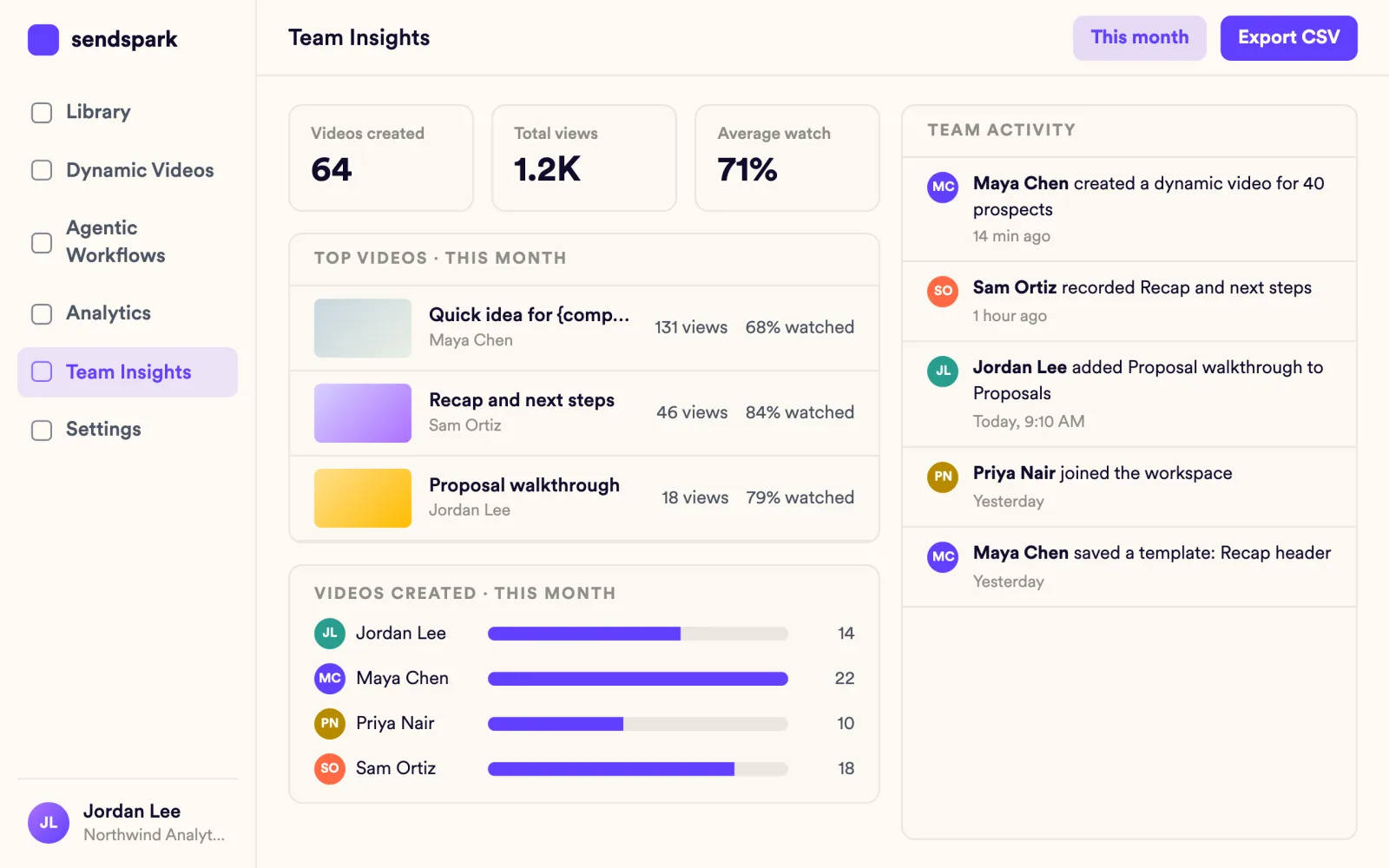
Video runs inside the tools reps already use
Insert videos from Gmail with the Chrome extension, paste them into Outreach, Salesloft, Apollo and 70+ other tools, and import prospects from HubSpot or Salesforce. The advanced Salesforce integration is on Growth and above.
Explore Video Emails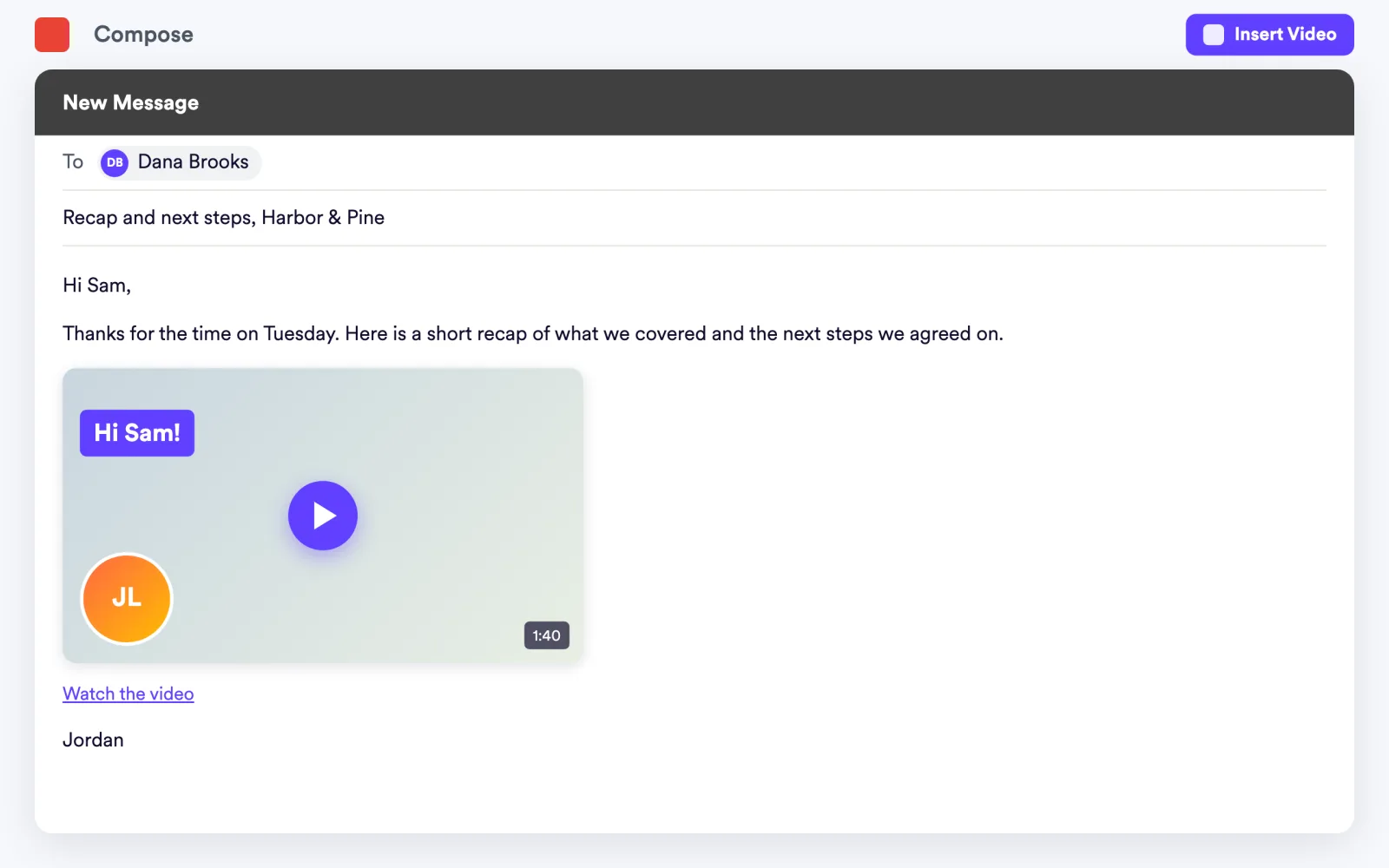
Personal videos go out without new recordings
Automated Workflows create and send a personalized video when a trigger fires, such as a contact added in your CRM or a step in a sequence. Growth and above.
Explore Automated Workflows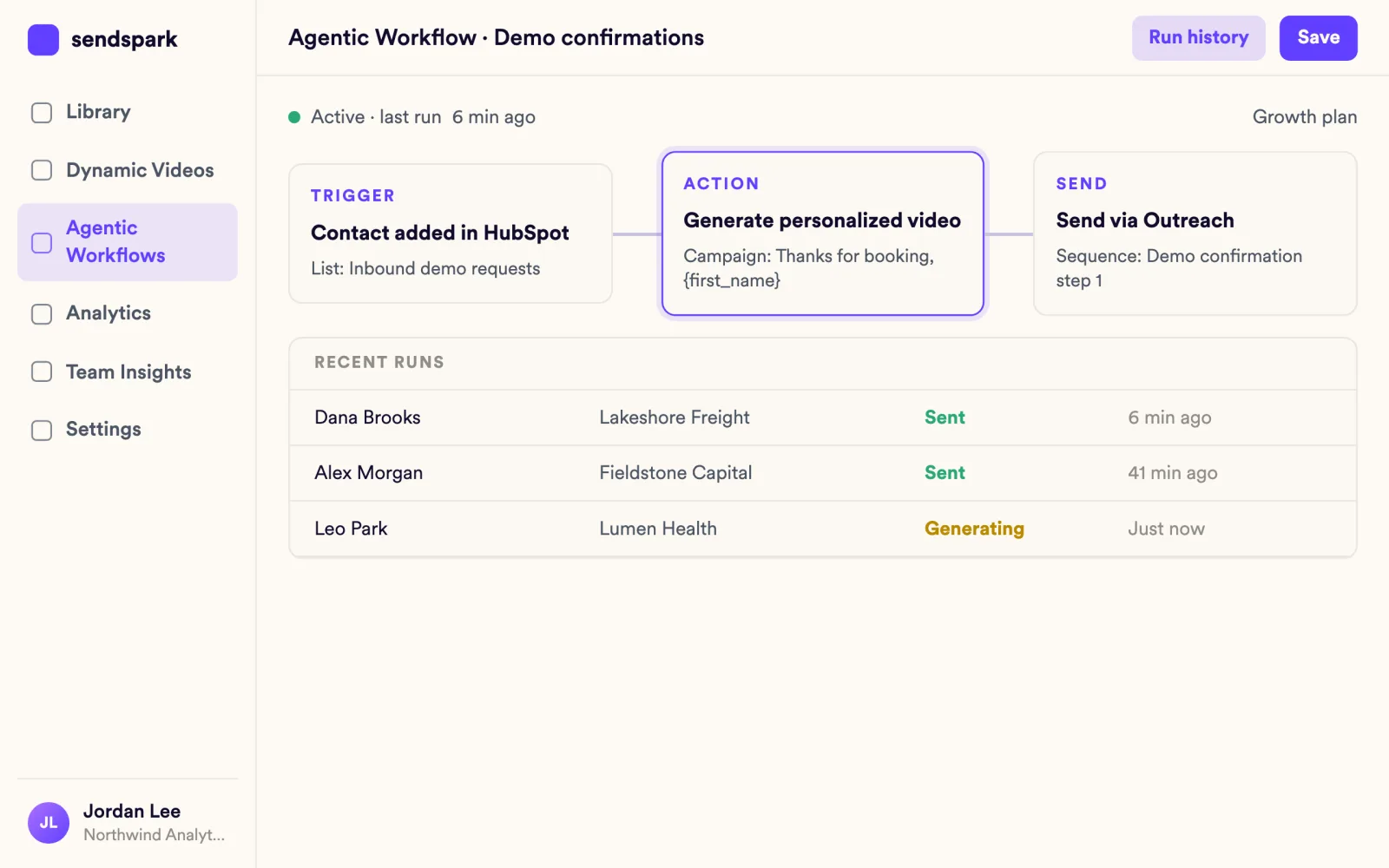
Teams that closed the gap
Video works well in our industry because it shows that we've put in the time and effort. It's different from the typical cold call or email and helps to convey our message more effectively.
We saw this as an opportunity to bring the 'aha moment' of our product … forward in the sales process.
Works with your CRM and sales tools
See all integrations HubSpot
 Salesforce
 Outreach
 Salesloft
 Apollo
 Gmail
Gmail LinkedIn
 Calendly
 Chili Piper
 Zapier
Frequently asked questions
How do sales teams use personalized video?
Reps send a personalized video in the first touch, a recap after meetings, a walkthrough of the proposal and an intro at handoff. Sendspark records once and personalizes each video with the prospect's name in the rep's voice.
Can managers see how the team's videos perform?
Yes. Team Insights shows top performers, the member leaderboard, top videos and activity over time. It's on every plan, with every widget on Growth and above, and every video has analytics for views, watch time, CTA clicks and likes.
Can the whole team use the same templates and videos?
Yes. Templates for headers, messages and CTAs are shared across the workspace, and the team library holds videos everyone can use.
Does it work with our CRM and sales engagement platform?
Yes. HubSpot works on every plan, the advanced Salesforce integration is on Growth and above, and you can paste videos into Outreach, Salesloft, Apollo and 70+ other tools.
Can we roll it out with SSO?
Enterprise workspaces include SSO/SAML, SCIM provisioning and audit logs, set up by the Sendspark team. See Enterprise Security.
Updated
Make your next outreach personal.
Record one video and let Sendspark do the rest.
