Sendspark Apollo integration for personalized video in sequences
Paste your Sendspark video into an Apollo email template and each contact in the sequence gets their own personalized video, matched by email address. With Agentic Workflows, Sendspark can find the contact in Apollo and enroll them in a sequence once their video is ready. It's for prospecting teams that run outbound from Apollo. Sendspark is an AI personalized video platform: you record one video and it creates a personalized version for every prospect.
 SOC 2 Type II
- Read reviews on G2


Sendspark and Apollo at a glance
- Integration type
- Share snippet and Agentic Workflows connection
- How data moves
- You paste the Sendspark snippet into an Apollo email template and upload Sendspark's campaign CSV to Apollo. With Agentic Workflows, Sendspark looks up the contact in Apollo and adds them to a sequence. Views and clicks are tracked in Sendspark.
- Plan
- Agentic Workflows: Growth and above.
- What you need
- An Apollo account with email templates; for automated enrollment, an Apollo API key from Apollo's Developer Keys page and your sequence ID.
- Setup guides
- On Apollo's side
- About Apollo
Your Apollo sequences reach thousands of inboxes and sound like none of them
Big lists make it tempting to send the same few lines to everyone, and buyers can tell. Recording something personal for each contact doesn't fit the volume, so the sequence stays easy to ignore.
How to use Sendspark with Apollo
- 1
Copy the Apollo snippet from your campaign
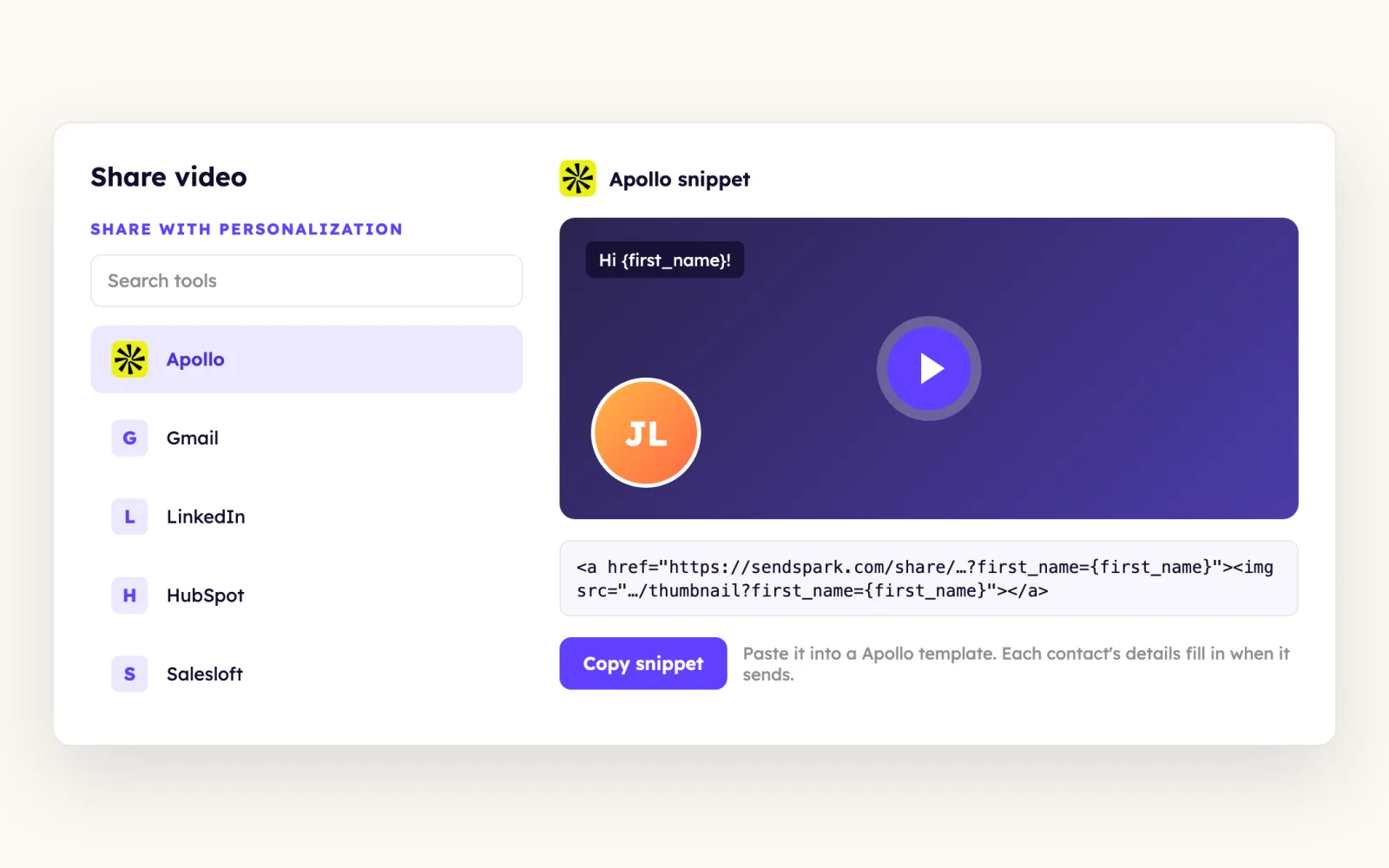
Finish your dynamic video campaign in Sendspark, click Share Campaign, search for Apollo and click it to copy the code snippet.
- 2
Paste it into an Apollo email template
In Apollo, go to Emails, Templates and create a template. Paste the snippet into the body, where it turns into the video thumbnail, then add a subject line and save.
- 3
Load the template into your sequence
In the sequence's email step, click Load templates, select your template, clone it and save. Don't paste the raw snippet into the sequence body: it looks fine but breaks the variables when it sends.
- 4
Upload Sendspark's CSV to Apollo
Download the campaign CSV from Sendspark, then in Apollo go to Contacts, Add contacts, Upload CSV file. Map the email column (it's the only required one) and enroll those contacts.
- 5
Or let Agentic Workflows enroll contacts
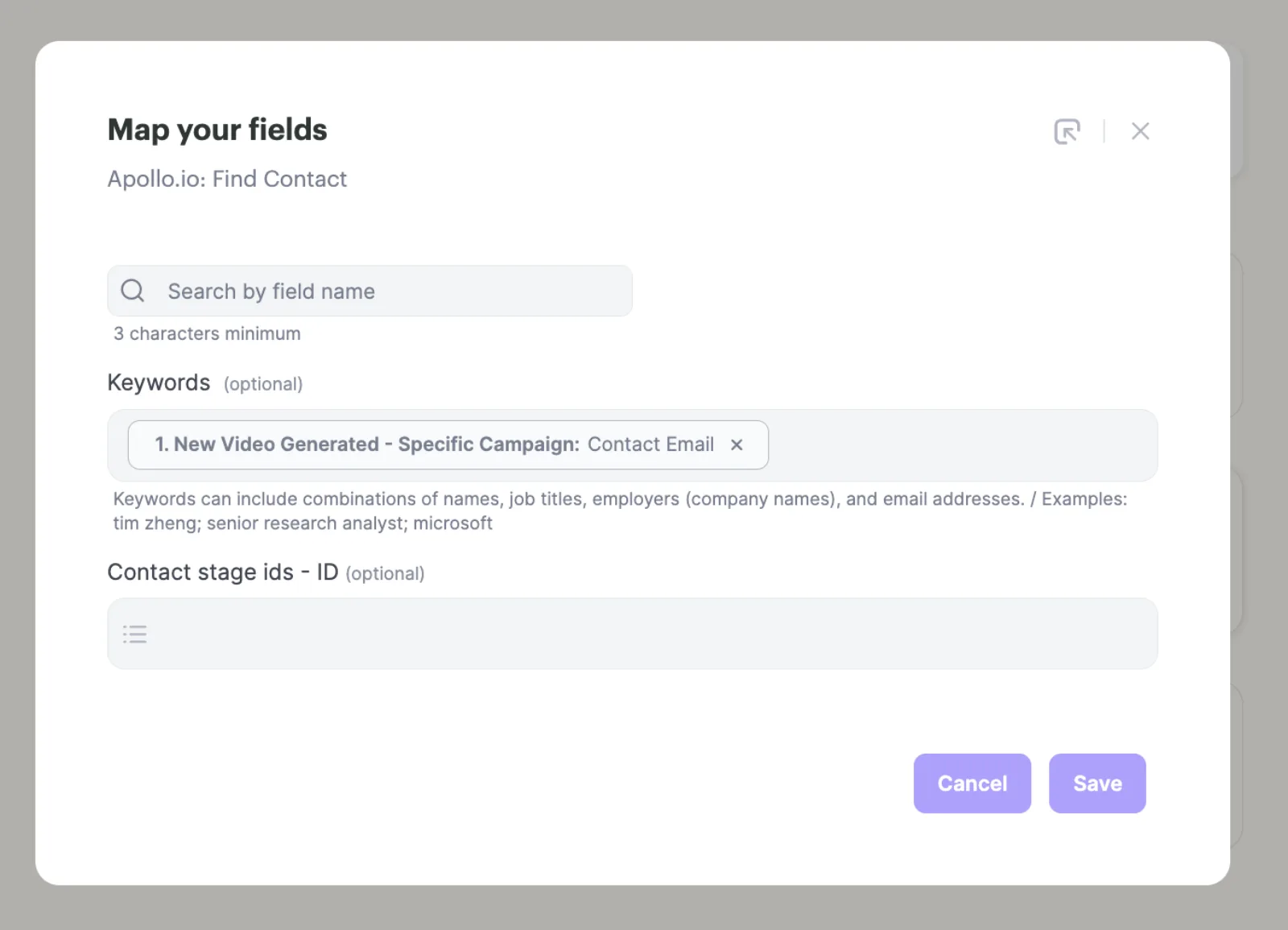
Trigger on Sendspark: New Video Generated - Specific Campaign, add Apollo.io: Find Contact with the contact email, then an HTTP Request step that POSTs the contact ID to Apollo's add_contact_ids endpoint for your sequence.
What teams do with Sendspark and Apollo
Contacts enter your Apollo sequence the moment their video is ready
Use New Video Generated - Specific Campaign as the trigger so nobody is enrolled before their video exists. Find Contact returns the contact ID, and the HTTP request sends contact_ids, emailer_campaign_id and send_email_from_email_account_id with your X-Api-Key header.
Read the guideA HubSpot list feeds personalized videos into an Apollo sequence
Trigger on HubSpot: Added to List, create the dynamic video with the email mapped, then find the contact in Apollo and enroll them with the HTTP request. New contacts can take up to five minutes to appear in Sendspark.
Read the guideA stage change in Apollo starts the right video
Agentic Workflows match Apollo's internal stage ID, not the display name. To trigger on Interested, filter on 6643bd8bcfbcbd030006fbf7 instead of the word, and re-fetch IDs if you add custom stages.
Read the guideContacts missing from Apollo still get enrolled
Add a Router step after Find Contact. When the lead doesn't exist, run Apollo.io: Create Contact and repeat the HTTP request with the new contact's ID, with a break between the two paths.
Read the guideWhat Apollo data personalizes each video
- Share page header, message and call to action with merge tags such as {{first_name}} and {{company_name}}, set with Add Dynamic Personalization.
- Thumbnail text (for example "Hi {{first_name}}") through Share Video, Customize.
- Email is the unique key that matches each video to each Apollo contact; background URL, video link and GIF URL columns in the CSV are optional.
- Upload Sendspark's exported CSV, not your original list: it only includes contacts whose videos generated.
- The snippet belongs in an Apollo template, not pasted straight into a sequence step.
Where you see who watched from Apollo
Views, watch time and CTA clicks are tracked in Sendspark video analytics and Team Insights.
Explore Video AnalyticsSendspark and Apollo: frequently asked questions
Does Sendspark integrate with Apollo?
Yes. You paste a Sendspark video snippet into Apollo email templates, and Agentic Workflows can find contacts in Apollo and enroll them in sequences after their personalized video is generated.
Why do my Sendspark variables break in Apollo?
The snippet was probably pasted straight into the sequence email. Paste it into a template under Emails, Templates, then load that template into the sequence step.
Which CSV should I upload to Apollo?
The one you download from your Sendspark campaign. It only lists contacts with a generated video, and its email column is what matches each video to the right person.
Can Sendspark trigger on an Apollo contact stage?
Yes, but conditions need Apollo's stage ID rather than the stage name. The help article lists the IDs for Apollo's nine default stages.
Which plan do I need to automate Apollo enrollment?
Agentic Workflows are on Growth and above. Pasting the snippet into Apollo templates doesn't need a specific plan.
Updated



Make your next outreach personal.
Record one video and let Sendspark do the rest.
