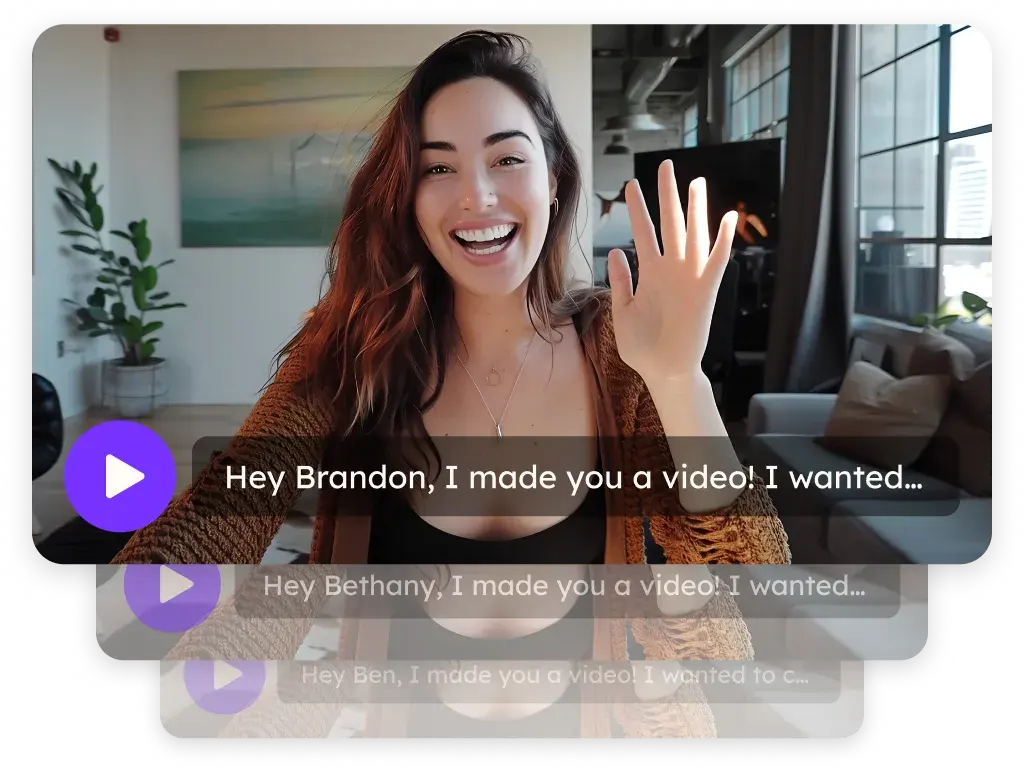
Sendspark Instantly integration for personalized video in cold email
Paste one Sendspark dynamic video snippet into an Instantly sequence and every lead gets a video made for them, matched by email. Connect Instantly to Sendspark Agentic Workflows and Instantly events, like an email being sent, can create videos and start follow-ups. It's for cold email teams and agencies running campaigns in Instantly. Sendspark is an AI personalized video platform: you record one video and it creates a personalized version for every prospect.
 SOC 2 Type II
- Read reviews on G2


Sendspark and Instantly at a glance
- Integration type
- Share snippet and Agentic Workflows connection
- How data moves
- You paste the Sendspark snippet into your Instantly email in Code View. With Agentic Workflows connected (API key in Sendspark, Sendspark webhook in Instantly), Instantly events start Sendspark automations and Sendspark can search leads and add them to Instantly campaigns. Views and clicks are tracked in Sendspark.
- Plan
- Agentic Workflows: Growth and above.
- What you need
- An Instantly account; for automations, an Instantly API key (Settings, Integrations, API Keys, All scopes recommended) and access to add a webhook in Instantly.
- Setup guides
- On Instantly's side
- About Instantly
Cold email at volume starts to look like cold email
When you're sending to big lists, every step drifts toward the same few templates and leads tune them out. Adding something genuinely personal for each lead doesn't fit a campaign that size, so it never gets added.
How to use Sendspark with Instantly
- 1
Copy the Instantly snippet
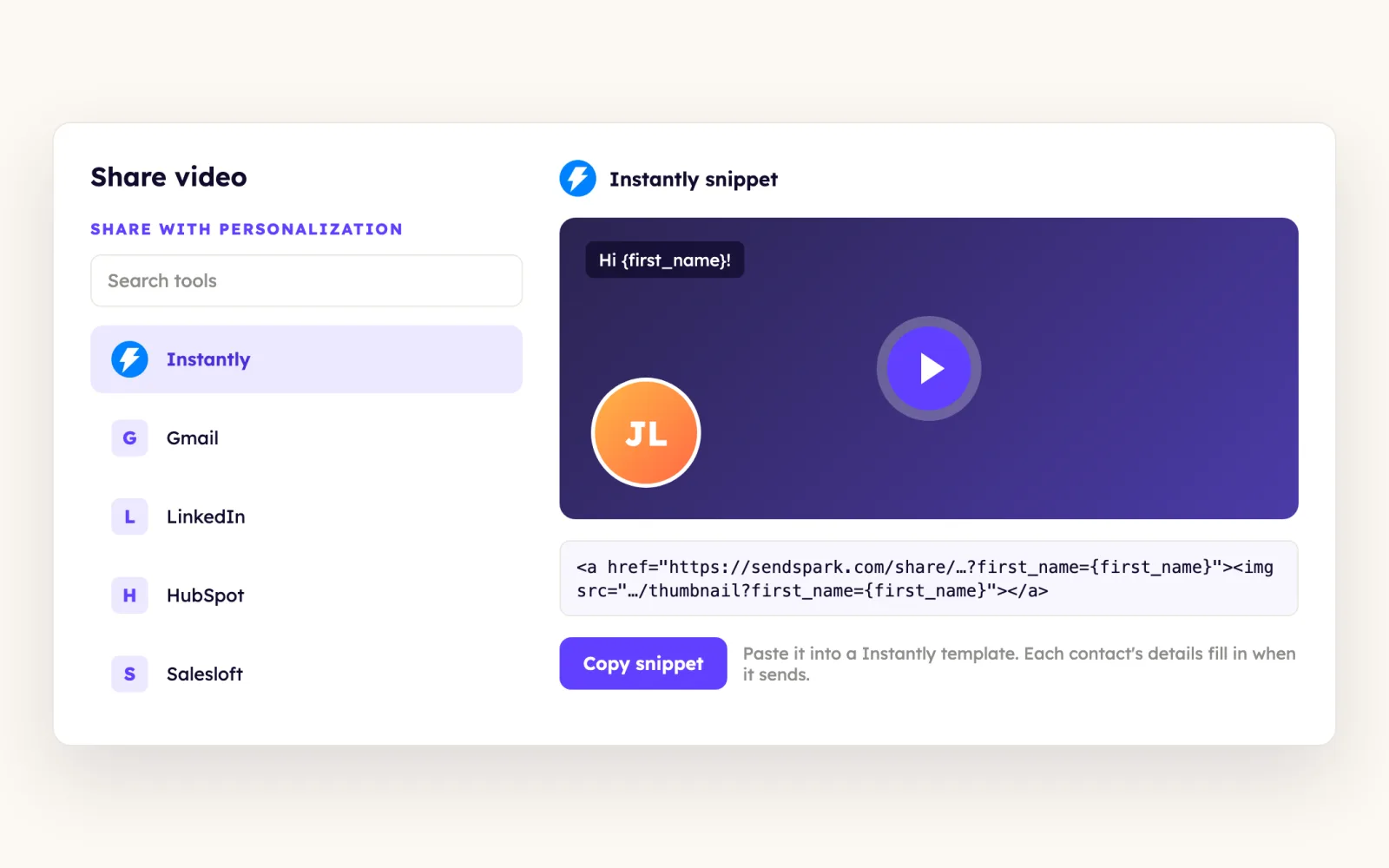
Generate the personalized videos for your leads in Sendspark, click Share Campaign, search for Instantly and click the Instantly button to copy the dynamic video snippet.
- 2
Paste it in Code View
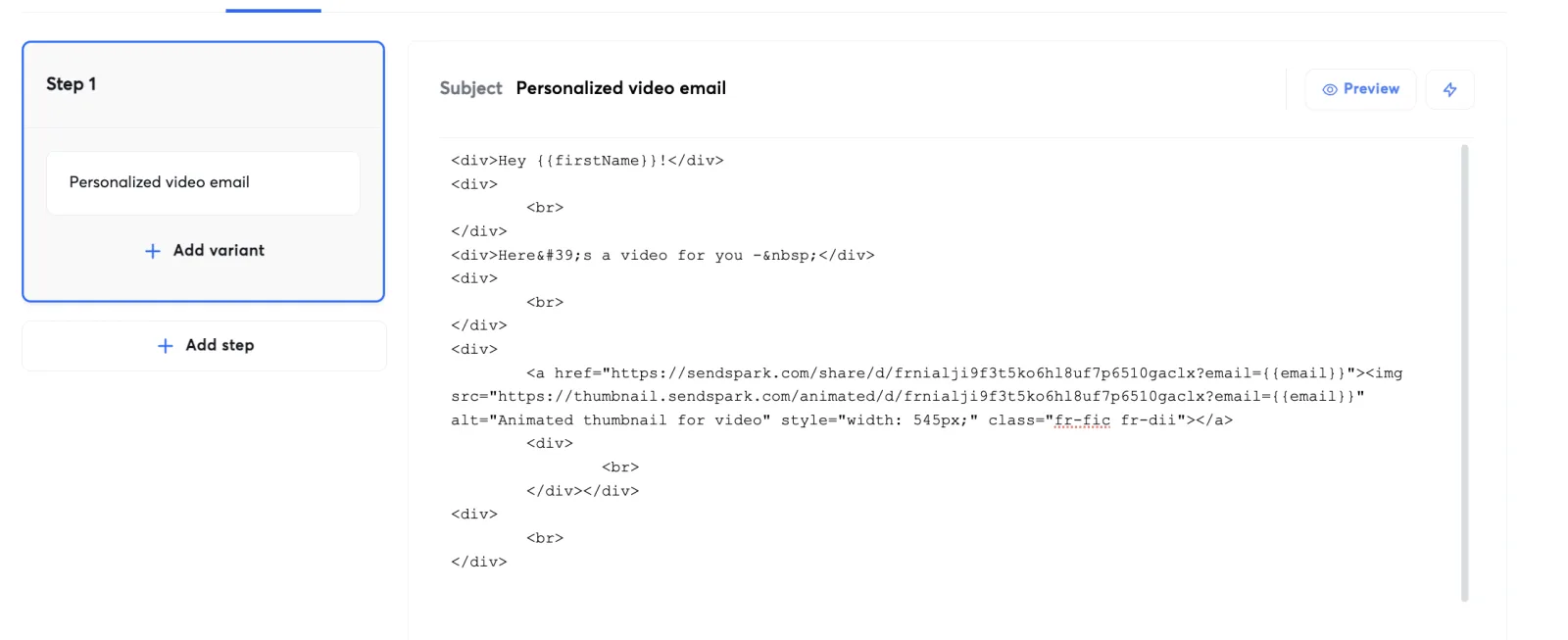
Open the email in your Instantly sequence, switch to Code View and paste the snippet where the video should go.
- 3
Switch back and resize the placeholder
Return to the regular view and you'll see the video placeholder. It pastes large, so resize it; the help article suggests about 50%.
- 4
Preview as different leads
Click Preview and change the email address to see each lead's video. If nothing shows, check that you generated a video for that address and used the same lead list in both tools.
- 5
Connect Instantly to Agentic Workflows
In Sendspark go to Agentic Workflows, Apps, Add Connection, Instantly and paste your API key. Then add the webhook URL Sendspark shows under Instantly's Settings, Integrations, Webhooks with All Events and All Campaigns.
What teams do with Sendspark and Instantly
Every lead added to a campaign gets a video before step 2 sends
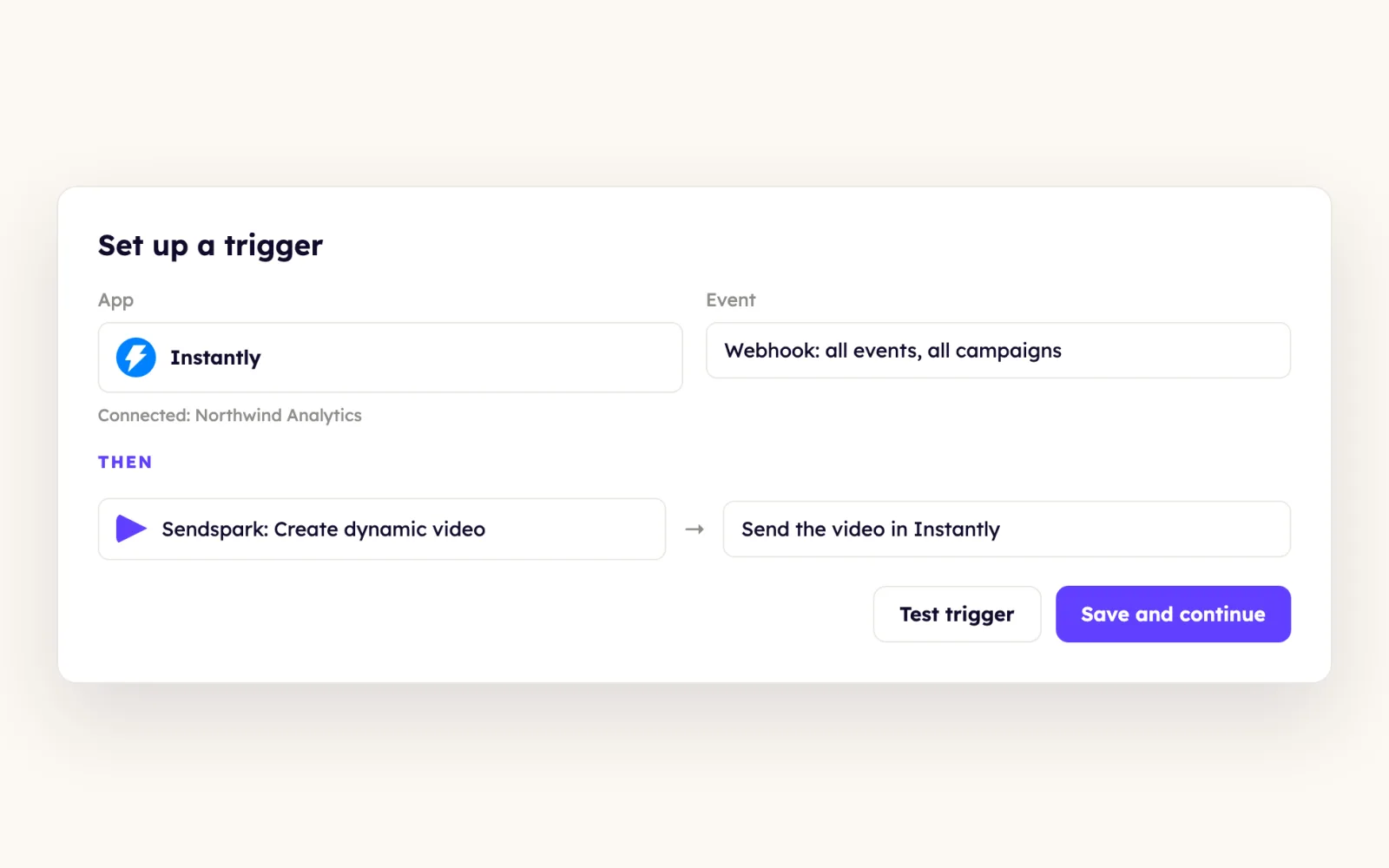
Trigger on Instantly, Email sent, filtered to your campaign ID and to step 1 so contacts don't re-enroll, then run Sendspark: Create dynamic video with Contact Email mapped. Put the video placeholder in step 2 or later so it has time to generate.
Read the guideLeads who watched but didn't reply get a casual nudge
Trigger on Sendspark: New Video Played - Specific Campaign, use Instantly Search Lead with the contact email, route leads who haven't replied, and Add Lead to Campaign for a short follow-up.
Read the guideClay builds the videos and Instantly sends them
Create Sendspark videos in Clay, paste the Instantly snippet into your email in Code View, then add Clay's Instantly Add Lead to Campaign enrichment with your Campaign ID and the contact email so leads enroll as videos generate.
Read the guideReplies in Unibox can carry a video too
The snippet's variables don't resolve in Unibox. Download the campaign CSV, insert the lead's GIF URL with Insert image, then hyperlink the thumbnail to that lead's video link.
Read the guideWhat Instantly data personalizes each video
- Video header, message and thumbnail placeholders for first name, company name and job title, filled from Instantly lead data.
- Instantly lead fields such as first name, company name and website URL can be mapped into dynamic videos through Agentic Workflows.
- Contact Email is labeled optional in Create dynamic video, but without it the video can't be matched to the lead.
- Snippet variables work in sequences, not Unibox; Unibox replies use the GIF URL and video link from the campaign CSV.
- The pasted placeholder can be resized in Instantly's editor; 50% is the help article's suggestion.
Where you see who watched from Instantly
Views, watch time and CTA clicks are tracked in Sendspark video analytics and Team Insights, and the New Video Played trigger can act on them in Instantly.
Explore Video AnalyticsSendspark and Instantly: frequently asked questions
Does Sendspark integrate with Instantly?
Yes. You paste a Sendspark dynamic video snippet into Instantly emails, and you can connect Instantly to Sendspark Agentic Workflows with an API key and a webhook so Instantly events start automations.
Why don't I see the video when I preview in Instantly?
Sendspark matches videos by email. Make sure you generated a video for the address you're previewing and that the Instantly lead list matches the one in Sendspark.
Can I send a Sendspark video from Instantly's Unibox?
Yes, by hand. Insert the lead's GIF URL from the campaign CSV as an image, then link it to their video link. The sequence snippet doesn't resolve in Unibox.
Where do I find the Sendspark webhook URL for Instantly?
Sendspark shows it after you create the Instantly connection. If you closed that screen, open the Instantly Connection Settings in Sendspark and copy it from there.
Which plan do I need for Instantly automations?
Agentic Workflows are on Growth and above. Pasting the snippet into Instantly emails doesn't need a specific plan.
Updated


Make your next outreach personal.
Record one video and let Sendspark do the rest.