Sendspark Smartlead integration for personalized video in cold email
Paste your Sendspark video into Smartlead with two snippets, an Image URL for the personalized thumbnail and a Video URL for the click-through, and every lead sees a video made for them. With Agentic Workflows, a lead moving to In Progress in Smartlead can create their video automatically. It's for outbound teams and agencies sending campaigns from Smartlead. Sendspark is an AI personalized video platform: you record one video and it creates a personalized version for every prospect.
 SOC 2 Type II
- Read reviews on G2


Sendspark and Smartlead at a glance
- Integration type
- Share snippet and Agentic Workflows connection
- How data moves
- You paste the Image URL snippet into your Smartlead email and link it with the Video URL snippet. With Agentic Workflows, a Smartlead lead status change starts video creation in Sendspark. Views and clicks are tracked in Sendspark.
- Plan
- Agentic Workflows: Growth and above.
- What you need
- A Smartlead account and a Sendspark video or dynamic video campaign; for automations, a Smartlead connection in Agentic Workflows.
- Setup guides
- On Smartlead's side
- Sendspark in Smartlead's integrations
Your Smartlead campaigns get delivered and still get skimmed past
Landing in the inbox doesn't help when the email reads like the last ten the lead deleted. Making each one feel personal takes time you don't have at campaign volume, so the copy stays generic.
How to use Sendspark with Smartlead
- 1
Find the two Smartlead snippets
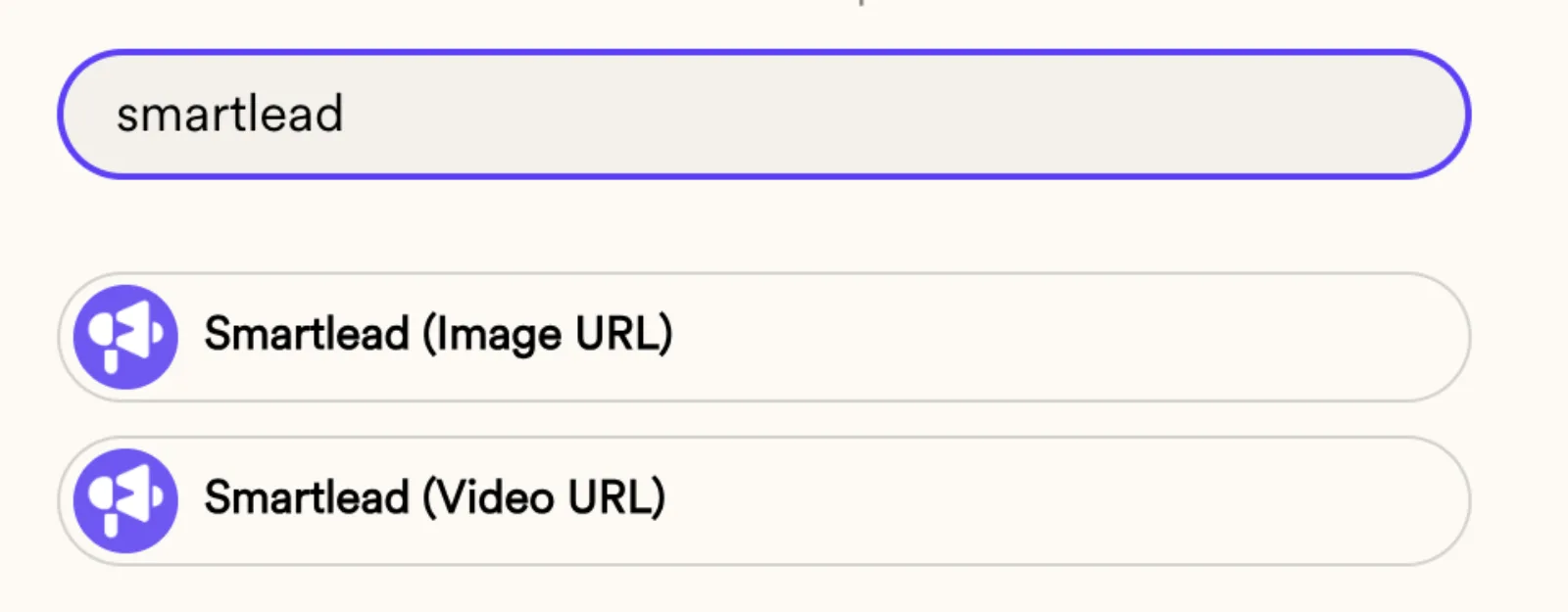
Create your dynamic video in Sendspark, click Share Campaign and search for Smartlead. You'll see two snippets: Smartlead (Image URL) and Smartlead (Video URL).
- 2
Upload the same contacts to Smartlead
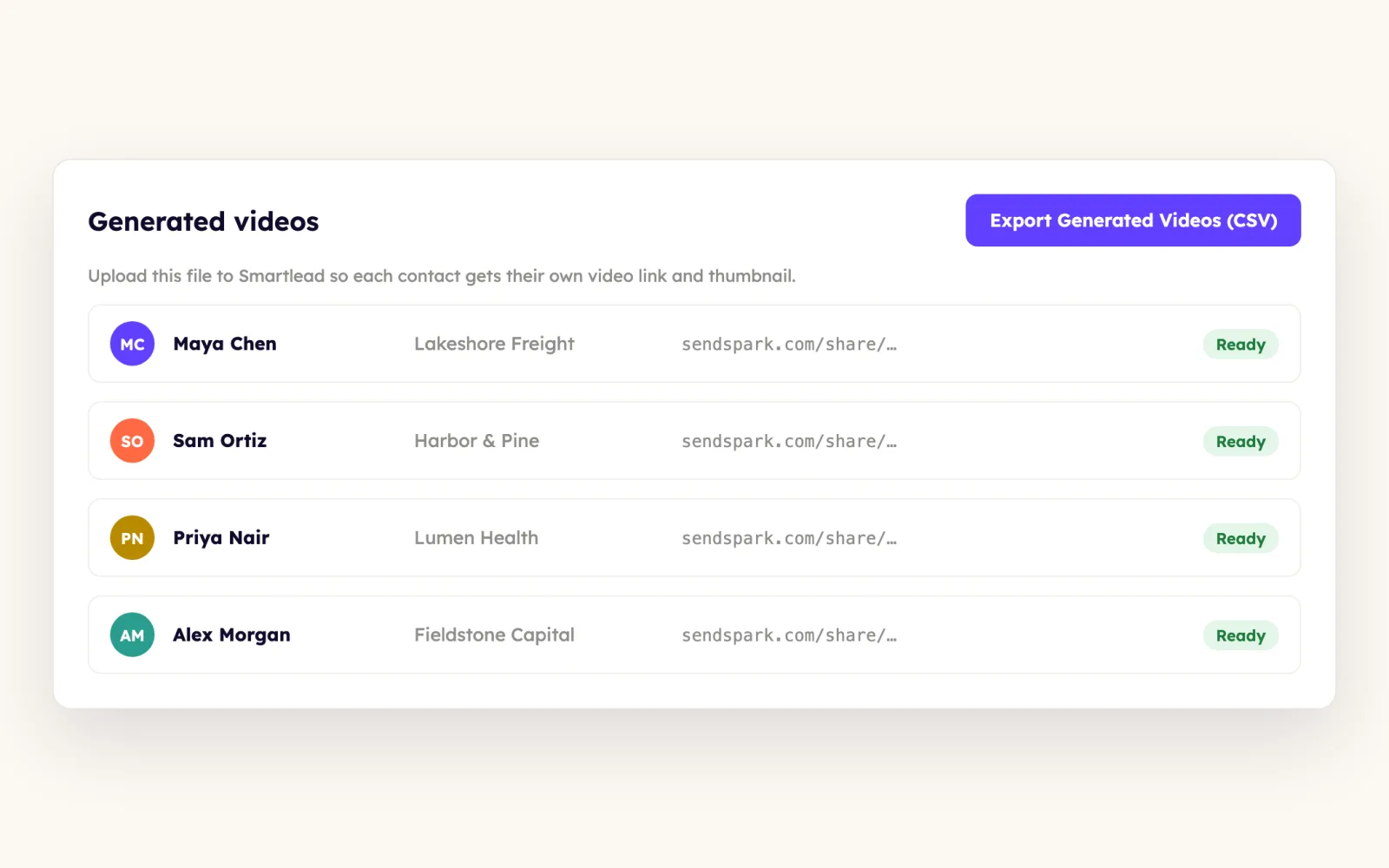
Create your Smartlead campaign and upload the contacts you generated videos for. To be sure, click Export Generated Videos (CSV) in Sendspark and upload that file.
- 3
Paste the Image URL snippet
In your Smartlead email, paste the Image URL snippet into the image URL field. Until you preview a contact you'll see the fallback, camera-only version of your video.
- 4
Link the thumbnail with the Video URL snippet
Copy the Video URL snippet, highlight the image in Smartlead and add it as a hyperlink. Without the link the thumbnail is only a picture with nothing to click.
- 5
Create videos when leads move to In Progress
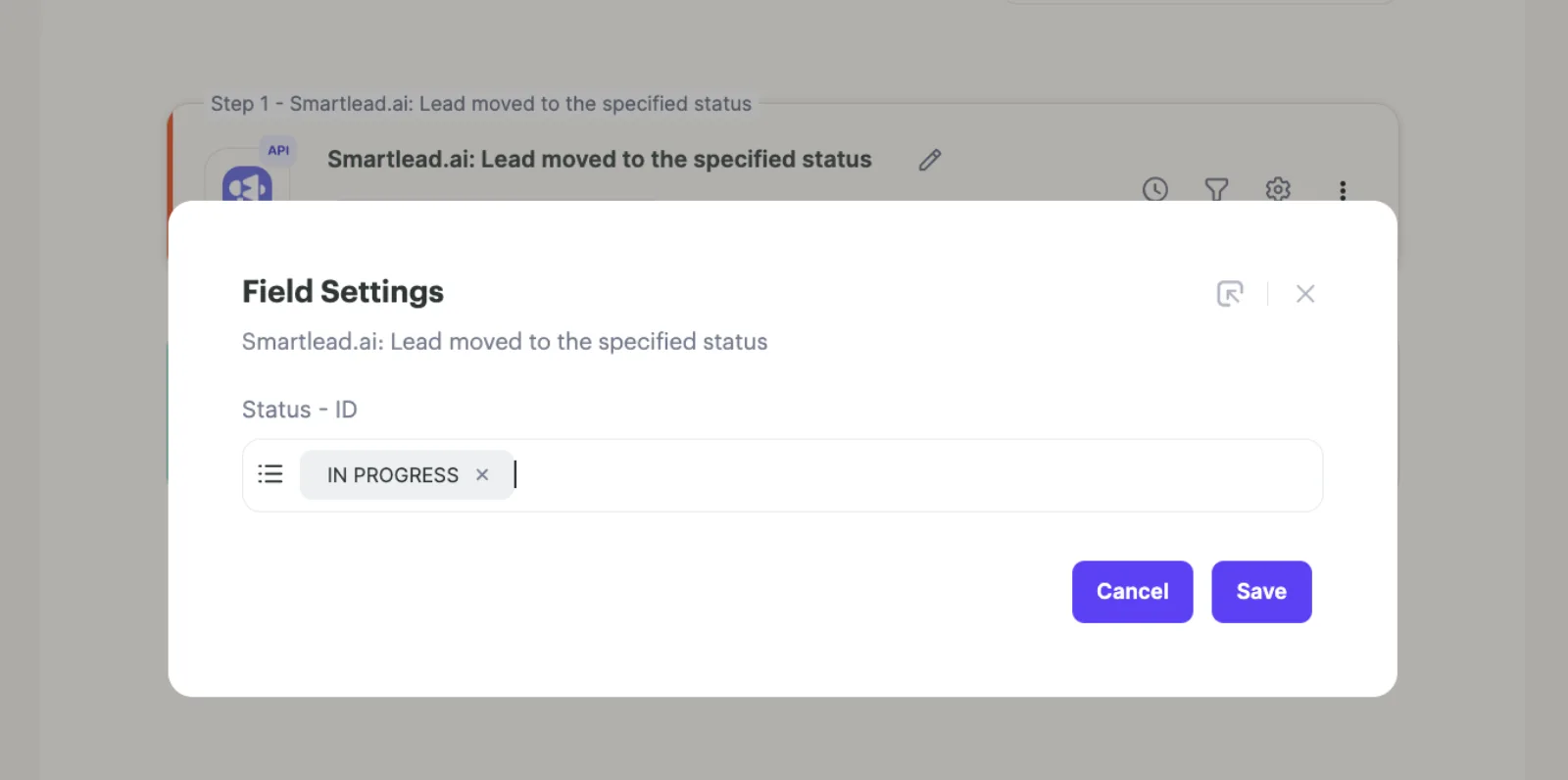
In Agentic Workflows, trigger on Smartlead.ai: Lead moved to the specified status for your campaign, set the status to IN PROGRESS, then add Create dynamic video and map the lead fields, including email.
What teams do with Sendspark and Smartlead
Each new lead in a Smartlead campaign gets a video before it's due
Trigger on Lead moved to the specified status with IN PROGRESS, run Create dynamic video with the email mapped, and put the video placeholder in the second email or later so it has time to generate.
Read the guideClay generates the videos and enrolls leads in Smartlead
Create Sendspark videos in Clay, set up the Image URL and Video URL snippets in Smartlead, then add a Smartlead enrichment in Clay. When the Sendspark column shows Success, the lead moves to Add Lead to Campaign.
Read the guideA single video greets each Smartlead contact by name
Personalize the landing page header, message and CTA with merge tags, add {{first_name}} to the thumbnail with Edit Overlays, then paste the Image URL into your template and use Insert Link for the video link.
Read the guideWhat Smartlead data personalizes each video
- Two snippets: Image URL (the personalized thumbnail) and Video URL (the personalized landing page link). Both are needed.
- Thumbnail overlays with merge tags such as {{first_name}} via Edit Thumbnail, Edit Overlays, with banner and color options in Edit Styles.
- Landing page header, message and call to action personalized from Smartlead contact data.
- Dynamic videos put each lead's website in the background; map the email field so the right video reaches the right lead.
- Before a contact is selected in preview, Smartlead shows the fallback camera-only video.
Where you see who watched from Smartlead
Views, watch time and CTA clicks are tracked in Sendspark video analytics and Team Insights.
Explore Video AnalyticsSendspark and Smartlead: frequently asked questions
Does Sendspark integrate with Smartlead?
Yes. You paste Sendspark's Image URL and Video URL snippets into Smartlead emails, and Agentic Workflows can create a video when a Smartlead lead moves to a status you choose.
Why are there two Smartlead snippets?
The Image URL snippet shows each lead's personalized thumbnail in the email, and the Video URL snippet is the link behind it. You paste the first and hyperlink it with the second.
Why does my Smartlead preview show the default video?
No contact is selected yet, so you see the fallback version. Preview a contact you generated a video for, and make sure the same contacts are in Smartlead and Sendspark.
Which email step should hold the video in an automated campaign?
The second email or later. The video is created when the lead moves to In Progress, so it needs time to generate before the email sends.
Which plan do I need for Smartlead automations?
Agentic Workflows are on Growth and above. Pasting the snippets into Smartlead doesn't need a specific plan.
Updated


Make your next outreach personal.
Record one video and let Sendspark do the rest.
