Enterprise security for personalized video
SOC 2 Type II compliance, single sign-on, SCIM provisioning and audit logs, so your team can send video at scale with the controls IT expects. Sendspark is an AI personalized video platform for B2B sales and marketing teams. SSO/SAML, SCIM, audit logs, log streaming and domain verification are enabled for Enterprise workspaces.
 SOC 2 Type II
- Read reviews on G2
SOC 2 Type IIIndependently audited security controls GDPRData processing aligned with EU privacy law
- SSO/SAML
- SCIM
- Audit logs
- Log streaming
- Domain verification
- Multiple workspaces
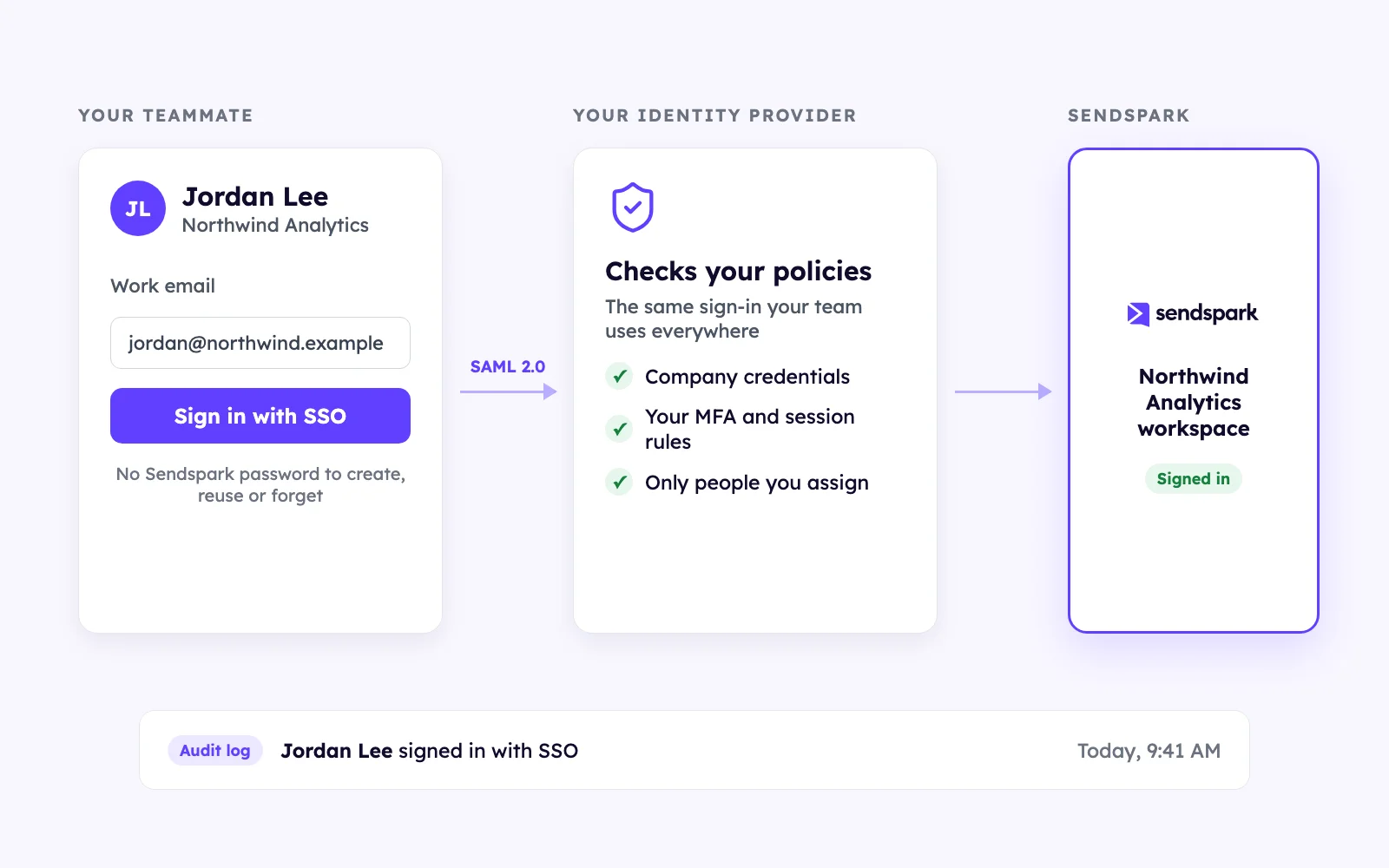
Another password is another risk
Sign in through your SAML identity provider with one set of credentials, enforced by your policies. Available for Enterprise workspaces.
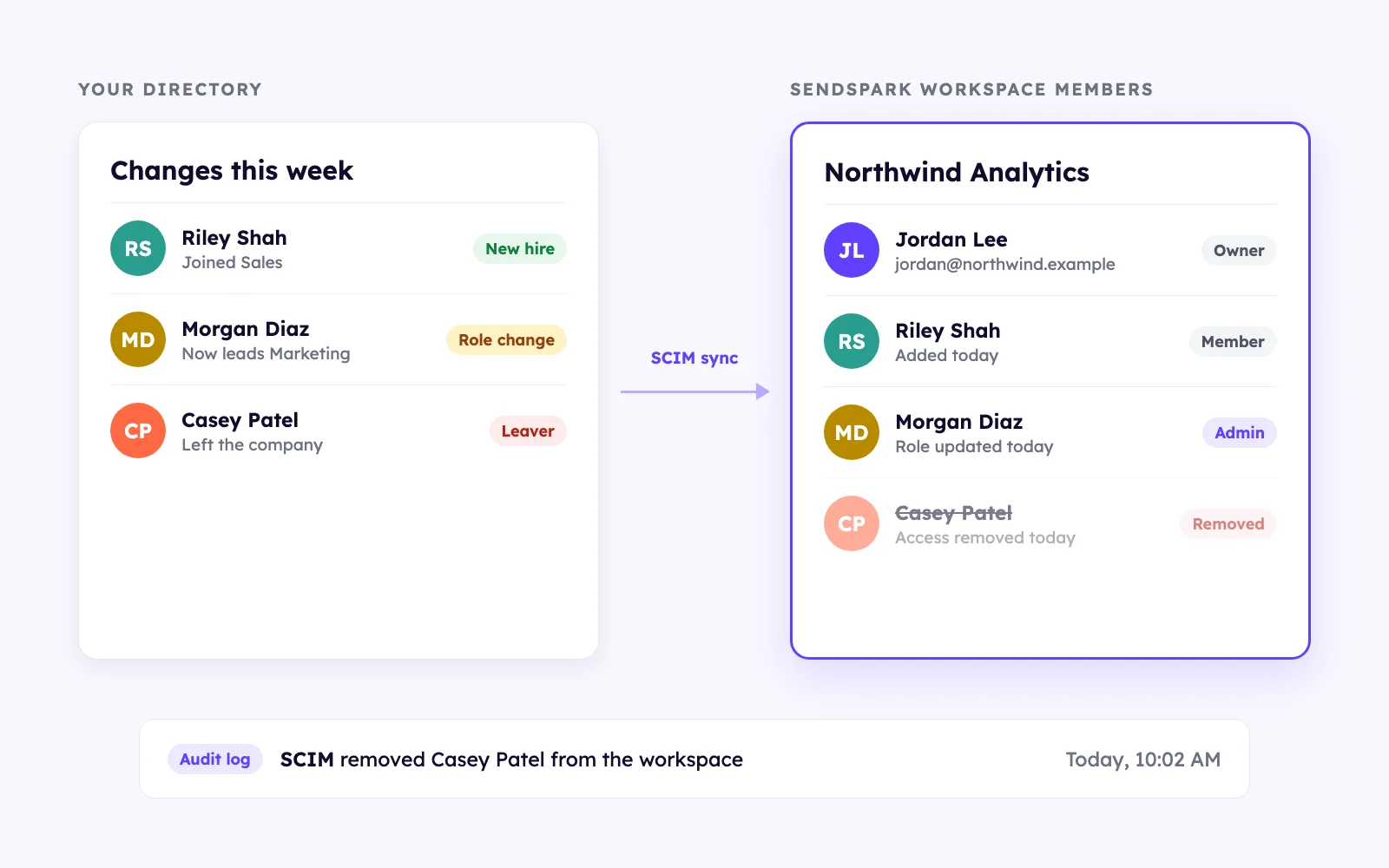
People who leave shouldn't keep access
SCIM keeps users and roles in sync with your directory, so new hires get access on day one and leavers lose it the same day.
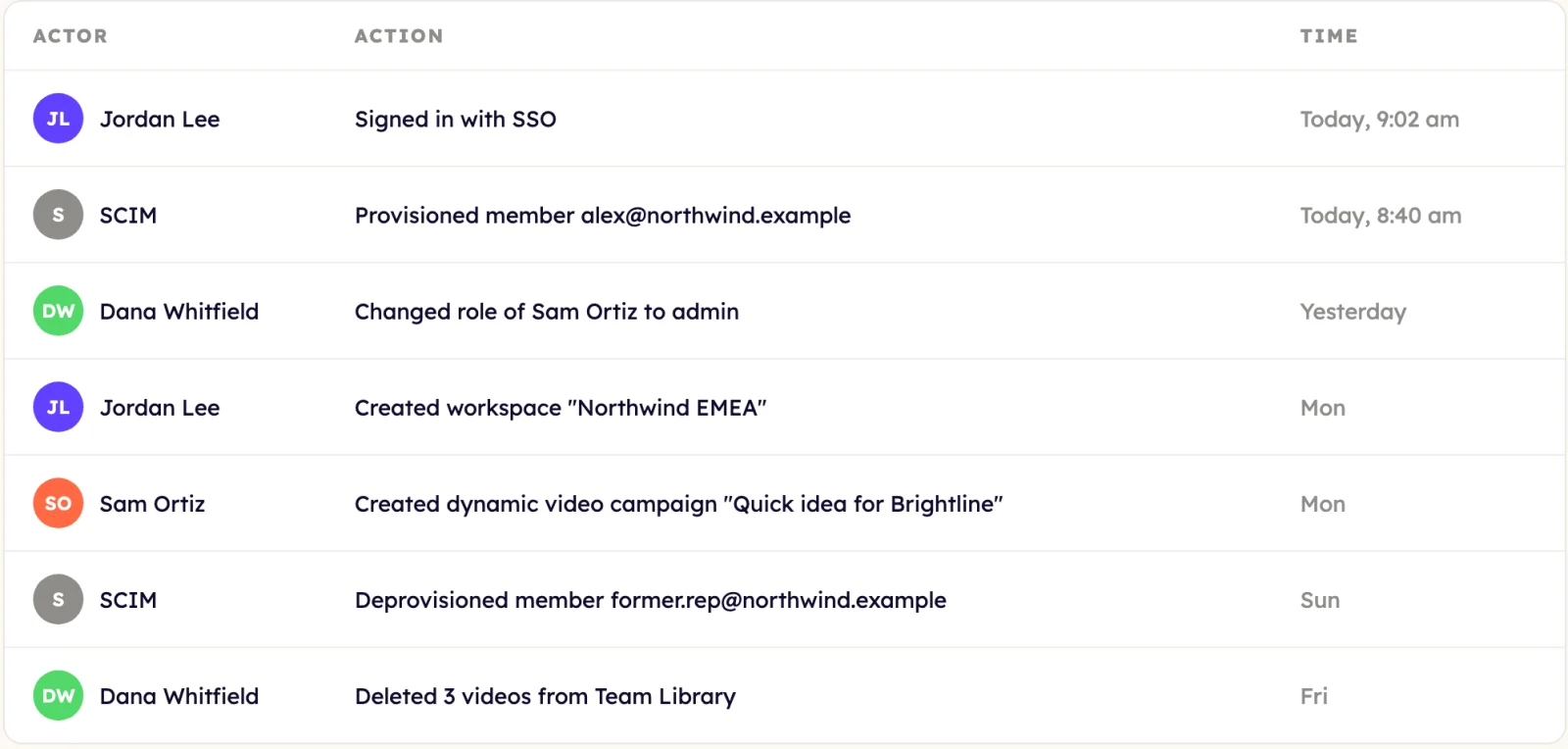
Know who did what when someone asks
Audit logs record changes in your workspace. Log streaming sends them to your SIEM. Domain verification proves you own your email domain.
Every control your security review asks about
Independently audited security controls.
Data processing aligned with EU privacy law.
Sign in through your SAML identity provider.
Users and roles synced from your directory.
Who did what, and when.
Stream events to your SIEM.
Prove you own your email domain.
Owner, admin and member.
Separate teams, regions or brands.
Client accounts under one login.
How SSO setup works
- 1
Talk to our team
Tell us about your identity provider, directory and security review.
- 2
We turn it on
Our team enables SSO/SAML, SCIM and audit logs for your Enterprise workspace.
- 3
Connect your identity provider
Your team signs in through your SAML provider, and users and roles sync from your directory.
Goes well with
Frequently asked questions
Is Sendspark SOC 2 compliant?
Yes. Sendspark is SOC 2 Type II compliant. Ask our team for the report during your security review, or visit our Trust Center at security.sendspark.com.
Which features are included with Enterprise workspaces?
SSO/SAML, SCIM user provisioning, audit logs, log streaming and domain verification.
Which identity providers work with SSO?
Identity providers that support SAML 2.0. Our team confirms your provider when we set up SSO.
How do roles and workspaces work?
Each workspace has owner, admin and member roles. You can run multiple workspaces, and agencies can manage client sub-accounts.
Updated
Roll out personalized video across your organization.
Talk to our team about Enterprise workspaces, security reviews and rollout.
