Sendspark Outlook integration for video emails
Sendspark works with Outlook two ways: you paste a static video thumbnail that links to your video into any Outlook email, and an Agentic Workflow can draft and send each prospect's personalized video from your connected Microsoft Outlook account. Sendspark is an AI personalized video platform for B2B sales and marketing teams.
 SOC 2 Type II
- Read reviews on G2


Sendspark and Outlook at a glance
- Integration type
- Agentic Workflows connection and static-thumbnail paste
- How data moves
- You paste a static thumbnail and link into Outlook yourself, or Sendspark creates and sends Outlook emails through your connected account whenever a video is generated. Views are tracked in Sendspark; nothing is written back to Outlook.
- Plan
- Agentic Workflows: Growth and above
- What you need
- Admin access to Outlook to connect the Sendspark app, and a Dynamic Video campaign
- Setup guides
- On Outlook's side
- About Microsoft Outlook
Your video emails break in Outlook
Outlook is fussy about images and video, so an embedded player or animated preview can arrive broken and make you look careless. Rather than risk it, reps fall back to plain text and lose the reason they recorded in the first place.
How to use Sendspark with Outlook
- 1
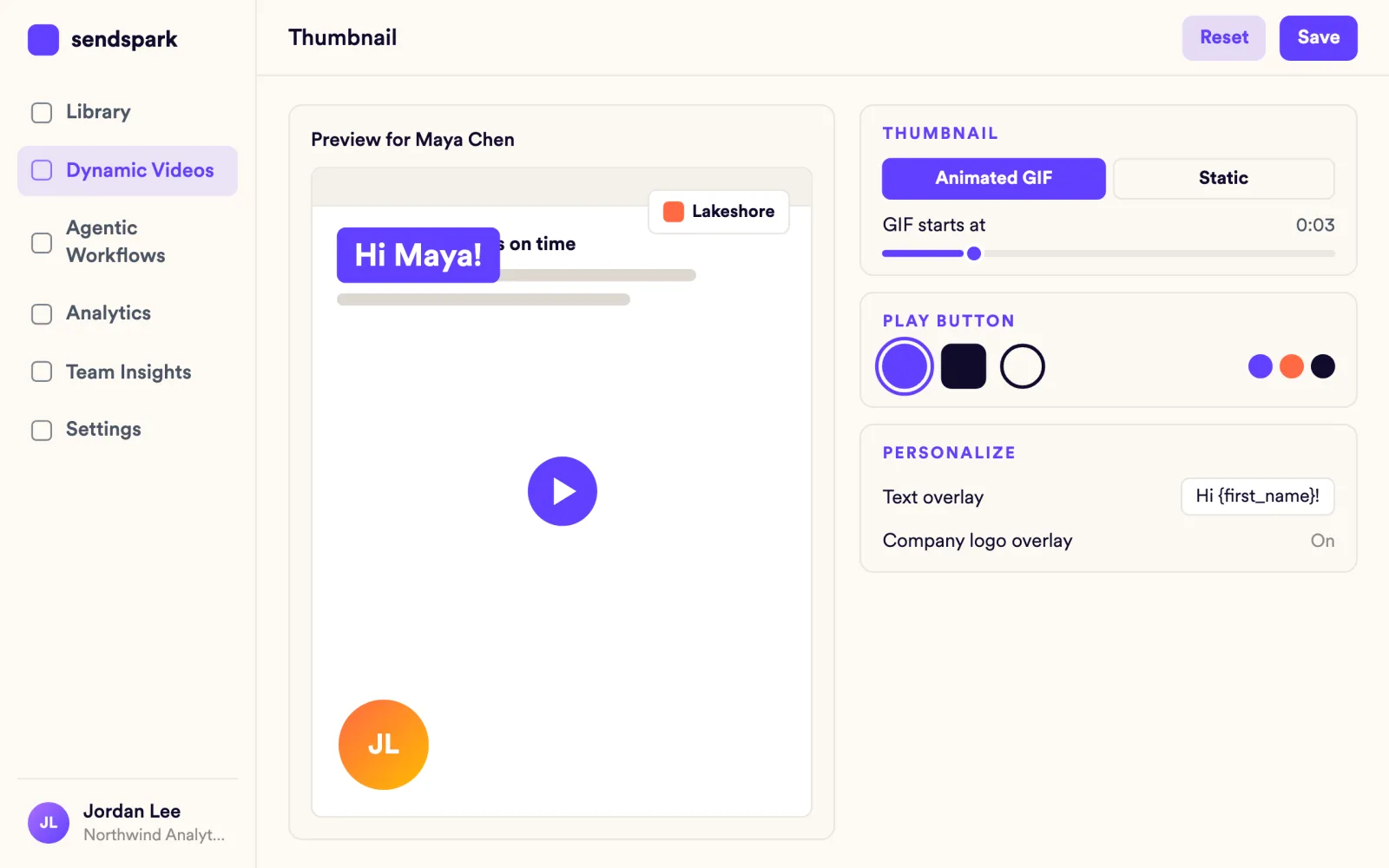
Switch the thumbnail to Static
Record or upload your video, click Share, then Customize, open Edit Preview and choose Static rather than Animated. Don't embed a video or use a GIF in Outlook.
- 2
Paste it into your Outlook draft
Paste the static thumbnail into the email body. It shows a still image with a Watch Video link that opens your video page.
- 3
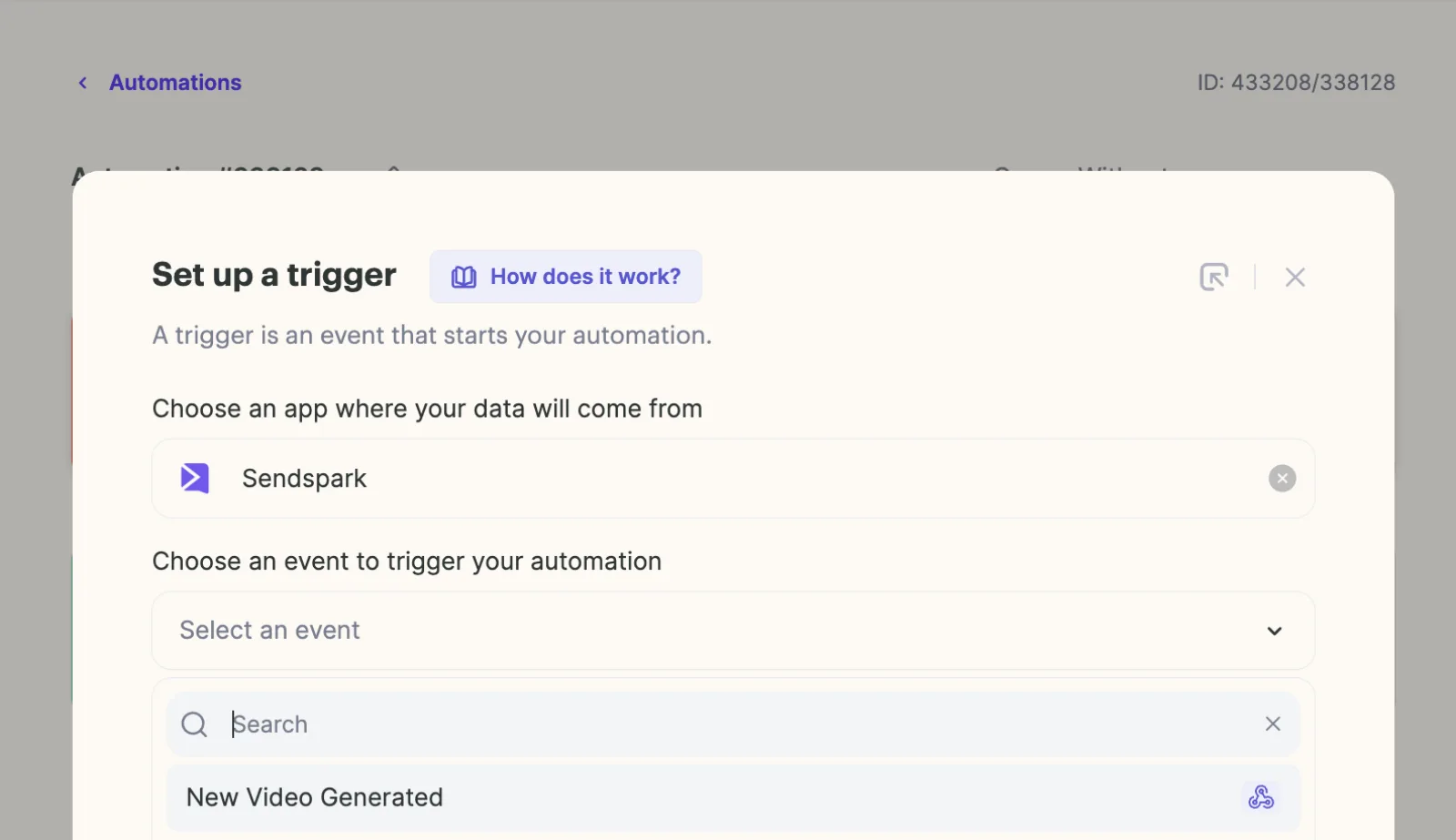
Start an Agentic Workflow
For bulk sends, go to Agentic Workflows, click New automation and add a trigger: Sendspark, New Video Generated.
- 4
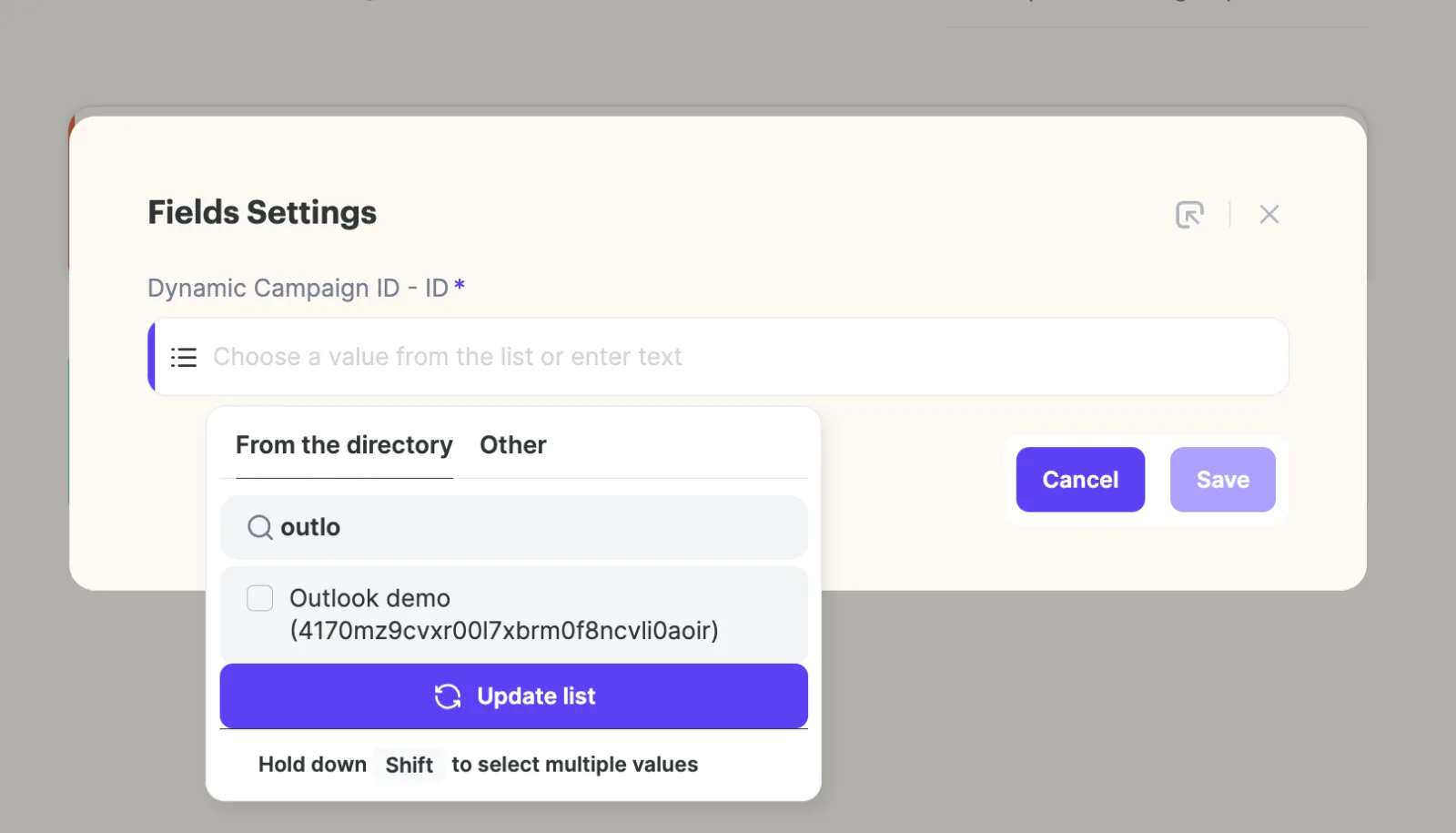
Pick your Dynamic Video campaign
Under Dynamic Campaign ID, select the campaign whose videos should be emailed, then save.
- 5
Add Create Draft Email
Add an action, choose Microsoft Outlook and Create Draft Email, and pick your connected account. Map the subject, the contact's first name and email, and either the HTML thumbnail snippet or a plain-text video link.
- 6
Add Send Email and start
Add a second Microsoft Outlook action, Send Email, map the message ID from the draft step, save and click Start. New contacts in the campaign are emailed once their videos are created.
What teams do with Sendspark and Outlook
Personalized video emails that go out from your own Outlook
Upload contacts to a Dynamic Video campaign and let the New Video Generated trigger feed Create Draft Email and Send Email. Replace [VIDEO LINK] and [THUMBNAIL URL] in the provided HTML snippet with the Video Link and Thumbnail Url fields so every email carries the right prospect's video.
Read the guideVideo emails that render for every Outlook reader
Outlook for Mac can play a properly embedded video, but Outlook for Windows can't, so a static thumbnail that links to the video page is the safe default when you don't know which client your buyer uses.
Read the guideBulk sends without a sales email tool
If you don't use a CRM or sequencer, the Outlook workflow is your bulk send: each dynamic video goes out from your mailbox as soon as it's generated.
Read the guideWhat Outlook data personalizes each video
- Create Draft Email fields can use data from the Sendspark step: contact first name, contact email, Video Link and Thumbnail Url.
- The HTML option wraps the Thumbnail Url in a link to the Video Link; the plain-text option just includes the video link.
- Use the Static thumbnail type for Outlook; animated GIF thumbnails are for other inboxes.
- AI voice cloning (Solo and above) and dynamic backgrounds personalize the video itself before Outlook sends it.
Where you see who watched from Outlook
Sendspark's video analytics show who viewed, how much they watched, CTA clicks and likes. Nothing is written back to Outlook.
Explore Video AnalyticsSendspark and Outlook: frequently asked questions
Does Sendspark integrate with Outlook?
Yes. You can paste a static video thumbnail into any Outlook email, and Agentic Workflows (Growth and above) can draft and send personalized video emails from your connected Microsoft Outlook account.
Why should I use a static thumbnail in Outlook?
Outlook is finicky about images and video, and some versions don't support GIFs. A static image that links to your video page displays reliably.
Can a video play inside an Outlook email?
In Outlook for Mac, an embedded video can play. Outlook for Windows doesn't support native video, so use a thumbnail that opens the video in the browser.
What do I need to send videos automatically from Outlook?
Admin access to Outlook to connect the Sendspark app, Agentic Workflows on Growth and above, and a Dynamic Video campaign to trigger from.
Updated



Make your next outreach personal.
Record one video and let Sendspark do the rest.
