Personalized video for nonprofits
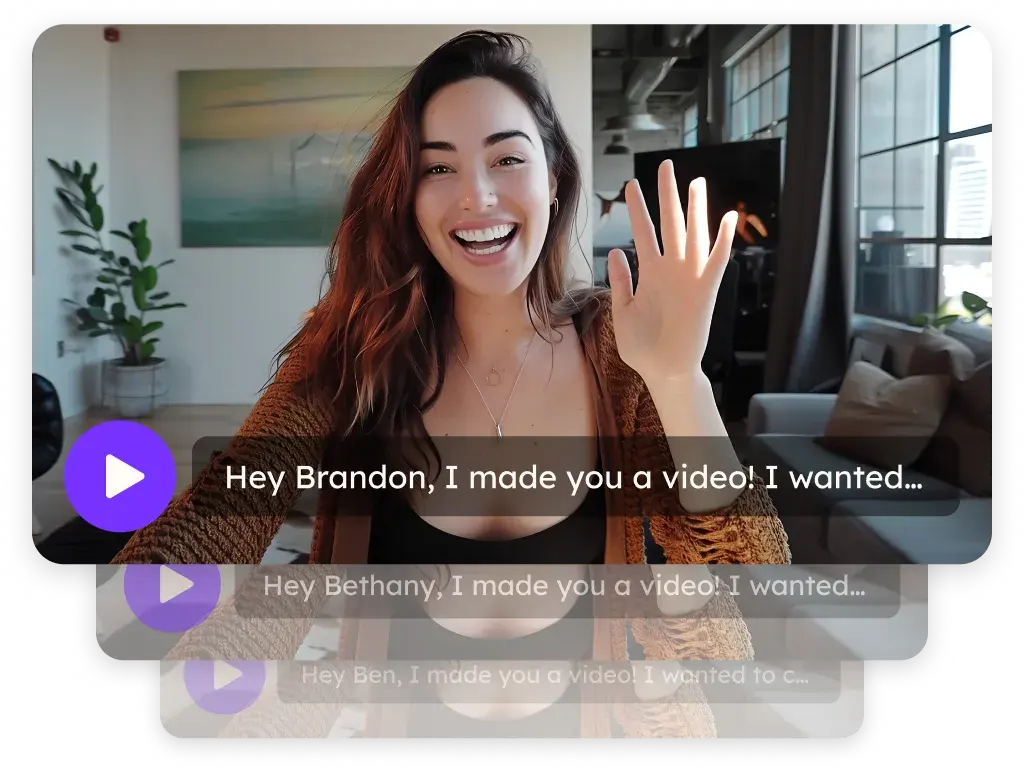
Sendspark is an AI personalized video platform that development and communications teams use to thank donors by name, make campaign asks with a Donate button, share impact updates and collect volunteer stories. Record one video, and every supporter gets a version that says their name in your voice.
 SOC 2 Type II
- Read reviews on G2
Trusted by sales and marketing teams at








Donors who only hear from you when you ask
The thank-you is a form letter, the appeal is a mass email and the impact report is a PDF nobody opens. Supporters give once and drift, because nothing in between felt personal.
Where a video changes how a donor hears from you
- 1
The thank-you
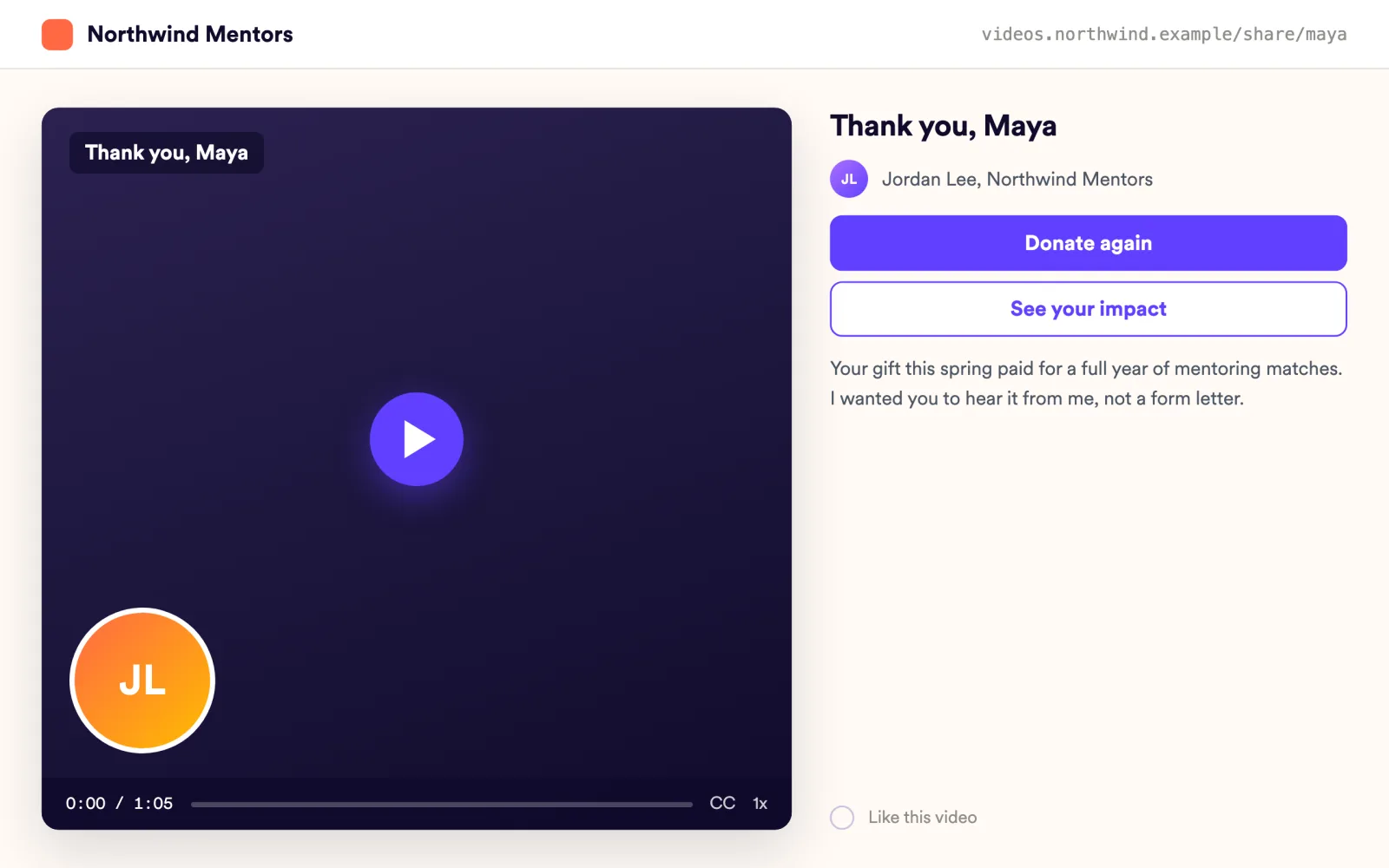
Record one thank-you after the campaign. Each donor hears their own name, and the GIF thumbnail greets them in the inbox.
AI Personalized Video - 2
The campaign ask
Send the appeal as a video with a Donate CTA that opens your giving page, and a countdown for the matching deadline.
Landing Pages - 3
The impact update
Put the email embed snippet in your Mailchimp or Constant Contact newsletter. Supporters see the video play where the inbox allows it, and a GIF that links to it everywhere else.
Video Emails - 4
Volunteer and beneficiary stories
Send a request link; volunteers record or upload their story. Host the videos in your library and embed them on your site.
Request Videos
Personal thanks at the scale of your donor list
Every donor hears their name in your voice
Import donors by CSV with column mapping or from HubSpot or Salesforce. Voice cloning says each name and personalized thumbnails show it, all on the Solo plan.
Explore AI Personalized Video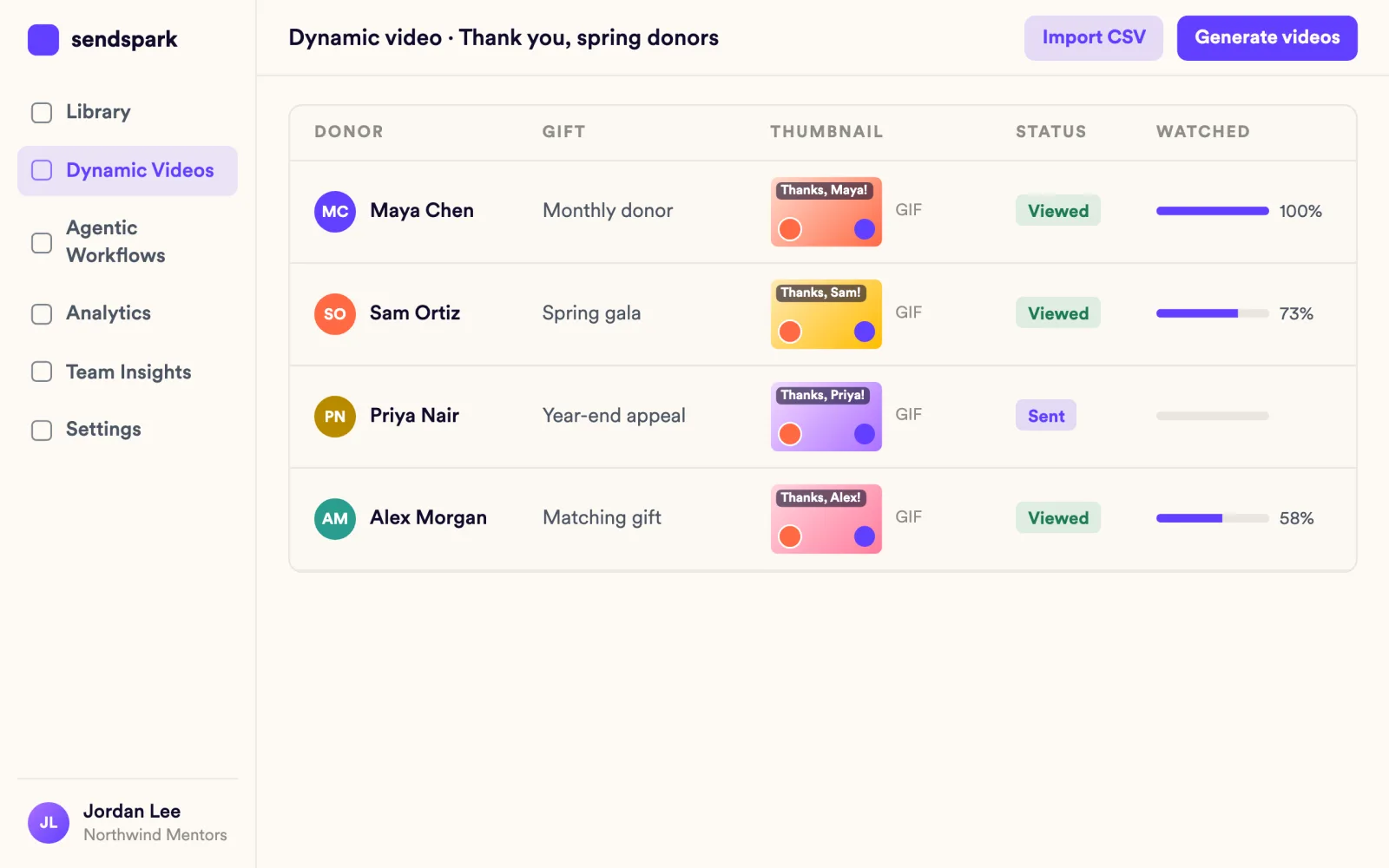
Every video ends with a way to give
Landing pages take several CTA buttons that open a URL, so Donate, Volunteer and Share can sit under the same video. Custom logo and domain are on Growth and above.
Explore Landing Pages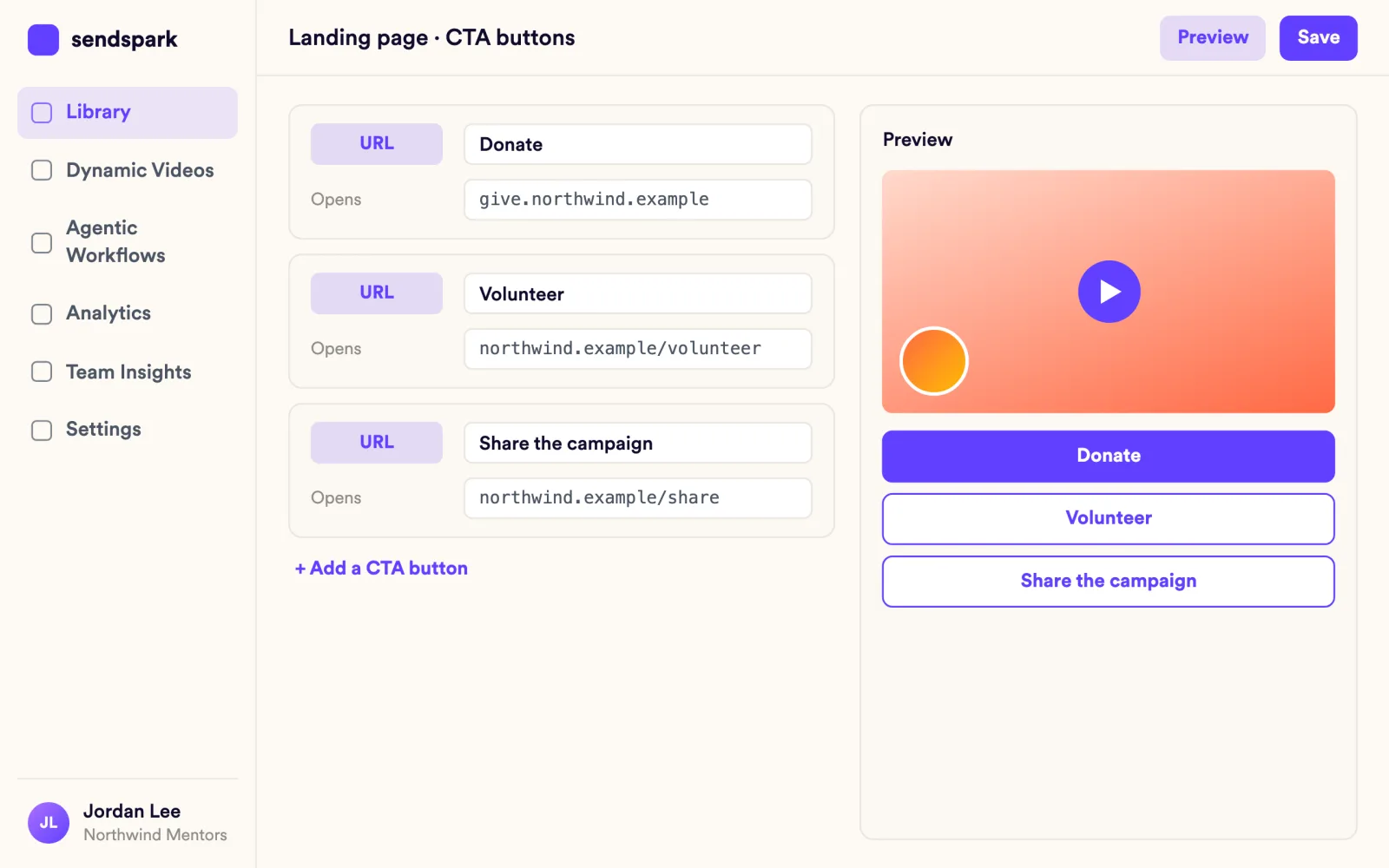
You know which supporters watched and clicked Donate
Per-video analytics show who viewed, how much and who clicked Donate. Export to CSV for your donor database.
Explore Video Analytics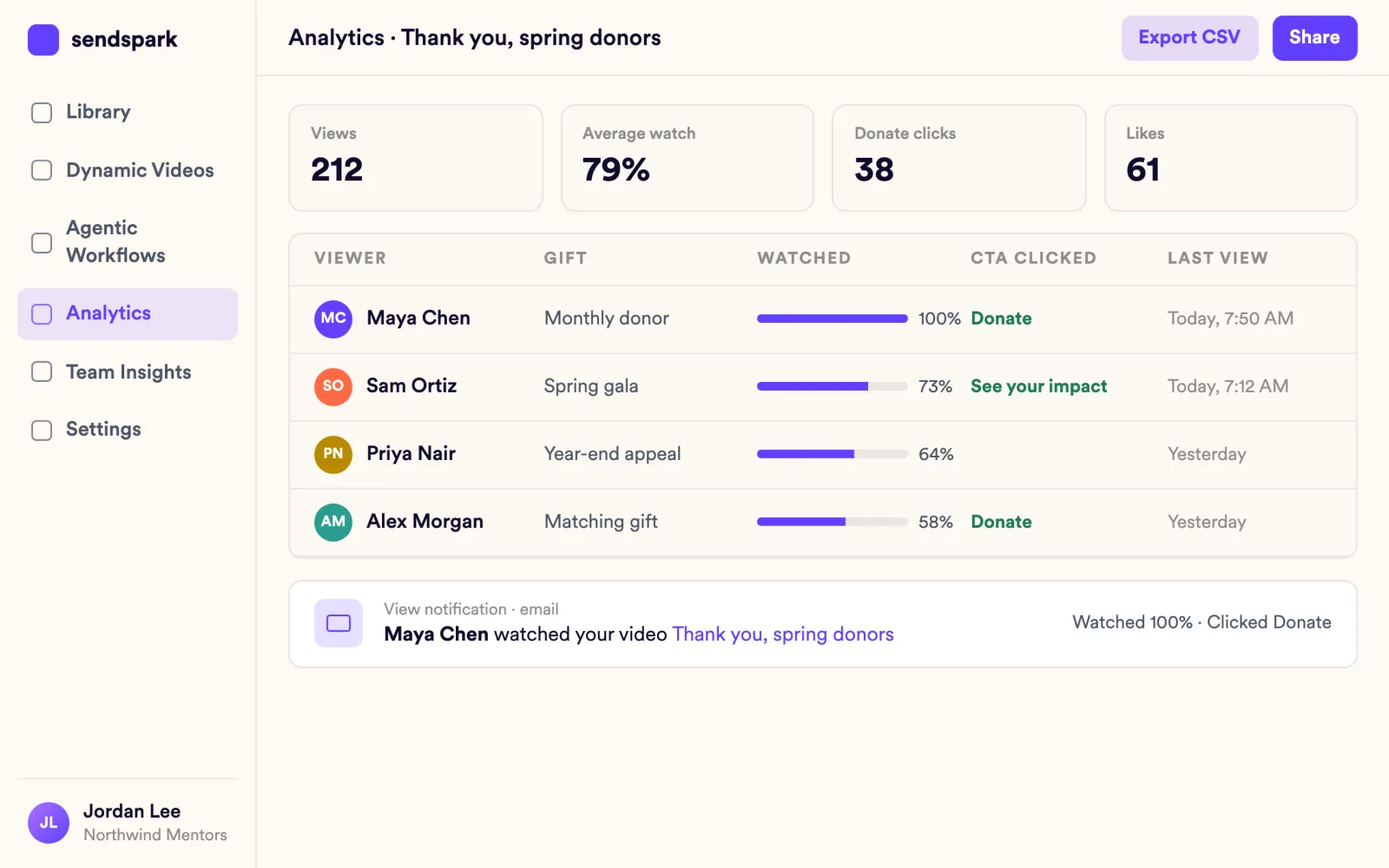
What development directors ask first
Plain answers, from what the product does today.
"We don't have a video team."
You record from a browser extension or the desktop app, and Sendspark does the personalizing. Captions are automatic.
"Will a cloned voice feel impersonal to donors?"
The recording is yours. Only the donor's name is generated, and lip sync matches your mouth to it.
"What does it cost a small shop?"
Solo at $49 per month is the entry paid plan and includes voice cloning, name personalization and personalized thumbnails.
Teams that closed the gap
Asking people for money is very personal….As a nonprofit without the bandwidth to meet every donor in person, Sendspark provides a great way to reach donors and maintain a personal connection.
Works with your donor tools
See all integrations GivEffect
 Mailchimp
 Constant Contact
 Salesforce
 HubSpot
 Keap
Goes well with
Frequently asked questions
What is personalized video for nonprofits?
It's one thank-you, appeal or impact update that Sendspark turns into a video for every supporter, with their name in your voice. Development and communications teams use it across the donor cycle.
Does Sendspark work with our donor CRM?
Import contacts from HubSpot or Salesforce. Paste the video snippet into GivEffect, Keap, Mailchimp or Constant Contact.
Can volunteers record videos for us?
Yes. Send volunteers your request link. They record from camera or screen or upload a file, with no Sendspark account, and the video lands in your library.
Can donors give straight from the video?
Yes. Add a Donate button that opens your giving page, alongside buttons such as Volunteer and Share.
Will the video play in our donors' email?
Most inboxes don't play video, so Sendspark adds an animated GIF thumbnail with a play button that opens the video's page. It works in Gmail, Outlook and email tools such as Mailchimp and Constant Contact.
Updated
Make your next outreach personal.
Record one video and let Sendspark do the rest.