Sendspark Constant Contact integration for embedded and personalized video
Paste your Sendspark video into Constant Contact through a Custom code email, or link a GIF thumbnail to your video page from an image block. It's for teams emailing Constant Contact lists who want a real video, not a preview that sends people to another site. Sendspark is an AI personalized video platform: one recording becomes a personalized video for each contact.
 SOC 2 Type II
- Read reviews on G2


Sendspark and Constant Contact at a glance
- Integration type
- Share snippet
- How data moves
- You paste Sendspark's code into a Custom code email, or link a GIF thumbnail in an image block. Nothing syncs into Constant Contact; views are tracked in Sendspark.
- What you need
- A Constant Contact account, and a Sendspark video or dynamic video campaign.
- Setup guides
- On Constant Contact's side
- About Constant Contact
The video in your email just sends people somewhere else
A preview image that links out to a public video site isn't a video email, and it isn't personal. Anything better looks like a coding job, so most sends go out with no video at all.
How to use Sendspark with Constant Contact
- 1
Pick the Custom code template
Create a new email in Constant Contact and, at Select a template, click Custom code. The standard drag-and-drop templates have no HTML block, so the snippet needs a template that accepts code.

- 2
Copy the right Sendspark code
For one video, click Share Video, open Embed video and click Copy Code under Embed in Email, not Embed in Website. For a dynamic campaign, click Share Campaign and select Constant Contact.
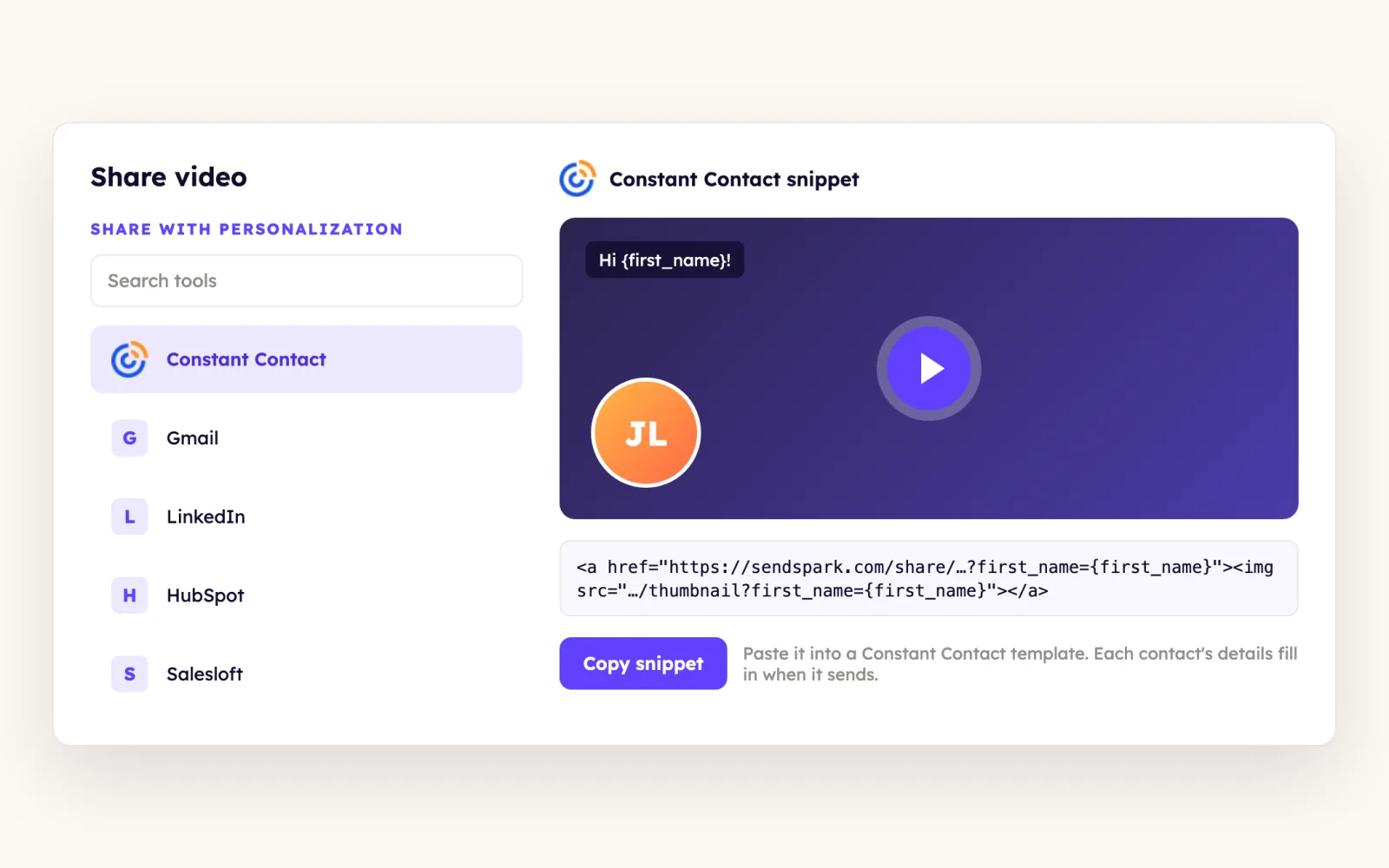
- 3
Paste, choose the list and test
Paste the code where the video should appear, click Continue and select the contact list you generated videos for. Send a test to yourself before the real send.
What teams do with Sendspark and Constant Contact
A GIF thumbnail works inside the drag-and-drop editor
In Sendspark, click Share, download the Thumbnail (GIF) and copy the Share Link. In Constant Contact, drag in an image block, replace the default image with the GIF and link it to the share link.
Read the guideLead Gen & CRM tracks who visits your video pages
On Constant Contact Lead Gen & CRM (formerly SharpSpring), share dynamic videos with its own snippet from Share Campaign. Then paste your tracking ID under LG&CRM Website Tracking on Sendspark's Integrations Settings page and click Save.
Read the guideWhat Constant Contact data personalizes each video
- Merge tags for first name, company name and job title fill in on the landing page header, message and call to action.
- In Sendspark's Dynamic Videos tab you'll see only your original recording, sometimes with a banner. Recipients never see that banner, and their background swaps per contact.
- The embed plays in inboxes that support video; everyone else sees a fallback image that opens your video landing page.
- On Lead Gen & CRM you can put your SharpSpring calendar beside the video: select SharpSpring in the video page's calendar section and paste your calendar link.
Where you see who watched from Constant Contact
Views and clicks are tracked in Sendspark video analytics and Team Insights. With LG&CRM Website Tracking connected, Lead Gen & CRM also records video page visits like other site pages.
Explore Video AnalyticsSendspark and Constant Contact: frequently asked questions
Does Sendspark integrate with Constant Contact?
Yes, by pasting. Sendspark's code goes into a Custom code email, or link a GIF thumbnail in an image block. Contacts don't sync into Constant Contact.
Why not use Constant Contact's own video block?
That block pulls a preview image and links out to the video on another site, so nothing is embedded. Sendspark's code in a Custom code email plays the video where the inbox supports it.
Should I use a thumbnail for cold email in Constant Contact?
The help docs suggest putting deliverability first on cold campaigns and A/B testing a video thumbnail against plain text before you commit.
Updated



Make your next outreach personal.
Record one video and let Sendspark do the rest.
