Sendspark ActiveCampaign integration for video in email campaigns
Paste your Sendspark video into an ActiveCampaign email by dropping its code into an HTML Block at the Design step. Teams running ActiveCampaign campaigns use it for anything from one embedded video to a dynamic campaign with a version per contact. Sendspark is the AI personalized video platform that makes those per-contact versions.
 SOC 2 Type II
- Read reviews on G2


Sendspark and ActiveCampaign at a glance
- Integration type
- Share snippet
- How data moves
- You paste Sendspark's code into an HTML Block in your ActiveCampaign email. Contacts and views don't sync back; engagement is tracked in Sendspark.
- What you need
- An ActiveCampaign account and a Sendspark video, or a dynamic video campaign with generated videos.
- On ActiveCampaign's side
- Sendspark on Zapier (with ActiveCampaign)
Your automation is sophisticated and your emails still look like everyone else's
Smart sending logic doesn't help if the message itself is a wall of text. Adding video usually means a link out to a hosting site, which reads as a broadcast rather than a note to one person.
How to use Sendspark with ActiveCampaign
- 1
Get the code from Sendspark
For one video, click Share Video, open the Embed video tab and click Copy Code under Email Platforms. For a dynamic campaign, click Share Campaign and copy the snippet labeled ActiveCampaign.
- 2
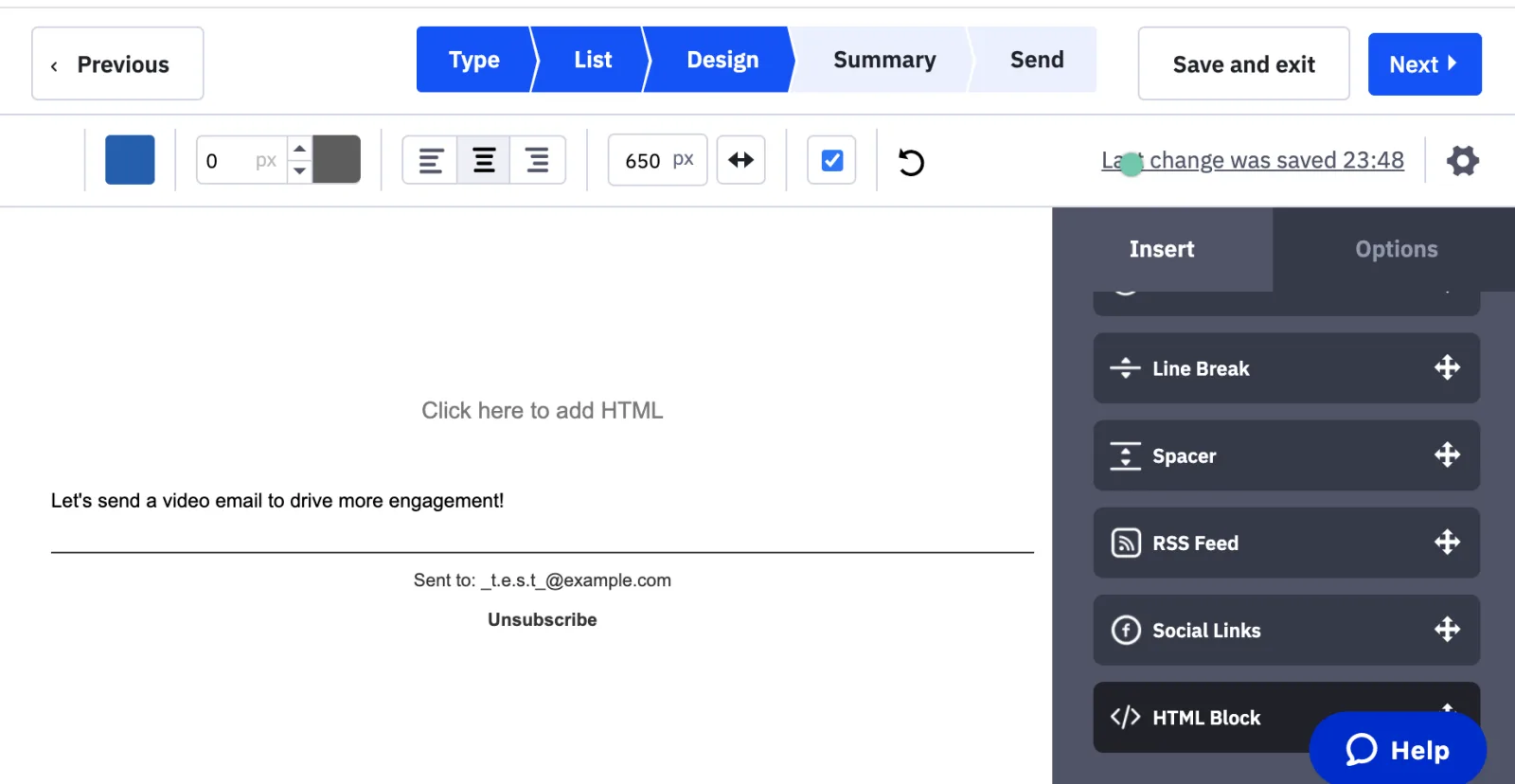
Drag in an HTML Block at Design
Move your campaign through Type and List. At Design, open the Insert tab on the right and drag an HTML Block into the email.
- 3
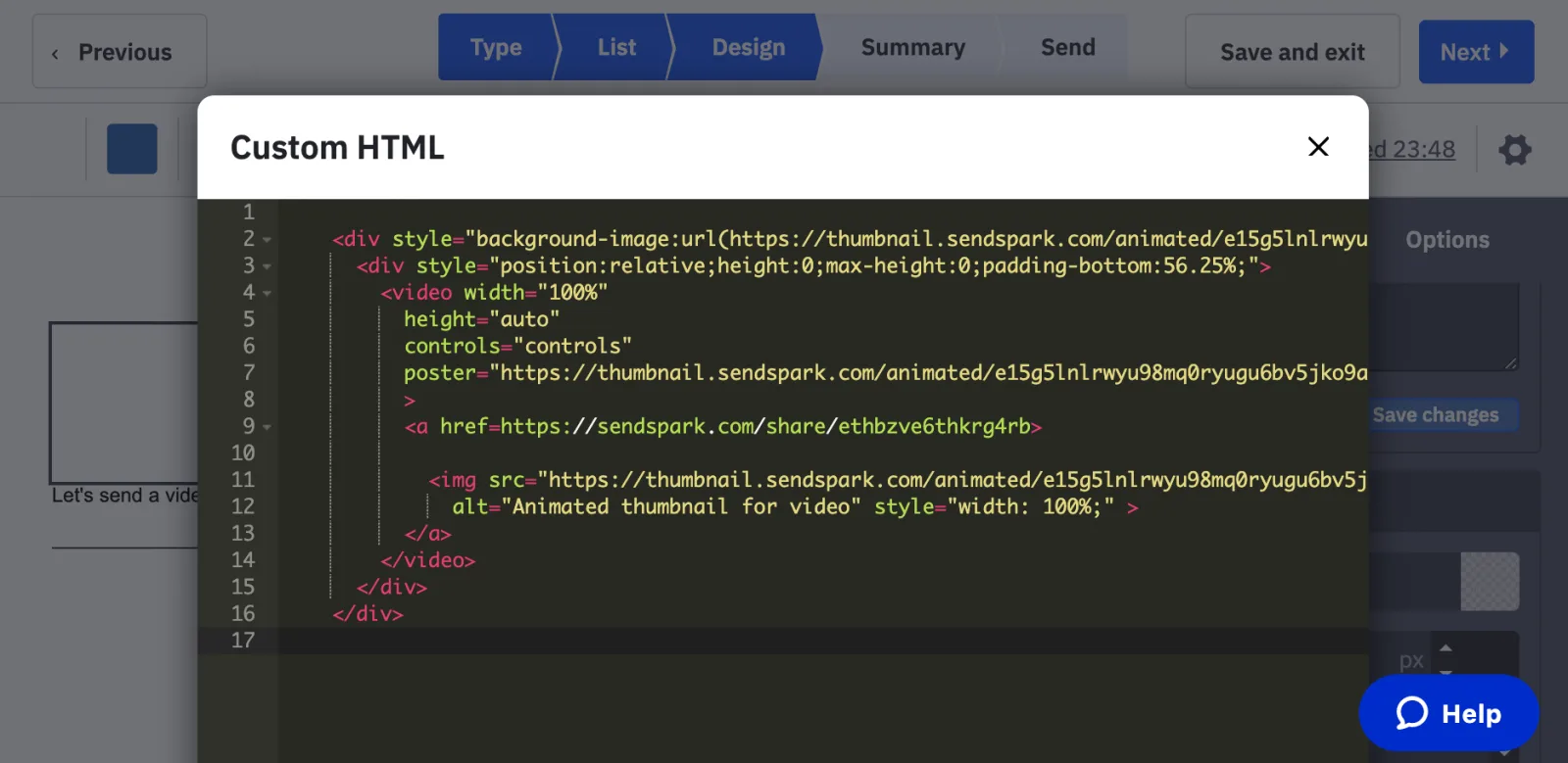
Paste into the Custom HTML window
Click the block, paste the code into the Custom HTML editor and close it. The video thumbnail now sits in your layout.
- 4
Preview and send
Preview the email, then continue to Summary and Send.
What teams do with Sendspark and ActiveCampaign
A dynamic campaign gives each ActiveCampaign contact their own video
Set up a dynamic video campaign, upload the contact list into Sendspark and generate the videos. Copy the ActiveCampaign snippet from Share Campaign into an HTML Block, and each contact receives the version made for them.
Read the guideWhat ActiveCampaign data personalizes each video
- Two different codes: the single-video embed (Embed video tab, Email Platforms) and the ActiveCampaign snippet from a dynamic campaign's Share Campaign menu.
- Dynamic campaigns put each contact's name and website into their video.
- Recipients whose email client supports embedded video watch in the email. Everyone else gets an automatically generated GIF preview that opens the video in their browser.
Where you see who watched from ActiveCampaign
Who watched, how much and which CTAs they clicked are tracked in Sendspark analytics and Team Insights.
Explore Video AnalyticsSendspark and ActiveCampaign: frequently asked questions
Does Sendspark integrate with ActiveCampaign?
Yes, through copy and paste. Sendspark's code goes into an HTML Block in an ActiveCampaign email; nothing syncs back to ActiveCampaign.
Where does the Sendspark code go in ActiveCampaign?
At the Design step, drag an HTML Block from the Insert panel into the email and paste the code into its Custom HTML window.
Will the video play inside an ActiveCampaign email?
Only in email clients that support embedded video. Everyone else sees a GIF preview with a play button and clicks it to watch in the browser.
Updated



Make your next outreach personal.
Record one video and let Sendspark do the rest.
