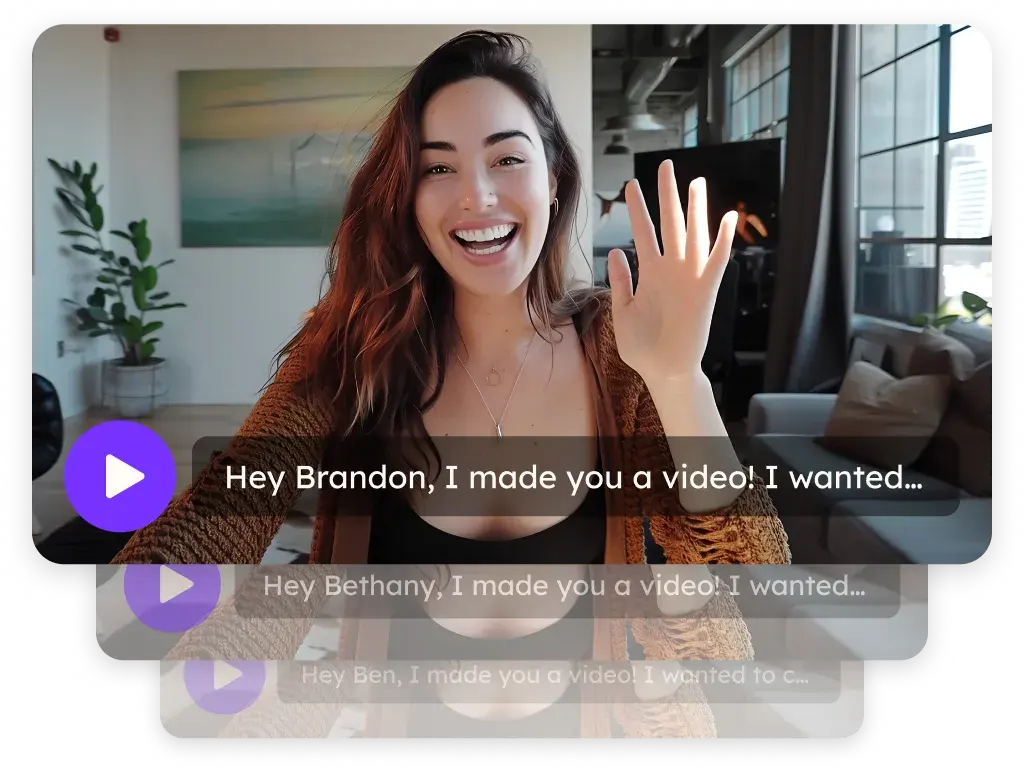
Sendspark HubSpot Marketing Hub integration for personalized video emails
Sendspark puts AI personalized videos into HubSpot Marketing Hub emails: you paste a HubSpot Marketing Hub snippet into an HTML block, and each contact sees a video made for them. HubSpot workflows can create those videos and send the email automatically. Sendspark is an AI personalized video platform for B2B sales and marketing teams.
 SOC 2 Type II
- Read reviews on G2


Sendspark and HubSpot Marketing Hub at a glance
- Integration type
- Share snippet for marketing emails, plus Sendspark app workflow actions and an Agentic Workflows connection
- How data moves
- You paste the HubSpot Marketing Hub snippet into your email; HubSpot workflows send contact fields to Sendspark to create videos, and video events come back to the contact's timeline through the Sendspark app.
- Plan
- Agentic and Automated Workflows are on Growth and above.
- What you need
- HubSpot Marketing Hub access, a Sendspark dynamic video campaign, the Sendspark app from the HubSpot Marketplace for workflow actions, and your Sendspark Workspace ID, API key and secret.
- Setup guides
- On HubSpot Marketing Hub's side
- Sendspark on the HubSpot Marketplace
Every subscriber gets the same email and it shows
Nurture emails go out to whole lists with nothing that says you know who's reading, so they blend into every other promotion. Making a personal video for each contact by hand isn't possible at list size, so the personal touch gets dropped.
How to use Sendspark with HubSpot Marketing Hub
- 1
Build a dynamic video campaign
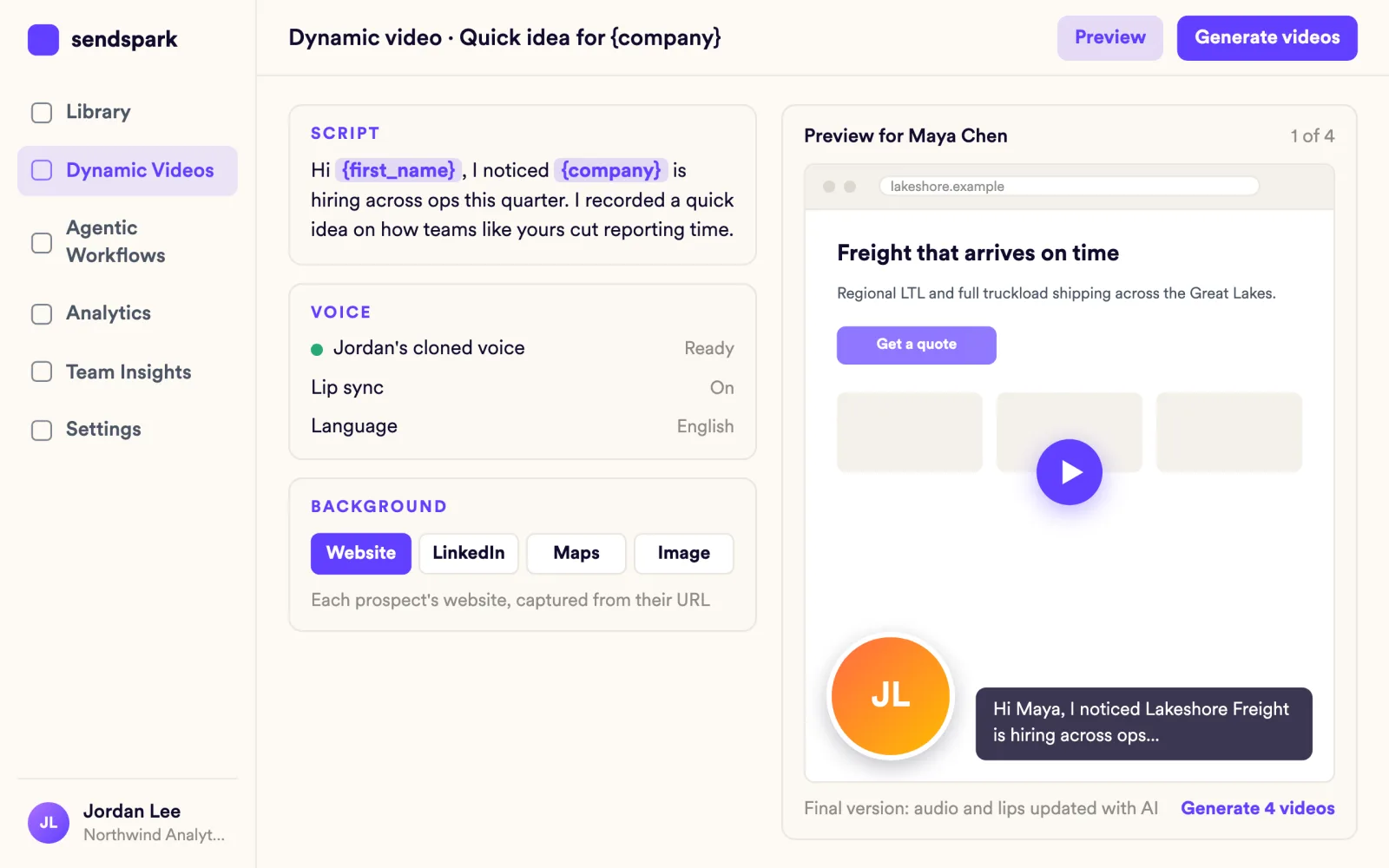
In Sendspark, open Dynamic Videos and click Create Dynamic Video. Record once with placeholders such as the contact's first name, and add the contacts you plan to email.
- 2
Copy the HubSpot Marketing Hub snippet
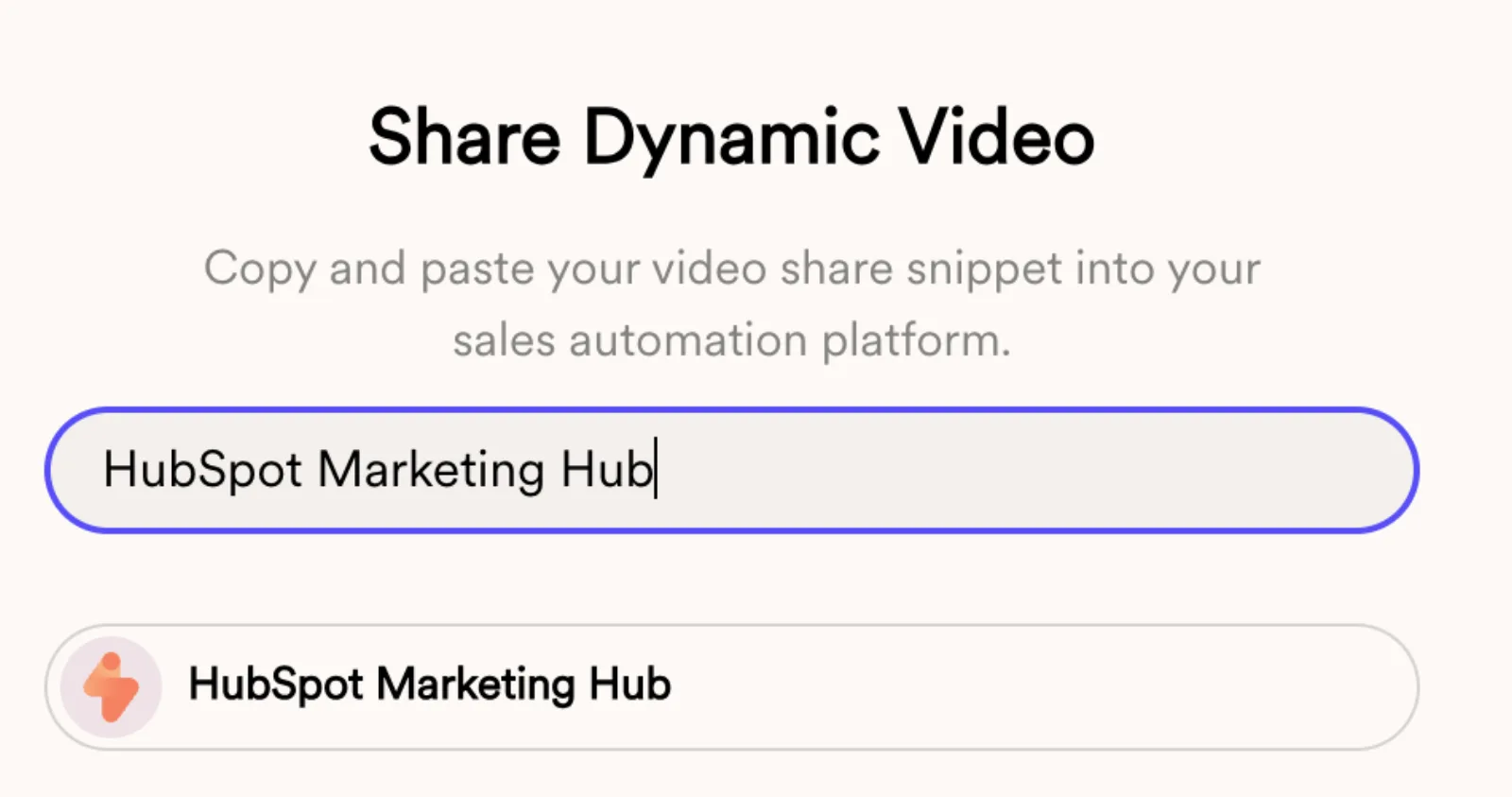
Click Share Campaign at the bottom of the campaign builder, type HubSpot Marketing Hub into the search box and click the result to copy it. It's a different snippet from the Sales Hub one.
- 3
Paste it into an HTML block
In HubSpot, go to Marketing, Email, and drag an HTML block into the email, delete its sample text and paste the snippet. The block can look blank or broken in the editor; that's expected.
- 4
Preview the email as a contact
Use HubSpot's preview to view the email as a contact from your campaign and check their video shows your camera bubble over their website. Contacts who aren't in the campaign get your fallback video.
- 5
Trigger the email when the video is ready
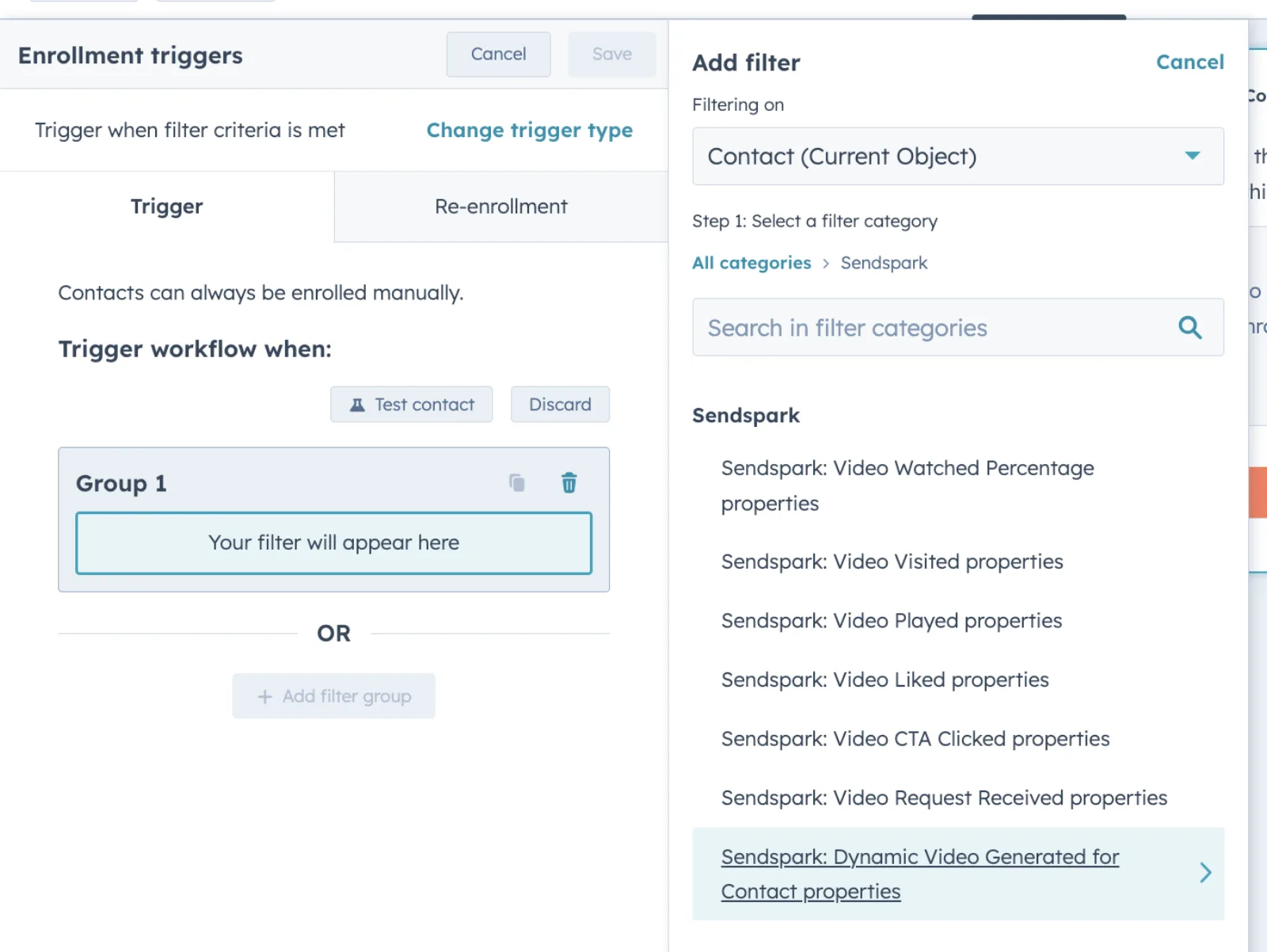
Create a contact-based workflow, choose When filter criteria is met, then pick Sendspark: Dynamic Video Generated for Contact properties and enter your Dynamic Campaign Id. Add a Send email step with your marketing email.
- 6
Enroll contacts who already have videos
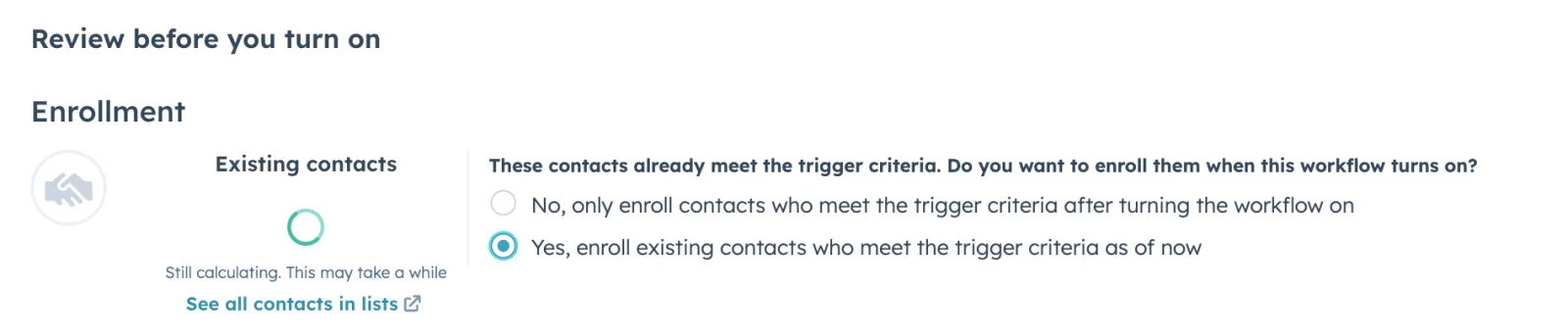
When you review and turn on the workflow, choose Yes, enroll existing contacts who meet the trigger criteria as of now, so contacts whose videos were generated earlier get the email too.
What teams do with Sendspark and HubSpot Marketing Hub
Email a personalized video when a contact joins a list
Start a contact-based workflow with a Segment Membership trigger, add the Sendspark Create a dynamic video action with both mandatory boxes checked, then send an Automated (not Regular) marketing email that holds the Marketing Hub snippet.
Read the guideReply to every form submission with a video made for them
Use a Form submission trigger and the Create a Dynamic Video action under Connected Apps, Sendspark. A second workflow on Dynamic Video Generated for Contact then emails the video once it's ready.
Read the guideRun the automation from Sendspark instead
In Sendspark Agentic Workflows, trigger on New contact in list for a HubSpot list, add the dynamic video step, then HubSpot, Enroll contact in a sequence. Map every required field, such as Contact ID, or the workflow can fail silently.
Read the guideEmbed a video that plays in the inbox
For one video to everyone, use Share Video, Embed, Email Platforms, Copy Code Snippet and paste it into an HTML block. It plays in email clients that support video and shows a clickable fallback image elsewhere; HubSpot's style-tag warning is expected.
Read the guideWhat HubSpot Marketing Hub data personalizes each video
- Each contact's video shows your camera bubble over their website, plus the placeholders you recorded with, such as first name.
- Workflow action fields: Workspace ID, Dynamic Campaign ID, Contact Name (map First Name, not Full Name), Contact Email, Company Name, Job Title, Website URL, API key and API secret.
- Find the Dynamic Campaign ID in the campaign builder URL between /edit-v2/ and /add; it isn't the last segment.
- The action's 'I authorize to buy additional DVMs if required' box turns on pay-as-you-go; without it, automations pause when you run out of dynamic video minutes until the next month.
- Contacts outside the campaign see your fallback video, so preview with a campaign contact before sending.
- Blog posts: HubSpot forces embeds to 16x9, so remove the wrapping div in Source code and set the iframe's width and height to your video's ratio; 100% width won't work.
Where you see who watched from HubSpot Marketing Hub
Sendspark analytics show who viewed, how much they watched, CTA clicks and likes, and Team Insights is on every plan. With the Sendspark app connected, dynamic video views are written to the contact's HubSpot timeline as Sendspark events you can use in lists and workflows.
Explore Video AnalyticsSendspark and HubSpot Marketing Hub: frequently asked questions
Can I send Sendspark videos in HubSpot Marketing Hub emails?
Yes. Copy the HubSpot Marketing Hub snippet from Share Campaign and paste it into an HTML block in your email. Each contact in your campaign sees their own video.
Why does the HTML block look blank or broken?
There's no contact selected in the editor, so there's nothing to show yet. Preview the email as a contact from your campaign to see their video.
HubSpot says my HTML module can't contain HubL code. Is that a problem?
No. It's a false warning; Sendspark snippets don't contain HubL. Remove the block, add a new HTML block, paste the snippet again and click Review and Send.
What do contacts outside my Sendspark campaign see?
They see your fallback video instead of a personalized one.
Can the video play inside the email?
With the static email embed snippet, yes, in email clients that support embedded video. Everyone else gets a fallback image that opens the video page.
Updated


Make your next outreach personal.
Record one video and let Sendspark do the rest.