Sendspark Klaviyo integration for personalized video in email and SMS
Paste your Sendspark video into a Klaviyo email through an HTML block, or drop each contact's video link into a Klaviyo SMS. Ecommerce and B2B marketers use it to send a video made for each person on a Klaviyo list. Sendspark is an AI personalized video platform that turns one recording into a version for every contact.
 SOC 2 Type II
- Read reviews on G2


Sendspark and Klaviyo at a glance
- Integration type
- Share snippet
- How data moves
- You paste the Sendspark snippet into a Klaviyo email (or the video link into an SMS) and upload the matching contacts as a Klaviyo list. Nothing syncs back to Klaviyo; views are tracked in Sendspark.
- What you need
- A Klaviyo account with an email or SMS campaign, and a Sendspark video or dynamic video campaign.
- Setup guides
- On Klaviyo's side
- About Klaviyo
Your campaigns reach the whole list and still feel like a broadcast
Segments and subject-line tests only go so far when every subscriber gets the same creative. Recording something personal for each one isn't possible at list size, so the send stays generic.
How to use Sendspark with Klaviyo
- 1
Copy the Klaviyo snippet
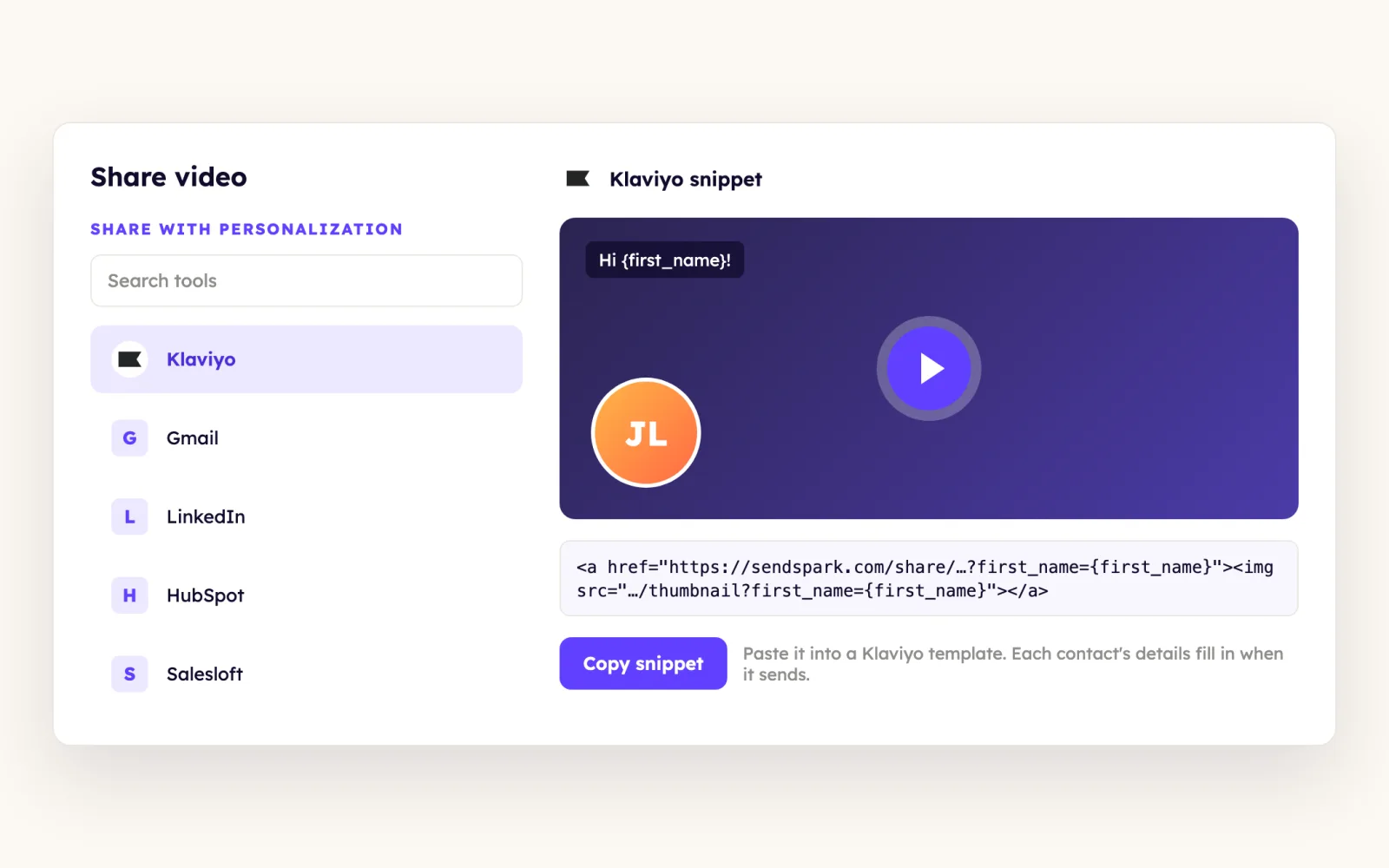
Open your dynamic video campaign in Sendspark, click Share Campaign and click Copy to Clipboard on the Klaviyo option. For a single video, click Share Video and choose Klaviyo under Share with Personalization.
- 2
Upload the same contacts as a Klaviyo list
Export the CSV of contacts you generated videos for. In Klaviyo, go to Audience, Lists & Segments, click Create List, then Upload Contacts, map First Name, Email and Video Link, set them to Subscribe and import.
- 3
Paste the snippet into an HTML block
Create the campaign, choose Email, select that list and drag an HTML block into the body before pasting. A plain text block won't render the code unless you switch it to Source view first.
- 4
Preview before you schedule
Use Klaviyo's preview or a test send to a sample recipient to confirm the video populates for a contact on the list, then schedule or send.
What teams do with Sendspark and Klaviyo
A Klaviyo SMS carries each contact's own video link
Pick SMS instead of Email when you create the Klaviyo campaign and insert the Video Link field from your uploaded CSV as a variable in the message. The HTML snippet doesn't work in SMS, so the link variable does the job.
Read the guideOne recorded video greets every Klaviyo subscriber by name
Add merge tags to the video page title, message and thumbnail and set a fallback for unknown names. Then open a Klaviyo text block, click Source, paste the Klaviyo share snippet and save.
Read the guideWhat Klaviyo data personalizes each video
- The Klaviyo snippet carries Klaviyo's own {{ first_name }} profile property in the thumbnail and link URLs, so each subscriber's video resolves from their profile at send time.
- Dynamic videos also rely on the Video Link column from the exported CSV; map it on upload so both email and SMS can use it.
- A fallback appears in place of the name when a subscriber's first name is blank.
- Inboxes that support video play it in the email. In clients such as Gmail and Outlook, subscribers get a preview image that opens the video in their browser.
Where you see who watched from Klaviyo
Views, watch time and CTA clicks are tracked in Sendspark video analytics and Team Insights, not in Klaviyo.
Explore Video AnalyticsSendspark and Klaviyo: frequently asked questions
Does Sendspark integrate with Klaviyo?
Yes. It works through a share snippet: you paste Sendspark's Klaviyo code into an email's HTML block, or use each contact's video link as a variable in a Klaviyo SMS. Contacts don't sync between the two tools.
Why doesn't my Sendspark video show in a Klaviyo text block?
The snippet is HTML. Drag in an HTML block and paste it there, or open the text block's Source view, paste into the code and click Save.
Can I send a Sendspark video in a Klaviyo SMS?
Yes, as a link. Use the Video Link field from the CSV you uploaded as a variable in the SMS body, because the email snippet isn't compatible with SMS.
Updated



Make your next outreach personal.
Record one video and let Sendspark do the rest.
