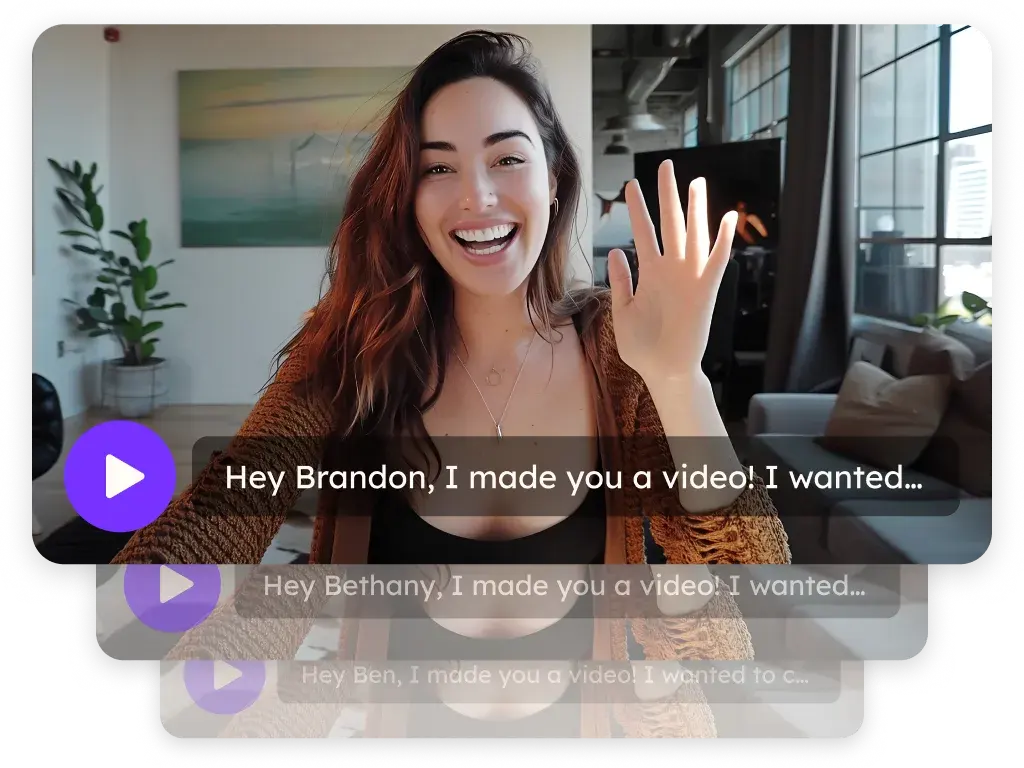
Screen recording for sales is the practice of capturing your screen — often with a face-cam overlay — to walk a prospect through a demo, product walkthrough, or proposal without scheduling a live call. Modern AI video personalization platforms extend raw screen recording by adding personalized intros, dynamic recipient details, and scalable delivery so each recording feels tailored rather than generic.
Key takeaways
- Screen recording for sales lets reps deliver a product demo or proposal walkthrough asynchronously, removing scheduling friction from the discovery process.
- Wyzowl's Video Marketing Statistics 2026 finds 85% of people have been convinced to buy a product or service by watching a video — validating self-serve demo video as a persuasion channel.
- A face-cam overlay alongside the screen content humanizes the walkthrough and maintains trust in a format that raw screen capture alone cannot deliver.
- AI video personalization platforms let reps record one product walkthrough and automatically overlay personalized details — prospect name, company, relevant metrics — so each viewer gets a version that speaks to their specific situation.
- Screen recordings are reusable leave-behinds: share the same recording with every stakeholder in a buying committee without additional recording sessions.
When should a sales rep use screen recording instead of scheduling a live demo?
Use screen recording when the prospect has asked for a preview before committing to a call, when you want to leave a shareable leave-behind after a live session, or when the buying committee spans time zones. Wyzowl's 2026 data shows 85% of people have been convinced to buy by watching a video, confirming on-demand demo video as a credible persuasion channel.
How is a screen-recorded sales demo different from a generic product video?
A generic product video is produced once for a broad audience. A sales screen recording is customized on the fly for a specific prospect's use case, industry, or pain point — making it far more relevant and harder to dismiss. Adding a face-cam overlay further personalizes it by showing the rep's presence alongside the content.
Can screen recordings for sales be personalized at scale?
Yes. An AI video personalization platform lets a rep record one master product walkthrough and automatically overlays personalized details — the prospect's company name, relevant workflow, or website screenshot — so each viewer receives a version that addresses their specific context without the rep re-recording per contact.
85% of people have been convinced to buy a product or service by watching a video.
— Wyzowl, Video Marketing Statistics 2026 (12 Years of Data)
Related terms
async video · video prospecting · personalized video · digital sales room
Related reading
Frequently asked questions
When should I use screen recording instead of a live demo call?
Use screen recording when the prospect has asked for a preview, when you want to leave a leave-behind after a live call, or when you need to walk multiple stakeholders through the same content asynchronously without scheduling conflicts.
How is screen recording different from a traditional product video?
A traditional product video is produced once for a general audience. A sales screen recording is usually customized on the fly for a specific prospect's use case, making it far more relevant and harder to dismiss.
Can screen recordings be personalized at scale?
Yes. An AI video personalization platform lets you record one product walkthrough and automatically overlay personalized details — company name, prospect's name, relevant metrics — so each viewer receives a version that speaks directly to them.
What keeps screen-recorded demos from feeling generic?
Personalized thumbnails, a custom intro that names the prospect and their company, and a specific call-to-action relevant to their stage in the buying process all convert a generic recording into a tailored experience.
What equipment do I need for a sales screen recording?
A standard laptop webcam, a quiet environment, and a screen-recording tool with face-cam overlay capability are sufficient. Audio quality is more important than video resolution — a basic USB microphone significantly improves perceived professionalism.
How long should a screen-recorded sales demo be?
Prospect-stage walkthroughs: 2–4 minutes covering the single most relevant use case. Post-discovery deep-dives: 8–12 minutes covering the agreed-upon priority areas. Avoid exhaustive feature tours; focus on the specific pain point the prospect articulated.
Can screen recording replace live demos entirely?
Not entirely. Screen recordings excel at initial previews and leave-behinds, but complex, high-stakes deals benefit from a live session where prospects can ask questions in real time. Think of async screen recordings as a complement to live demos, not a replacement.
Published June 2026