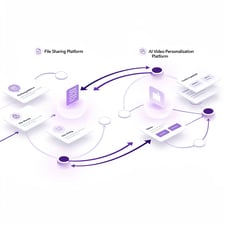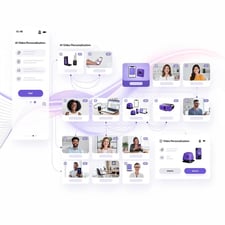
Jumpshare is a screen-capture, screen-recording, and file-sharing utility that lets you grab a screenshot or video, drop a file in a folder, and send a public link. For designers, support agents, and casual collaborators, it works well: free up to 2 GB of storage with paid plans from $8.25/month. For B2B sales teams that need AI-personalized video outreach — videos that address each prospect by name, show their company website behind the rep, and sync engagement back to the CRM — Jumpshare is the wrong tool. This review breaks down what Jumpshare actually does well in 2026, where it falls short for outbound sales, and the six alternatives worth evaluating if you're an SDR, AE, or RevOps leader.
Some 70% of B2B buyers say short-form video accelerates their decision-making, per HubSpot State of Sales 2024 — but only if the video is personalized to them. That's the gap between a generic Jumpshare screencast and an AI video personalization platform for B2B sales like Sendspark. We'll cover when each is the right job-to-be-done.
Key Takeaways
- Jumpshare is a screen capture and file-sharing tool with free (2 GB) and paid plans from $8.25/month — solid for designers, support, and ad-hoc collaboration.
- Jumpshare lacks AI voice cloning, dynamic backgrounds, CRM integration, and per-recipient engagement analytics — all of which B2B sales teams need.
- For 1-to-1 file sharing, Jumpshare is fine. For 1-to-many outbound video at scale, sales teams outgrow it inside the first quarter.
- Sendspark is the closest purpose-built alternative for outbound sales: record one video, AI clones your voice to personalize for each prospect.
- Choose Jumpshare when the job is "share a file"; choose an AI video personalization platform when the job is "book more meetings."
What Is Jumpshare and What Is It Used For?
Jumpshare is a screenshot, screen-recording, and file-sharing tool that lets you capture a part of your screen — image or video — and instantly get a public shareable link. Founded in 2012 and headquartered in Toronto, Jumpshare serves around 1 million users across designers, support teams, marketers, and small business owners who need to send a quick visual without uploading to email attachments or chat clients. The free tier includes 2 GB of storage and short screen recordings; paid plans extend file size, retention, and team collaboration features.
The job-to-be-done is straightforward: "show someone what I'm seeing, fast." Jumpshare's appeal is that it collapses three workflows — screenshot, screen recording, and file upload — into one menu-bar app with one shareable link per capture.
For broader context on browser-based recording workflows, see Sendspark's roundup of the best virtual selling tools and the breakdown of the advantages of using a screen recorder for business. Both pieces map where a tool like Jumpshare fits and where it leaves gaps.
How Much Does Jumpshare Cost in 2026?
Jumpshare has four pricing tiers as of 2026: Free (2 GB storage, 50 MB file size, basic screen recording), Plus at $8.25/month (1 TB storage, longer screen recordings, password protection), Business at $12.50/user/month (team workspaces, branded links, admin controls), and Enterprise with custom pricing for SSO and SCIM provisioning. Annual billing knocks roughly 30% off the monthly rate. Compared with broader collaboration-suite pricing benchmarks tracked by Vendr's 2024 SaaS Pricing report, Jumpshare's Business tier sits in the lower-mid range for visual collaboration tools.
| Plan | Price (annual) | Storage | Key features |
|---|---|---|---|
| Free | $0 | 2 GB | Screenshots, short recordings, 50 MB file size cap |
| Plus | $8.25/month | 1 TB | Longer recordings, password protection, custom branding |
| Business | $12.50/user/month | 2 TB / user | Team workspaces, branded links, admin console |
| Enterprise | Custom | Unlimited | SSO/SCIM, advanced security, dedicated support |
Pricing context for B2B sales buyers: Jumpshare's per-seat cost is competitive for file sharing, but it doesn't include the AI personalization, CRM integration, or per-recipient analytics layer that sales teams use to justify spend. We compare apples-to-apples cost in the alternatives table further down.
Is Jumpshare Safe and How Secure Are Your Files?
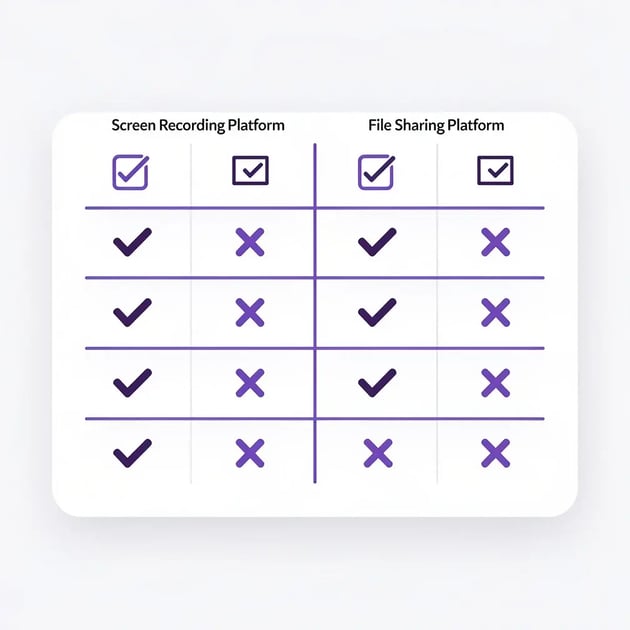
Jumpshare is reasonably safe for non-sensitive sharing: files are transferred over TLS, stored on AWS infrastructure, and paid plans support password-protected links and link expiration. Jumpshare is SOC 2 Type II compliant and GDPR-compliant per its trust center. That said, the Free tier exposes every uploaded file at a public link by default — meaning if the URL is guessed or shared accidentally, anyone can view the contents. For regulated industries (healthcare, finance, legal) or sales teams emailing prospect-specific videos, the public-link-by-default model creates a real risk that purpose-built sales tools avoid.
Three security considerations B2B teams should weigh:
- Public link exposure on Free. No password, no expiration — anyone with the URL gets the file. Acceptable for non-sensitive sharing; not acceptable for prospect-specific outreach.
- Per-recipient tracking is absent. Jumpshare shows aggregate view counts, not who watched. Compliance teams that need a paper trail of who accessed a video can't get one.
- No CRM-level audit log. Sales platforms that integrate with HubSpot or Salesforce log video views as activity events; Jumpshare doesn't.
Who Should Actually Use Jumpshare (And Who Shouldn't)?
Jumpshare is a strong fit for designers needing to share a Figma mockup, support agents replicating a customer bug, content marketers swapping draft graphics, and small teams that want a free screenshot tool without account friction. It is a poor fit for B2B sales teams running outbound video sequences, marketers running ABM with personalized outreach, and customer success teams sending QBR recap videos — because all three of those use cases need per-recipient analytics, CRM sync, and personalization at scale.
| Use case | Jumpshare fit | Why |
|---|---|---|
| Designer sharing a mockup | Strong | Public link, no friction, free tier handles file size |
| Support agent replicating a bug | Strong | Quick screen recording, shareable in a ticket |
| SDR sending 100 personalized prospecting videos/week | Weak | No AI personalization, no CRM activity log, no per-recipient view tracking |
| AE walking a prospect through a custom demo | Weak | No dynamic backgrounds, no CTA buttons, no engagement scoring |
| Marketing running ABM video plays | Weak | No batch personalization, no integration with sequencer tools |
| CS team recording QBR recaps | Mixed | Recording works; analytics and CRM activity log are missing |
The pattern: Jumpshare is a horizontal tool. Sales-specific workflows need vertical tools.
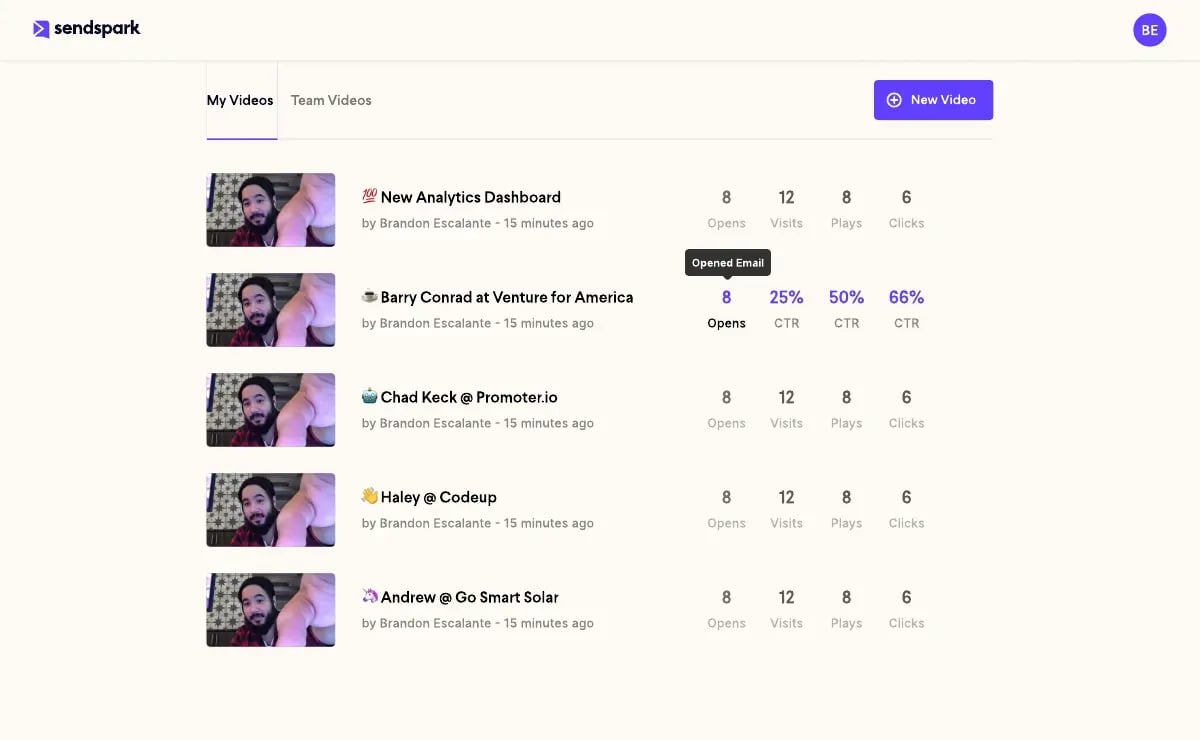
Jumpshare can't tell you which prospect opened the video.
Sendspark logs every play, scrub, and CTA click back to HubSpot, Salesforce, and Outreach — so reps follow up while the video is still warm.
Try Sendspark Free →Why B2B Sales Teams Outgrow Jumpshare
Sales teams typically outgrow Jumpshare in the first quarter of using it for outbound video — usually around the moment a manager asks "which prospect opened the video?" or "can we personalize the opener for 200 prospects without re-recording 200 times?" Jumpshare answers neither question. HubSpot's 2024 State of Sales report found that reps using video in outbound report a 26% lift in reply rates — but only when the video is recipient-specific. Generic screencasts get the same response rate as text-only emails.
Common Jumpshare-for-sales pitfalls:
- No CRM activity sync. Video views don't appear as HubSpot/Salesforce activity, so SDRs can't sort by "watched my video yesterday."
- No per-recipient analytics. The view counter is aggregate. You can't see that Jane at Acme watched 80% but Mark at Beta dropped off at the 15-second mark.
- No personalization at scale. One recording = one video. To personalize for 100 prospects, you record 100 times.
- No native sequencer integration. Outreach, SalesLoft, and Apollo don't pull Jumpshare videos into a step; sales reps copy/paste links manually.
- Public-link-by-default risk. Sensitive prospect-named videos sit behind a guessable URL on the Free tier.
The deeper issue is the job-to-be-done mismatch. Jumpshare's job is "share a file." A B2B sales rep's job is "book a meeting with this specific prospect using a video that treats them like the only person on Earth." Different jobs, different tools.
"By 2025, 80% of B2B sales interactions between suppliers and buyers will occur in digital channels. Sellers who treat video as a generic broadcast medium will lose to sellers who treat it as a one-to-one channel."
The 6 Best Jumpshare Alternatives for B2B Sales Teams
The six tools below are the alternatives B2B sales teams most often shortlist when Jumpshare hits the personalization wall. Each is evaluated on the criteria that matter for outbound video: AI personalization, CRM integration, per-recipient analytics, sequencer compatibility, and pricing. We focused on platforms purpose-built for sales — not horizontal screen capture utilities — because the outgrowth pattern is sales-specific.
How We Evaluated
We scored each platform on five criteria that map to the gaps Jumpshare leaves for sales teams: (1) AI voice cloning and dynamic personalization, (2) native CRM sync (HubSpot, Salesforce), (3) per-recipient engagement analytics, (4) sequencer integrations (Outreach, SalesLoft, Apollo, Smartlead), and (5) entry-level pricing for a 5-rep team. We prioritized platforms with free trials so you can validate before committing budget.
Tip: Before shortlisting, agree internally on the job-to-be-done. If your goal is "share files faster," evaluate file-sharing tools. If your goal is "lift outbound reply rates," evaluate AI video personalization platforms. The two shortlists barely overlap.
| Tool | Best for | AI personalization | CRM sync | Starting price |
|---|---|---|---|---|
| Sendspark | B2B sales — record once, personalize at scale with AI | Yes (voice cloning + dynamic backgrounds) | HubSpot, Salesforce, Outreach | $49/mo (Solo) |
| Tavus | Marketing teams; AI avatar generation | Yes (avatar synthesis) | API-driven | $59/mo |
| HeyGen | Marketing; full AI avatar videos | Yes (avatar + voice) | Limited | $24/mo |
| Vidyard | Mid-market sales; mature CRM ecosystem | No AI voice cloning | HubSpot, Salesforce | $59/mo |
| BombBomb | Realtor / insurance / advisor reps | No | Salesforce, Outlook | $33/mo |
| Hippo Video | Customer success and account management | Limited AI | HubSpot, Salesforce | $20/mo |
1. Sendspark — Best for AI video personalization at scale
Sendspark is the AI video personalization platform purpose-built for B2B sales. The differentiator: record one video, then use AI voice cloning for personalized intros and dynamic backgrounds that show the prospect's website to generate thousands of individually personalized videos. Distribution flows through HubSpot integration, Outreach integration, Smartlead, and 50+ email and LinkedIn platforms. Used by 50,000+ companies, 4.8/5 on G2.
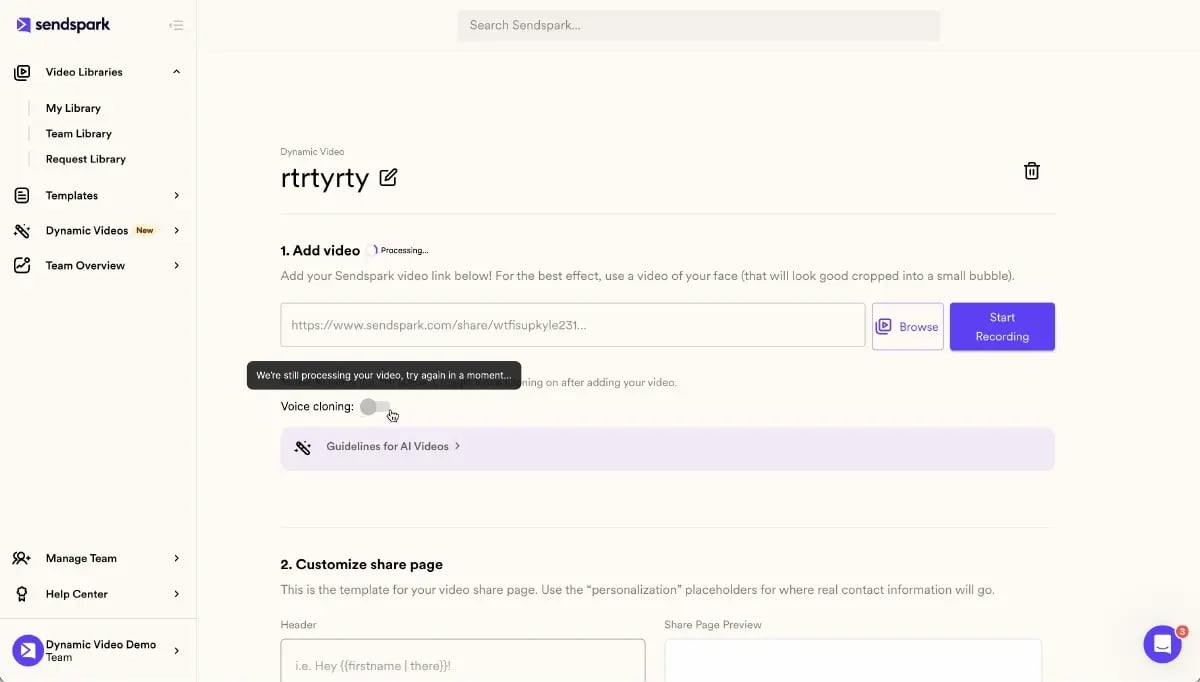
For teams that want to evaluate Sendspark specifically against Jumpshare, see Sendspark's Jumpshare alternative landing page.
2. Tavus — Best for AI avatar generation
Tavus focuses on AI-generated avatar videos for high-volume marketing personalization. Strong API, useful for product teams that want to embed generated video in onboarding flows or lifecycle marketing. The trade-off for sales: AI avatars don't carry the trust signal of a real rep's face, which matters more in cold outreach than in marketing. Sales teams that need a recognizable human-on-camera should choose a voice-cloning platform over an avatar platform.
3. HeyGen — Best for full-avatar marketing video
HeyGen produces high-quality AI avatars and voice cloning at marketing-team price points. Useful for content marketing, internal training videos, and ABM plays where the brand owns the on-screen talent. CRM integration is limited compared with sales-native platforms — there's no direct sync of view events into HubSpot or Salesforce activity logs, which makes attribution and follow-up coaching harder for SDR managers.
4. Vidyard — Best for mature sales-video deployments
Vidyard has the longest tenure in the sales-video category and is often the incumbent at enterprise accounts. Strong CRM ecosystem, especially Salesforce, and a mature analytics layer. The pricing starts higher than Sendspark, and the platform lacks AI voice cloning at the time of writing — meaning every personalized opener still requires a separate recording. For teams already in the Salesforce ecosystem evaluating a refresh, the swap-out conversation is usually "what does AI voice cloning add that we don't have today?"
5. BombBomb — Best for relationship-driven verticals
BombBomb is the long-time pick for realtor, insurance, and financial advisor reps. Strong email-first workflow, simple capture-and-send UX, and a long history with relationship-based selling. It doesn't fit modern SDR/AE outbound video sequences — there's no native batch personalization, the analytics are oriented around individual sends rather than sequences, and the integration list skews toward email clients rather than sales engagement platforms.
6. Hippo Video — Best for customer success
Hippo Video lives at the customer-facing end of the funnel. Strong for QBRs, customer onboarding, renewal touchpoints, and account-management check-ins. Less optimized for cold outbound; the sales motion it serves best is "expand the existing relationship" rather than "open a new conversation." Customer success teams replacing Loom or Vidyard for QBR recap videos consistently shortlist Hippo Video.
What sales practitioners commonly report
Sales practitioners evaluating Jumpshare alternatives consistently report three things. First, the shift from a screen-capture tool to a sales-specific video platform typically lifts reply rates inside the first 60 days — the personalization layer is what changes the prospect's response, not the resolution of the screen recording. Second, attribution is the second-most-cited reason for switching: managers want to know who watched, for how long, and which prospects clicked the CTA, because that data feeds coaching and forecasting.
The honest critical perspective: switching has costs. Teams that move from Jumpshare to a sales-specific platform report a two-to-four-week ramp where reps learn the new recorder, calibrate AI voice cloning, and rebuild templates. Teams that try to use both tools for sales tend to revert to the sales-specific tool inside a quarter because dual-tool workflows hurt rep adoption. The recommendation that lands most often: pick one tool for outbound sales video, keep Jumpshare for design and support if your team uses it there.
How to Choose Between Jumpshare and an AI Video Personalization Platform
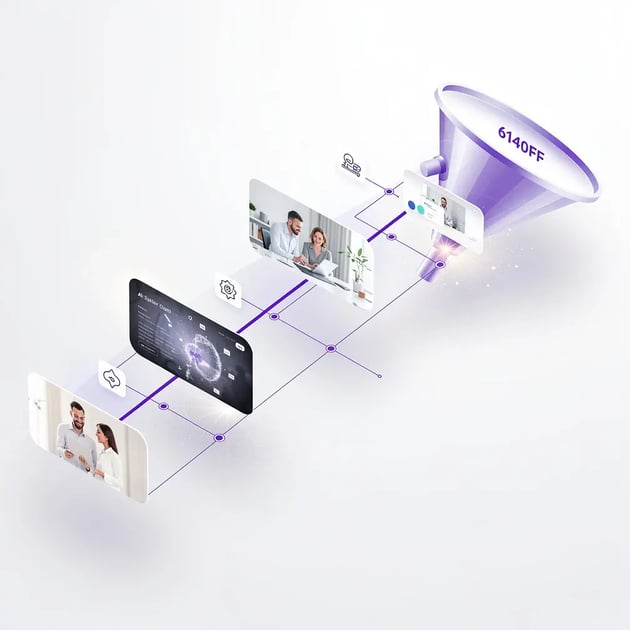
The choice between Jumpshare and an AI video personalization platform comes down to one question: is the job "share a file" or "book a meeting"? Jumpshare wins the first job. An AI video personalization platform wins the second. Most teams need both — Jumpshare for design/support/internal sharing, plus a sales-specific platform for outbound. Treating them as competitors misses the real spend decision.
Three questions to walk through with your team before committing budget:
- Who is the audience for each video? If it's one named person you're trying to convert, you need personalization and per-recipient analytics. If it's anyone on a team who needs the file, you need fast sharing.
- Where does engagement need to land? A viewer counter on a public page is fine for design feedback. A logged activity event in HubSpot or Salesforce is required for sales pipeline forecasting and rep coaching.
- Does the workflow need batch personalization? Sending 200 cold videos with prospect-specific openers is impossible by hand; an AI video personalization platform automates the per-prospect layer. A file-sharing tool can't.
One more nuance: budget framing. CFOs and RevOps leaders evaluating both tools should treat Jumpshare as a horizontal collaboration line item (often bundled with the design or support team's spend) and treat an AI video personalization platform as a sales-tech line item (justified by reply-rate lift and meeting-booked attribution). Mixing them in one budget conversation usually leads to under-buying both.
Pro tip — the decision framework: List the top three videos your team will create next quarter. For each, ask: who is the audience (one person or thousands?), what action should they take (download a file or book a meeting?), and where does engagement need to land (a viewer counter or your CRM?). The answer chooses your tool every time.
For teams leaning toward AI-personalized outbound video, the deeper how-to lives in our AI Video Personalization for Outbound Sales (guide) and the Video Prospecting Complete Guide. Tactical asks like cold-email subject lines and HubSpot wiring are covered in video email subject lines that boost open rates and adding video to HubSpot workflows. ABM-specific plays are in AI personalization that lifts ABM results. For full Sendspark capability coverage, the sales prospecting solution overview and Sendspark pricing are the entry points. If you live in the browser, the Sendspark Chrome extension records straight from the page you're on.
Frequently Asked Questions
What is Jumpshare used for?
Jumpshare is used for screenshots, screen recordings, and file sharing — typically by designers, support agents, and small teams who need a quick visual or file link without email attachments. It is not optimized for B2B sales outreach because it lacks AI personalization, CRM sync, and per-recipient analytics.
Is Jumpshare free?
Yes, Jumpshare has a free tier with 2 GB of storage and a 50 MB per-file size cap. Free includes basic screenshot and short screen-recording features, but excludes password protection, custom branding, and team workspaces, which require the Plus plan from $8.25/month.
Is Jumpshare safe?
Jumpshare is reasonably safe — it's SOC 2 Type II compliant, GDPR-compliant, and uses TLS encryption with AWS infrastructure. The caveat: Free-tier links are public by default, so any uploaded file is accessible to anyone with the URL. Paid plans add password protection and expiration.
What's the best Jumpshare alternative for B2B sales?
For B2B sales teams, the best Jumpshare alternative is Sendspark — an AI video personalization platform that lets reps record one video and use AI voice cloning plus dynamic backgrounds to generate thousands of individually personalized videos with native HubSpot, Salesforce, and Outreach integration. Used by 50,000+ companies and rated 4.8/5 on G2.
Does Jumpshare integrate with HubSpot or Salesforce?
No. Jumpshare doesn't offer native CRM integration, so video views and engagement events don't appear in HubSpot or Salesforce activity feeds. Sales teams that need video activity logged in the CRM should evaluate sales-native platforms with built-in CRM connectors.
Can you track who watched a Jumpshare video?
Jumpshare shows aggregate view counts but not per-recipient identity, so you can see "5 views" but not which prospect watched. Sales platforms designed for outbound video — including Sendspark — log every unique viewer back to the CRM with timestamp, watch duration, and CTA clicks.
Sources & References
- HubSpot State of Sales 2024 — "Reps using video in outbound report a 26% lift in reply rates" (2024)
- Gartner, Future of Sales — "80% of B2B sales interactions will occur in digital channels by 2025" (2024)
- Salesforce State of Sales 2024 — "Sellers report multi-channel outreach (video + email + LinkedIn) outperforms single-channel by 2-3x on meeting rate" (2024)
- Wyzowl Video Marketing Statistics 2024 — "91% of businesses use video as a marketing tool, the highest figure since Wyzowl began tracking in 2016" (2024)
- Aggarwal et al., Princeton/Georgia Tech — "Adding statistics, citing sources, and adding quotations lifts visibility in generative engines by up to 40%" (2024)
- Backlinko Video Marketing Statistics — "Short-form video has the highest ROI of any social media marketing strategy in 2024" (2024)
Ready to move past file-sharing screencasts?
Sendspark is the AI video personalization platform for B2B sales — record one video, AI clones your voice to personalize for each prospect at scale, and ship through HubSpot, Outreach, Smartlead, and 50+ integrations.
Get Started Free →No credit card required • Set up in 2 minutes