Sendspark RB2B integration: AI videos for website visitors
The Sendspark RB2B integration creates an AI personalized video for each website visitor RB2B identifies and sends it by email or LinkedIn. Sendspark is an AI personalized video platform for B2B sales and marketing teams. Revenue teams connect it through a Sendspark Agentic Workflow with an Incoming Webhook trigger.
 SOC 2 Type II
- Read reviews on G2


Sendspark and RB2B at a glance
- Integration type
- Import source and Agentic Workflows connection
- How data moves
- RB2B sends each identified visitor to a Sendspark webhook; the workflow creates a dynamic video and sends it. Nothing is written back to RB2B.
- Plan
- Agentic Workflows are on Growth and above.
- What you need
- An RB2B account, a Sendspark Dynamic Video campaign, and access to Agentic Workflows.
- Setup guides
- On RB2B's side
- About RB2B
You know who visited your pricing page, but they still get a generic follow-up
Visitor identification tells you exactly who's interested, then the follow-up is the same cold email every other vendor sends. By the time someone records a personal message, the visit is old news.
How to use Sendspark with RB2B
- 1
Create a workflow with an Incoming Webhook trigger
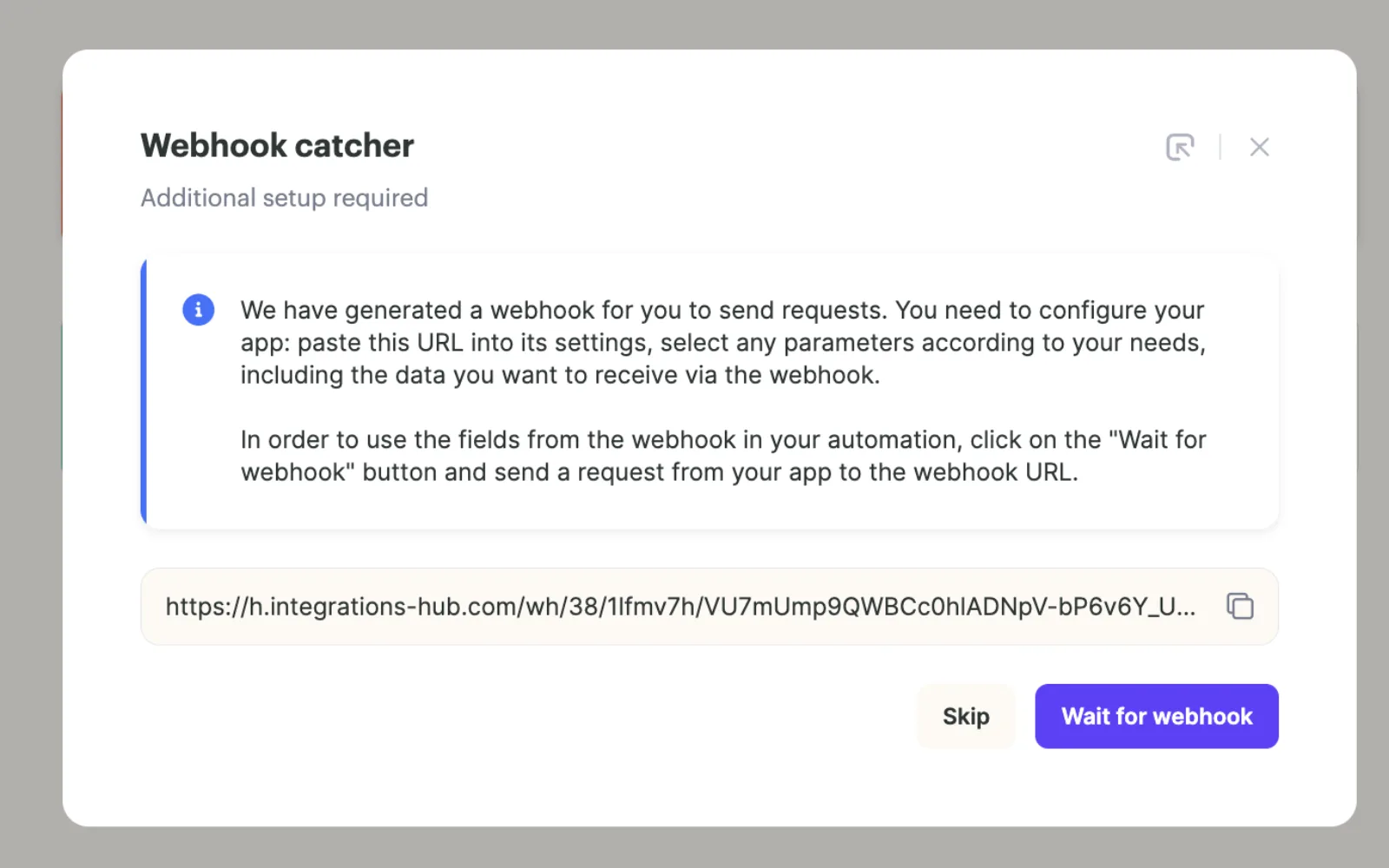
In Sendspark's Agentic Workflows, create a workflow and pick Incoming Webhook as the trigger. The Webhook catcher dialog gives you a URL; copy it and click Wait for webhook.
- 2
Paste the URL into RB2B
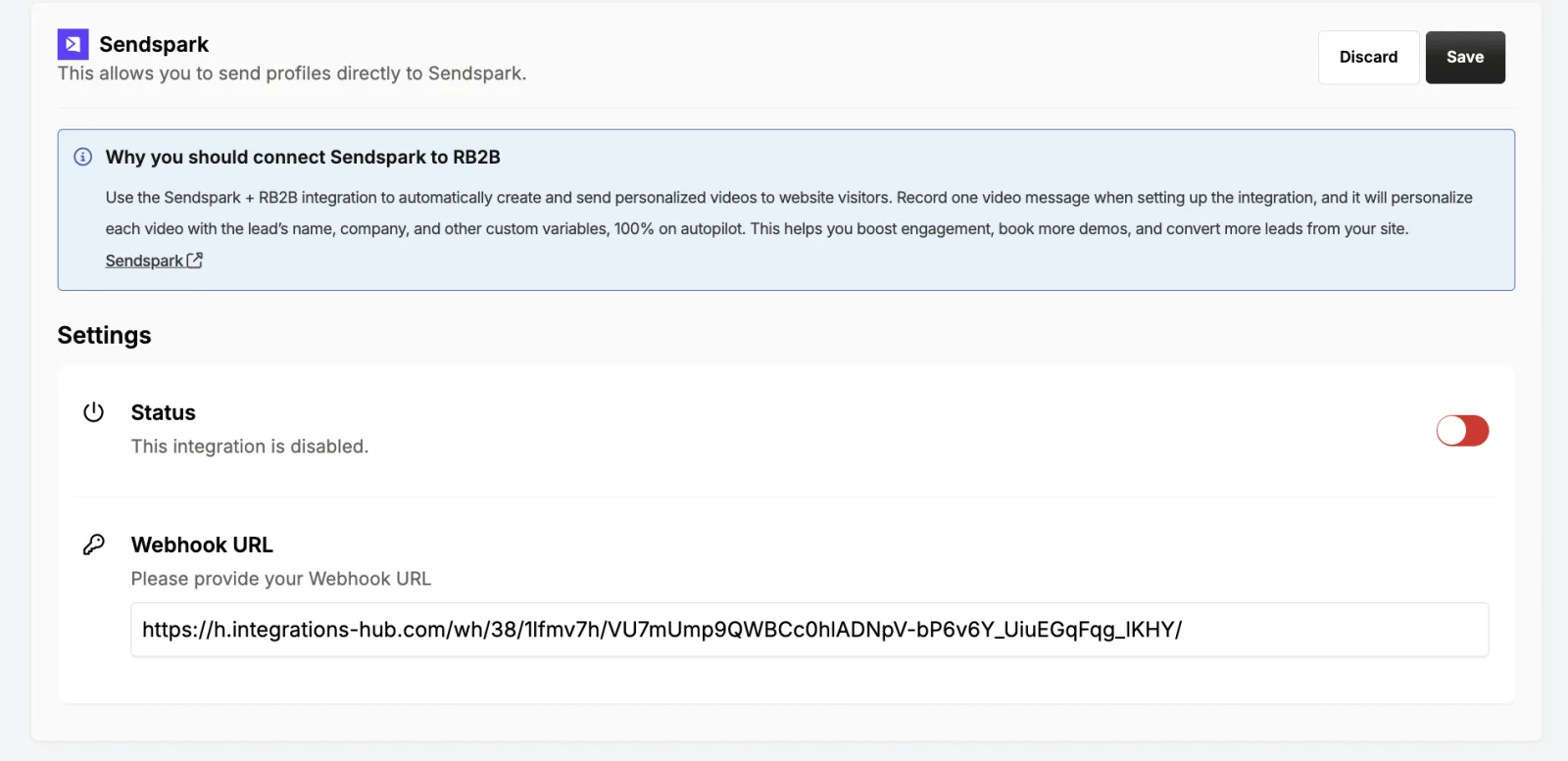
In RB2B's integrations, select Sendspark and paste the webhook URL. The integration ships disabled, so switch Status on and click Save.
- 3
Send a test event
Click Send test event to your Sendspark account. Back in Sendspark, RB2B's visitor data appears in the trigger step.

- 4
Add Create dynamic video and map RB2B fields
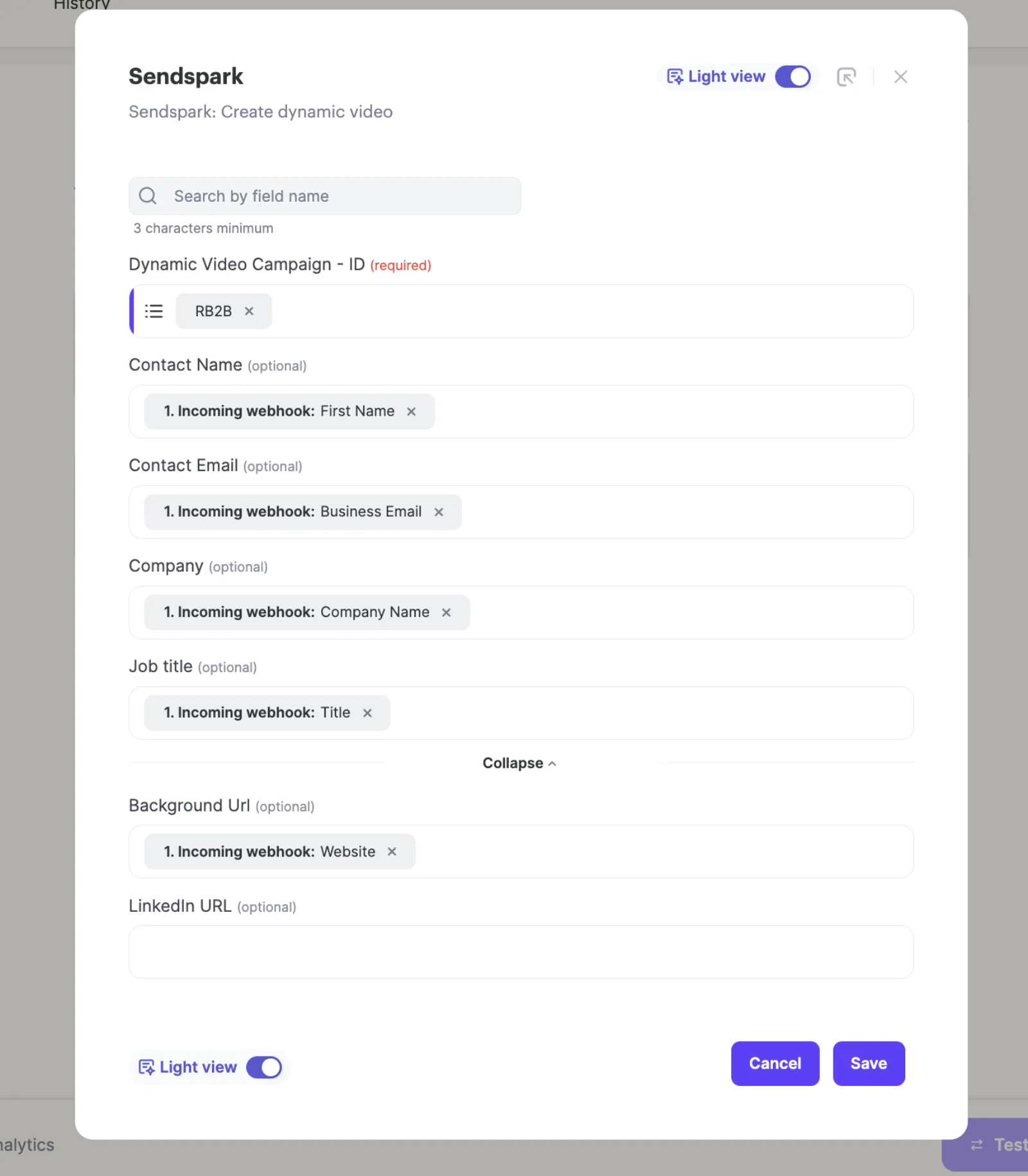
Add a Sendspark: Create dynamic video step, choose your campaign, and map RB2B's First Name, Business Email, Company Name, Title and Website into the video fields.
- 5
Add a send step
Finish with a step that sends the video by Gmail, Outlook, LinkedIn or one of the sending platforms Sendspark supports.
What teams do with Sendspark and RB2B
Only video the visitors worth a video
Instead of triggering on every RB2B hit, send visitors to a qualified-recipients list or property in your CRM and trigger the workflow from that. You skip existing customers and poor fits.
Read the guideRoute RB2B visitors through Clay first
Point RB2B's webhook at a Clay table, enrich the lead, run Sendspark's Clay enrichment and send through La Growth Machine on LinkedIn.
Read the guideWhat RB2B data personalizes each video
- RB2B's First Name maps to Contact Name, which the AI voice says in place of "watermelon".
- Business Email maps to Contact Email; Company Name and Title fill the company and job title variables.
- RB2B's Website field can become the Background Url, so the visitor sees their own site behind you; a LinkedIn URL field is also available.
- Every video gets a personalized landing page and GIF thumbnail with your CTA or calendar.
Where you see who watched from RB2B
Sendspark shows who watched, how much, CTA clicks and likes for each visitor's video. RB2B doesn't receive viewing data.
Explore Video AnalyticsSendspark and RB2B: frequently asked questions
Does Sendspark integrate with RB2B?
Yes. RB2B lists Sendspark in its integrations. You paste a Sendspark Agentic Workflow webhook URL into it, and each identified visitor gets a personalized video.
Which plan do I need?
The RB2B connection runs on Agentic Workflows, which are on Growth and above.
Why isn't RB2B sending anything to Sendspark?
The Sendspark integration in RB2B starts disabled. Turn Status on, click Save, then use Send test event to your Sendspark account to confirm.
How is the video delivered?
Add a send step after Create dynamic video: Gmail, Outlook, LinkedIn, or enroll the visitor in an email or LinkedIn campaign.
Updated



Make your next outreach personal.
Record one video and let Sendspark do the rest.
