Sendspark Warmly integration: personalized video for website visitors
The Sendspark Warmly integration sends an AI personalized video to each contact Warmly identifies on your website. Sendspark is an AI personalized video platform for B2B sales and marketing teams. Teams connect a Warmly Orchestrator to a Sendspark Agentic Workflow with a webhook, so the video is made and emailed without anyone recording it.
 SOC 2 Type II
- Read reviews on G2


Sendspark and Warmly at a glance
- Integration type
- Import source via Agentic Workflows webhook
- How data moves
- Warmly's Orchestrator sends identified contacts to a Sendspark webhook; Sendspark creates the video and sends it. Nothing syncs back to Warmly.
- Plan
- Agentic Workflows are on Growth and above.
- What you need
- A Warmly account with Orchestrator, a Sendspark Dynamic Video campaign, and access to Agentic Workflows.
- Setup guides
- On Warmly's side
- About Warmly
Warm intent goes cold while you decide what to send
An identified visitor is the warmest lead you'll get all week, yet the follow-up waits for a rep to notice and write something. Most of those visits end with a templated email or nothing at all.
How to use Sendspark with Warmly
- 1
Build an Orchestrator on the visit signal
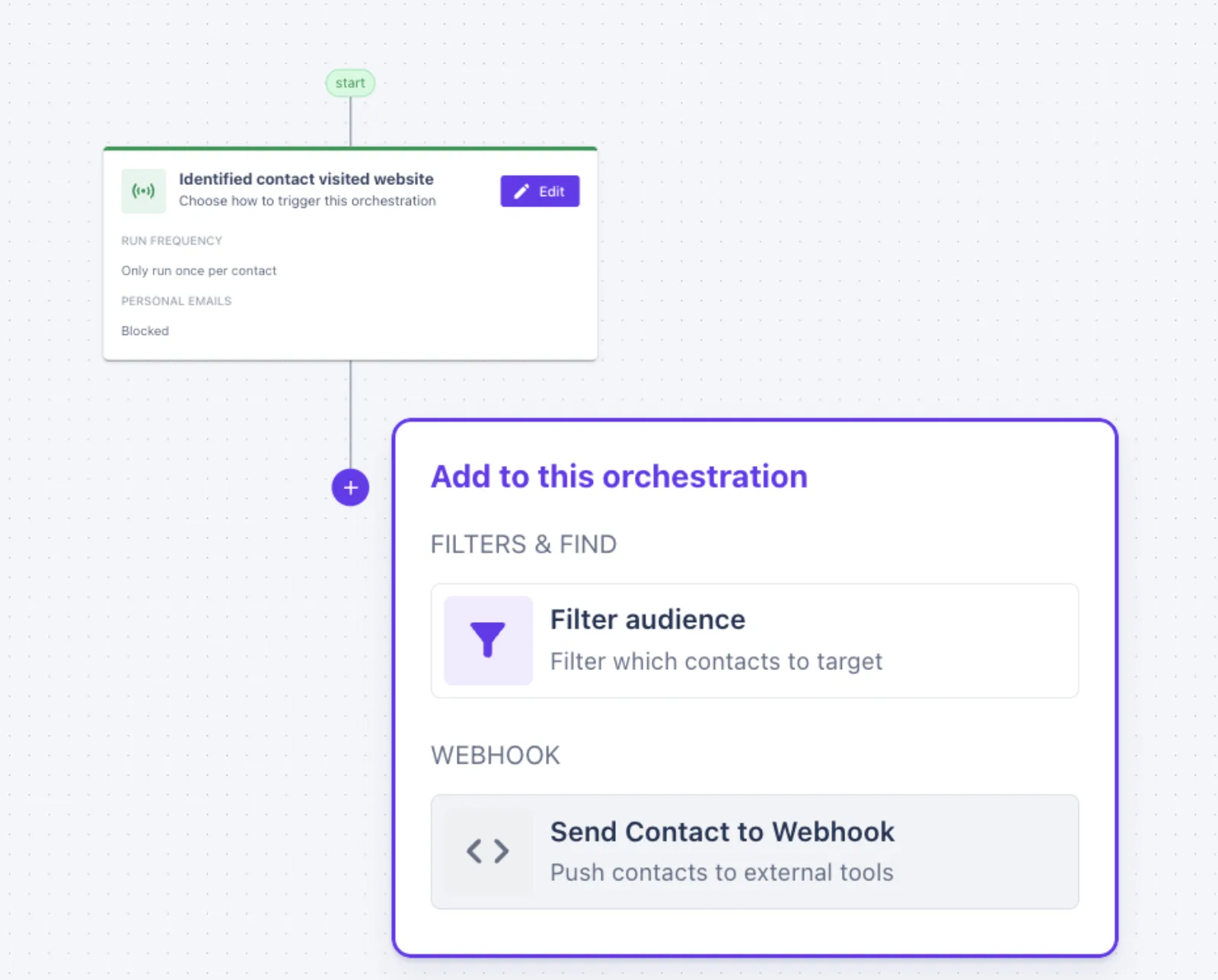
In Warmly, set up an Orchestrator with the Identified contact visited website trigger.
- 2
End the Orchestrator with a webhook
Add Send Contact to Webhook as the final action. You'll paste Sendspark's URL here.
- 3
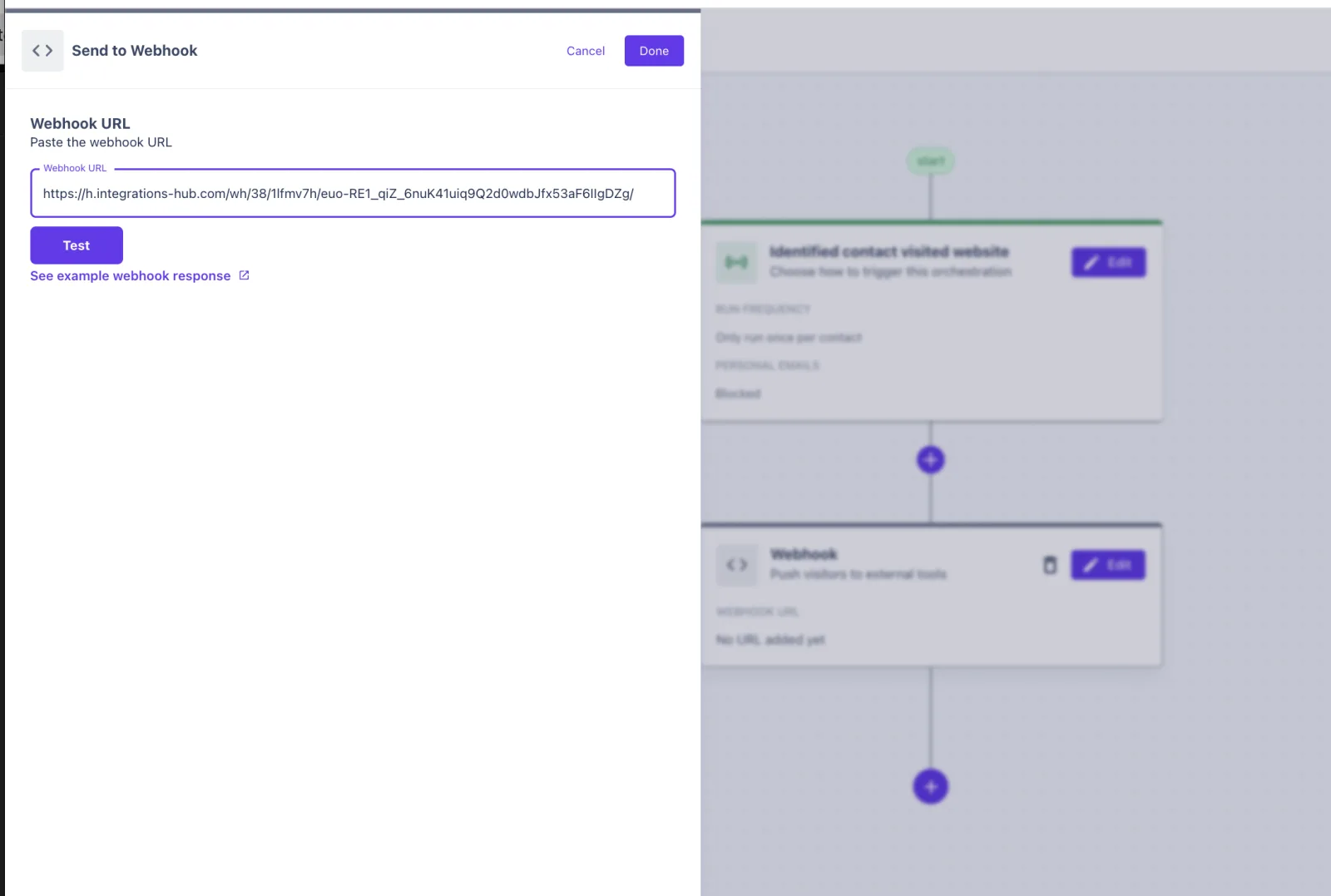
Create the Sendspark workflow
In Sendspark, create an Agentic Workflow with Webhook as the trigger, copy its URL into Warmly's Send to Webhook field and click Test.
- 4
Create the video and send it
Add a Create dynamic video action linked to your campaign, then a follow-up action that emails the video, for example Gmail: Send an email.
What teams do with Sendspark and Warmly
Filter before you film
Use Warmly's Filter audience step, or trigger from a qualified-recipients list in your CRM, so customers and poor fits don't get prospecting videos.
Read the guideDrop visitors into an email or LinkedIn campaign
Rather than a single email, enroll each visitor in an automated campaign that already holds the Sendspark snippet, so the video lands inside your sequence.
Read the guideWhat Warmly data personalizes each video
- Map Warmly's first name and email into the Create dynamic video step; the first name replaces "watermelon" in your cloned voice.
- Company and website data can fill variables and the dynamic background.
- Each visitor's video has its own landing page and GIF thumbnail.
Where you see who watched from Warmly
Views, watch time, CTA clicks and likes appear in Sendspark's video analytics. Warmly doesn't receive them.
Explore Video AnalyticsSendspark and Warmly: frequently asked questions
Does Sendspark integrate with Warmly?
Yes, through a webhook. Warmly's Orchestrator sends identified visitors to a Sendspark Agentic Workflow, which creates and sends a personalized video.
Which Warmly trigger should I use?
Identified contact visited website. The Orchestrator ends with Send Contact to Webhook pointed at your Sendspark workflow URL.
Which plan do I need?
Agentic Workflows are on Growth and above.
Updated



Make your next outreach personal.
Record one video and let Sendspark do the rest.
