Sendspark Zoho integration for personalized video
Sendspark connects to Zoho two ways: it sends video page visits to Zoho SalesIQ so you can see engagement against your contacts, and you paste a Zoho snippet into Zoho email campaigns to send each contact their own dynamic video. Sales and marketing teams on Zoho use it for outreach and nurture. Sendspark is an AI personalized video platform for B2B sales and marketing teams.
 SOC 2 Type II
- Read reviews on G2


Sendspark and Zoho at a glance
- Integration type
- CRM tracking (Zoho SalesIQ) and share snippet
- How data moves
- Sendspark video page visits are sent to Zoho SalesIQ (CRM tracking). For campaigns, you import Sendspark's exported CSV into a Zoho list and paste the video snippet into your email; contact data doesn't sync automatically.
- What you need
- An active Zoho SalesIQ account and its widget code; a Zoho account with email campaigns; a processed Sendspark dynamic video campaign.
- On Zoho's side
- About Zoho CRM
You can't see which contacts engaged with your videos
Videos go out in campaigns, but the visits never land next to the contact, so sales follows up with everyone the same way. Personalizing each video by hand doesn't fit a campaign list, so most sends stay generic.
How to use Sendspark with Zoho
- 1
Find your SalesIQ widget code
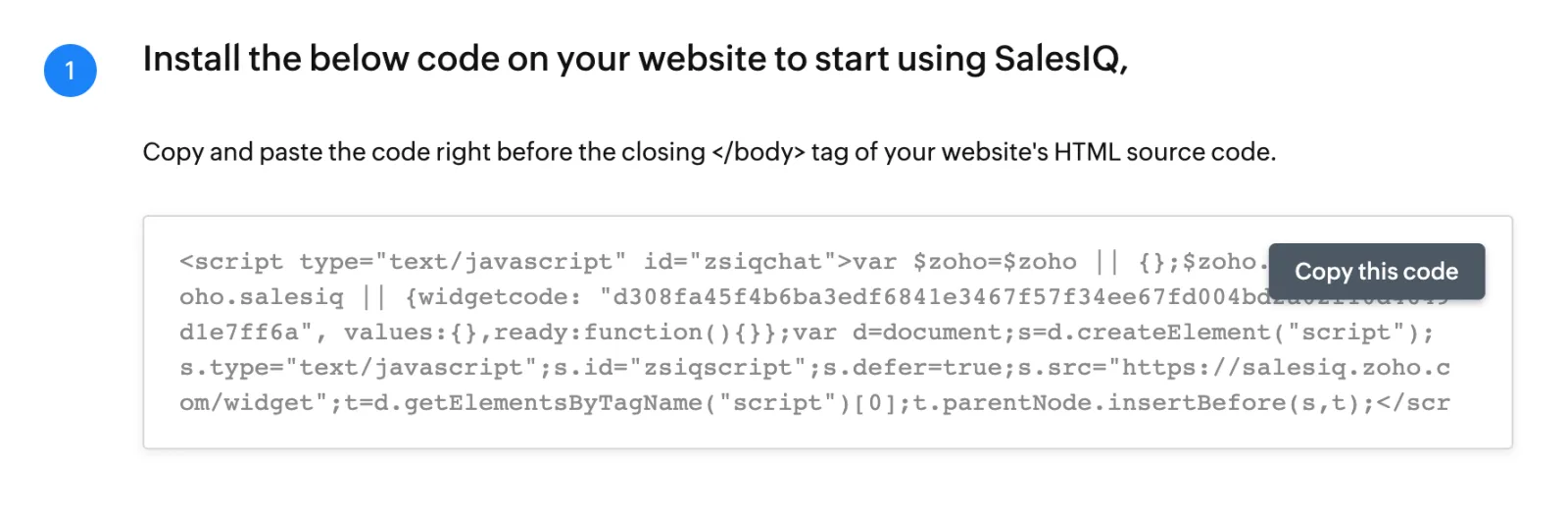
In Zoho, go to SalesIQ, Live View, Brands, choose or create your brand, then Installation, Website. Copy the value labeled widgetcode from the code block.
- 2
Connect Zoho in Sendspark
Go to Settings, Integrations, click Connect next to Zoho, paste the widget code and save. Zoho then shows as enabled.

- 3
Export your processed campaign
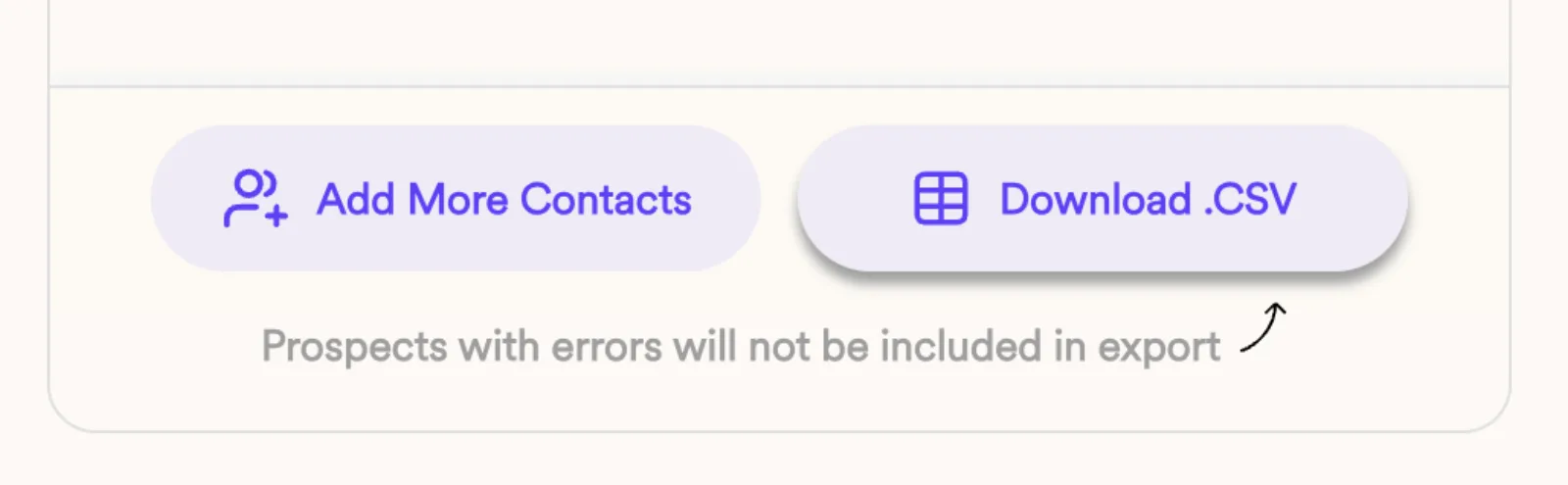
Once every dynamic video has processed, download the campaign CSV from the generated videos panel. Use this file, not your original list, because prospects whose videos failed are left out.
- 4
Import the contacts into a Zoho list
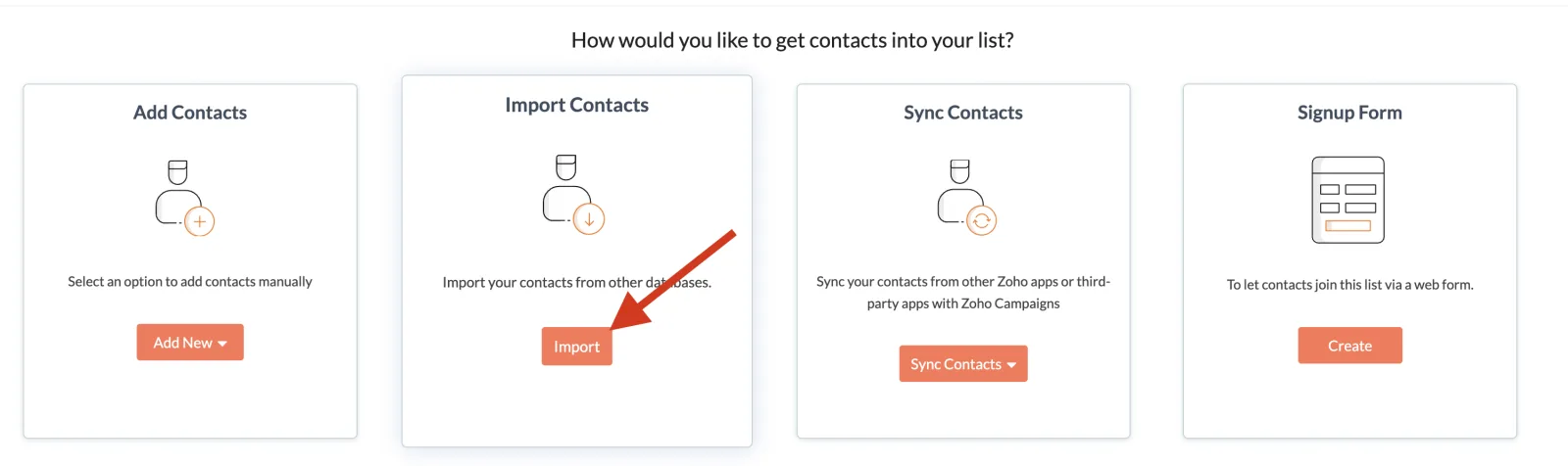
In Zoho, go to Contacts, Manage Lists, create a list and click Import on the Import Contacts card. Upload the CSV and map email and first name; job title and company name are optional.
- 5
Paste the Zoho snippet into a campaign
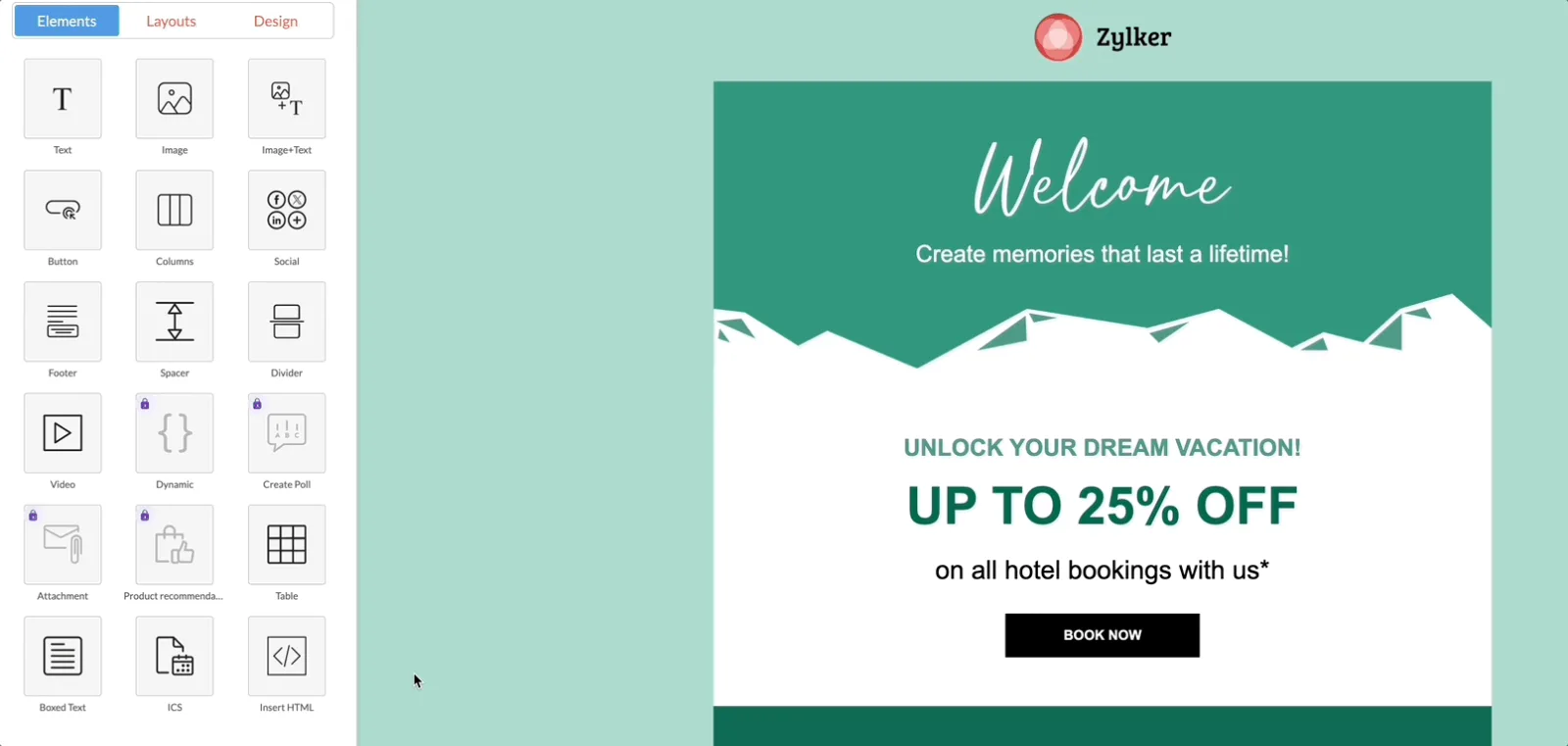
Create a campaign with Create Campaign, Email Campaign, Regular Email and pick your new list. In a pre-designed template, drag in an Insert HTML block and paste the code from Share Campaign, Zoho.
What teams do with Sendspark and Zoho
Send every contact in a Zoho campaign their own video
Export the processed campaign CSV, import it into a new Zoho list, and paste the Share Campaign, Zoho HTML into an Insert HTML block. Each contact gets the dynamic video made for them.
Read the guideSee video page visits in Zoho SalesIQ
Connect your SalesIQ widget code in Sendspark so each video page visit is sent to Zoho, then build dashboards on video engagement alongside your other web visits.
Read the guideWhat Zoho data personalizes each video
- Map only email and first name when importing to Zoho; job title and company name are optional, and you don't need to map Video Link or background URL.
- Test with yourself as a contact and send to a second address on a different domain: placeholders may not render in test sends, and same-inbox sends can be flagged as spam.
- Each dynamic video uses the contact's first name and the background set in your Sendspark campaign.
Where you see who watched from Zoho
Sendspark analytics show who viewed, how much they watched, CTA clicks and likes, and Team Insights is on every plan. In Zoho, the SalesIQ connection sends Sendspark video page visits so you can track engagement with contacts and chart it in dashboards.
Explore Video AnalyticsSendspark and Zoho: frequently asked questions
Does Sendspark integrate with Zoho?
Yes. Sendspark sends video page visits to Zoho SalesIQ for tracking, and you paste Sendspark's Zoho snippet into Zoho email campaigns to send dynamic videos. Contacts move by CSV import, not automatic sync.
Where do I find my Zoho SalesIQ widget code?
In SalesIQ, open Live View, Brands, choose your brand, then Installation, Website. The value labeled widgetcode in the code block is what you paste into Sendspark.
Why should I import Sendspark's CSV instead of my original list?
Sendspark's export leaves out prospects whose videos didn't process, so nobody gets an email with a missing video.
Why do my Zoho test emails show placeholders?
Variables may not render in test sends. Add yourself as a contact and send the campaign to a second email on a different domain.
Updated
 PipedriveCRM tracking, share snippet and calendar embedExplore Pipedrive
  SalesforceInstant integration, import source, CRM tracking and share linksExplore Salesforce
  HubSpotInstant integration, HubSpot app (workflow actions and CRM tracking), share snippet, Agentic Workflows connection and calendar embedExplore HubSpot
 Make your next outreach personal.
Record one video and let Sendspark do the rest.
