Sendspark Pipedrive integration for personalized video
Sendspark sends video page visits to Pipedrive through your Web Visitors tracker ID, and you paste Sendspark's Pipedrive snippet into Pipedrive email campaigns so each contact gets their own dynamic video. Sales teams on Pipedrive use it for prospecting and deal follow-up. Sendspark is an AI personalized video platform for B2B sales and marketing teams.
 SOC 2 Type II
- Read reviews on G2


Sendspark and Pipedrive at a glance
- Integration type
- CRM tracking, share snippet and calendar embed
- How data moves
- Sendspark video page visits are sent to Pipedrive through Web Visitors (CRM tracking). For campaigns, you import Sendspark's exported CSV into Pipedrive and paste the video snippet into your email.
- What you need
- Your Pipedrive Web Visitors tracker ID; Pipedrive email campaigns for dynamic videos; a processed Sendspark dynamic video campaign.
- Setup guides
- On Pipedrive's side
- About Pipedrive
Deals stall and you can't tell who's still interested
Follow-up emails go out, but nothing in the pipeline shows whether the buyer watched or ignored them, so reps chase the wrong deals. Recording a personal video per contact takes too long, so it only happens for the biggest few.
How to use Sendspark with Pipedrive
- 1
Copy your Pipedrive tracker ID
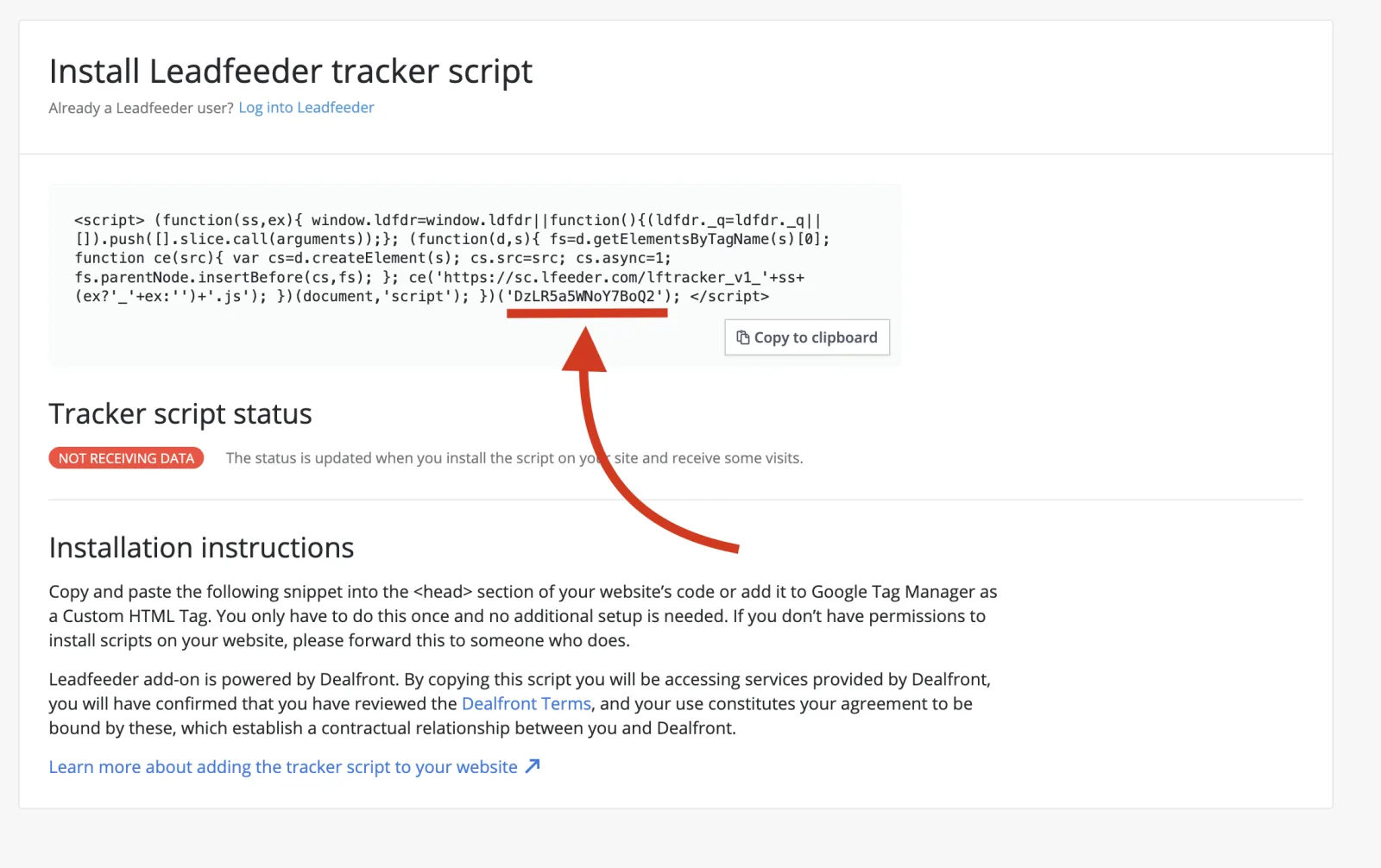
In Pipedrive, open Leads, then Web Visitors. Copy only the ID between the brackets in the tracker script, and nothing else.
- 2
Paste it into Sendspark
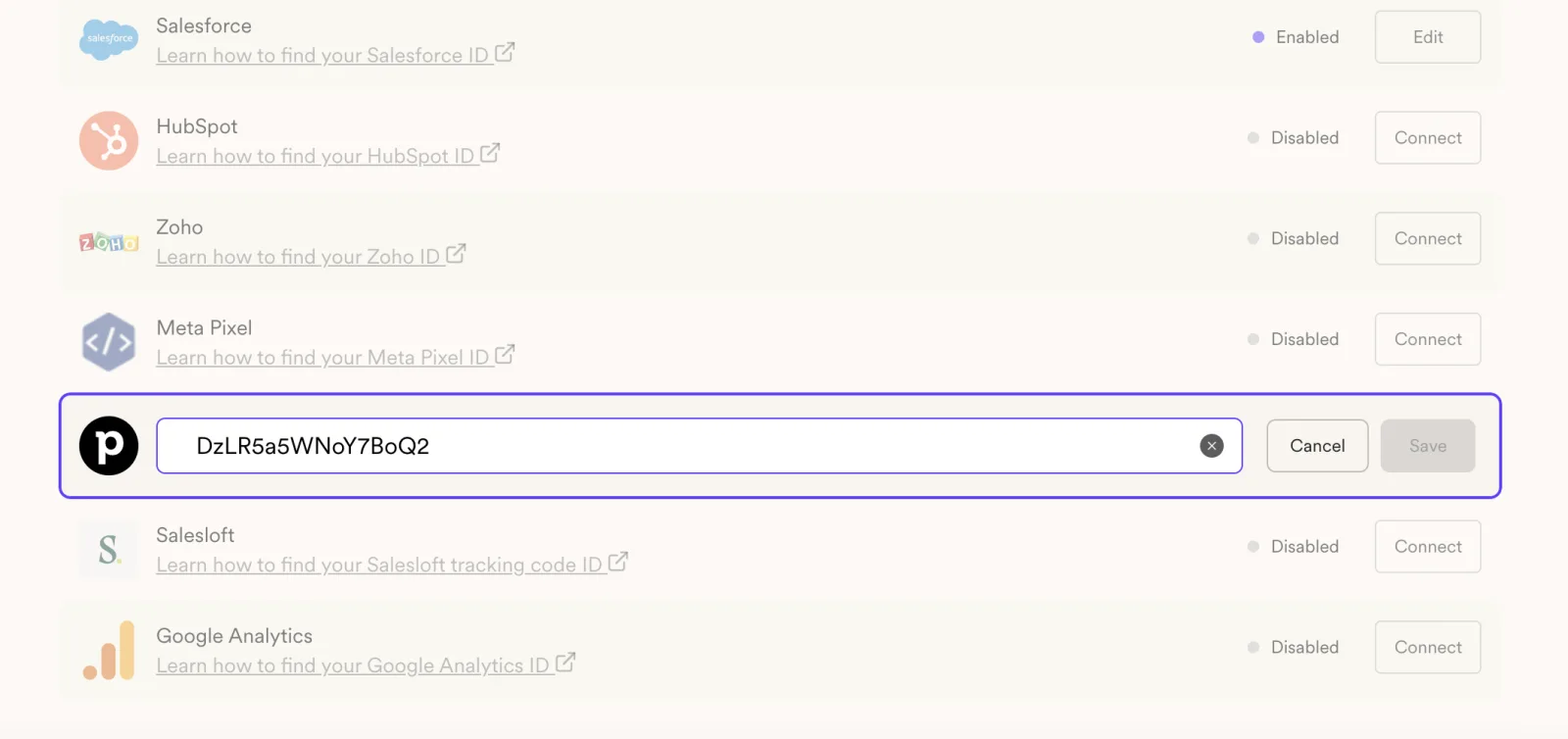
Go to Settings, Integrations in Sendspark and paste the ID into the Pipedrive field, then save. Video page visits now reach Pipedrive.
- 3
Import the campaign's exported CSV
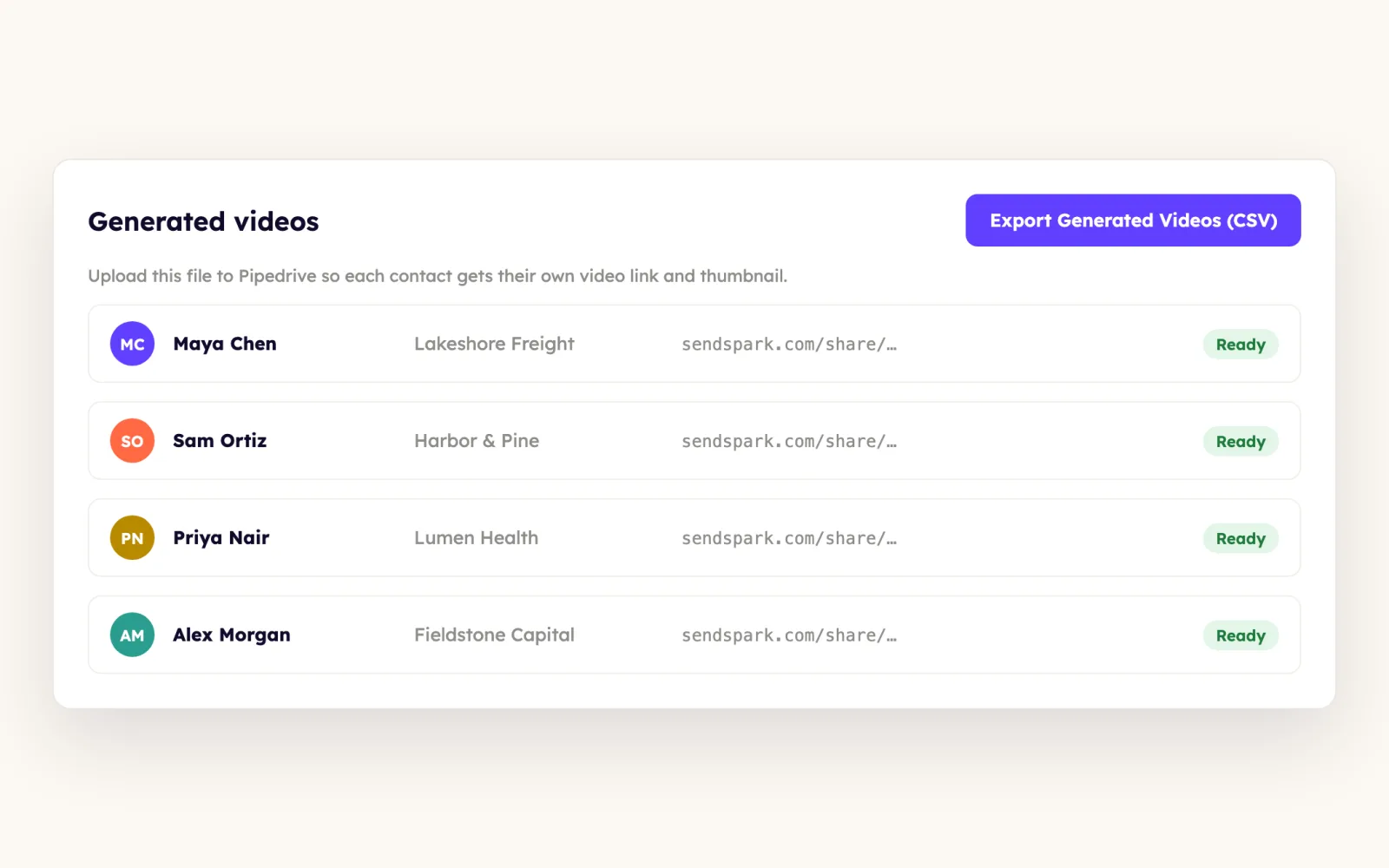
Export the CSV from your dynamic video campaign, then in Pipedrive click Import data, Upload spreadsheet. Don't import the original file you built the campaign from, because the export filters out videos with processing errors.
- 4
Copy the Pipedrive snippet
Back in Sendspark, click Share Campaign to open Share Dynamic Video and click Pipedrive. The snippet copies to your clipboard automatically.

- 5
Paste it into an HTML block
Create an email campaign, open the Content editor and drop an HTML block into the body. Erase the text under Content Properties, paste the snippet so the thumbnail appears, then click Save and close and check your recipients.
What teams do with Sendspark and Pipedrive
Send a dynamic video campaign from Pipedrive
Import Sendspark's export, map the fields, and paste the Pipedrive snippet into an HTML block in your campaign email. Every recipient sees a video made for them.
Read the guideDrop a quick video into a one-to-one Pipedrive email
Record in Sendspark, click Share, then Copy Animated Thumbnail, and paste it into an email in Pipedrive. The recipient clicks the animated preview to watch.
Read the guideSee video visits next to your leads
Connect your Web Visitors tracker ID so Sendspark video page visits show up in Pipedrive, and build dashboards on video engagement.
Read the guideWhat Pipedrive data personalizes each video
- Mapping: Company connects to the NAME tag from the Organization column; Job Title has no matching Pipedrive merge tag; Background URL doesn't need a tag.
- Dynamic videos put you over each contact's website or other URL, using the first name and fields from your Sendspark campaign.
- You can embed a Pipedrive booking calendar on your Sendspark video landing page.
Where you see who watched from Pipedrive
Sendspark analytics show who viewed, how much they watched, CTA clicks and likes, and Team Insights is on every plan. In Pipedrive, the Web Visitors connection records Sendspark video page visits so you can track engagement with contacts and chart it in dashboards.
Explore Video AnalyticsSendspark and Pipedrive: frequently asked questions
Does Sendspark integrate with Pipedrive?
Yes. Sendspark sends video page visits to Pipedrive through your Web Visitors tracker ID, and you paste Sendspark's Pipedrive snippet or animated thumbnail into Pipedrive emails. You can also embed a Pipedrive booking calendar on your video page.
Where do I find my Pipedrive tracker ID?
Open Leads, then Web Visitors, in Pipedrive. Copy only the code between the brackets in the tracker script and paste it into the Pipedrive field in Sendspark's integrations settings.
Why import Sendspark's CSV instead of my original file?
The export from your dynamic video campaign filters out contacts whose videos hit a processing error, so every Pipedrive recipient has a working video.
Can I map job title into Pipedrive?
Pipedrive has no matching merge tag for Job Title during import, so leave it unmapped. Company maps to the NAME tag from the Organization column.
Updated



Make your next outreach personal.
Record one video and let Sendspark do the rest.
