Send AI personalized videos in HeyReach LinkedIn campaigns
You can add an AI personalized video to HeyReach LinkedIn messages and connection requests by exporting your Sendspark campaign as a CSV and mapping its Video Link to a HeyReach custom variable. Sendspark is an AI personalized video platform for B2B sales and marketing teams. There's no direct sync: you paste your video links into HeyReach through the CSV.
 SOC 2 Type II
- Read reviews on G2


Sendspark and HeyReach at a glance
- Integration type
- Video link via CSV (share-snippet tool)
- How data moves
- You export a CSV of video links from Sendspark and upload it to HeyReach; nothing syncs back.
- What you need
- A HeyReach account and a generated Sendspark Dynamic Video campaign.
- On HeyReach's side
- Sendspark on Zapier (with HeyReach)
Your LinkedIn sequences scale, but they don't sound like you
Running several sender accounts gets you reach, and every message still looks automated. A recorded video per prospect would make them personal, but it can't keep up with the volume.
How to use Sendspark with HeyReach
- 1
Generate your videos in Sendspark
Create a Dynamic Video campaign, import your contacts with their LinkedIn Profile URL mapped, and generate the videos.
- 2
Download the CSV
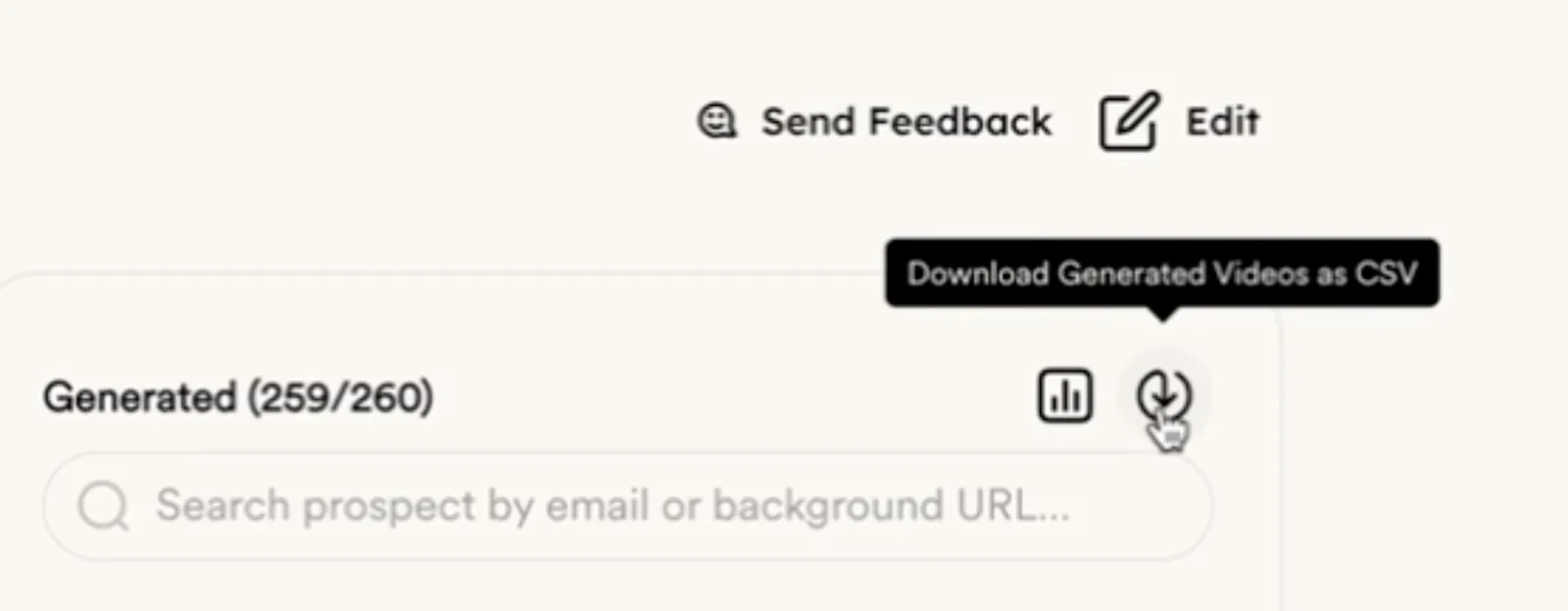
In the campaign, click the download icon (Download Generated Videos as CSV). The file adds a Video Link column.
- 3
Upload it and map Video Link
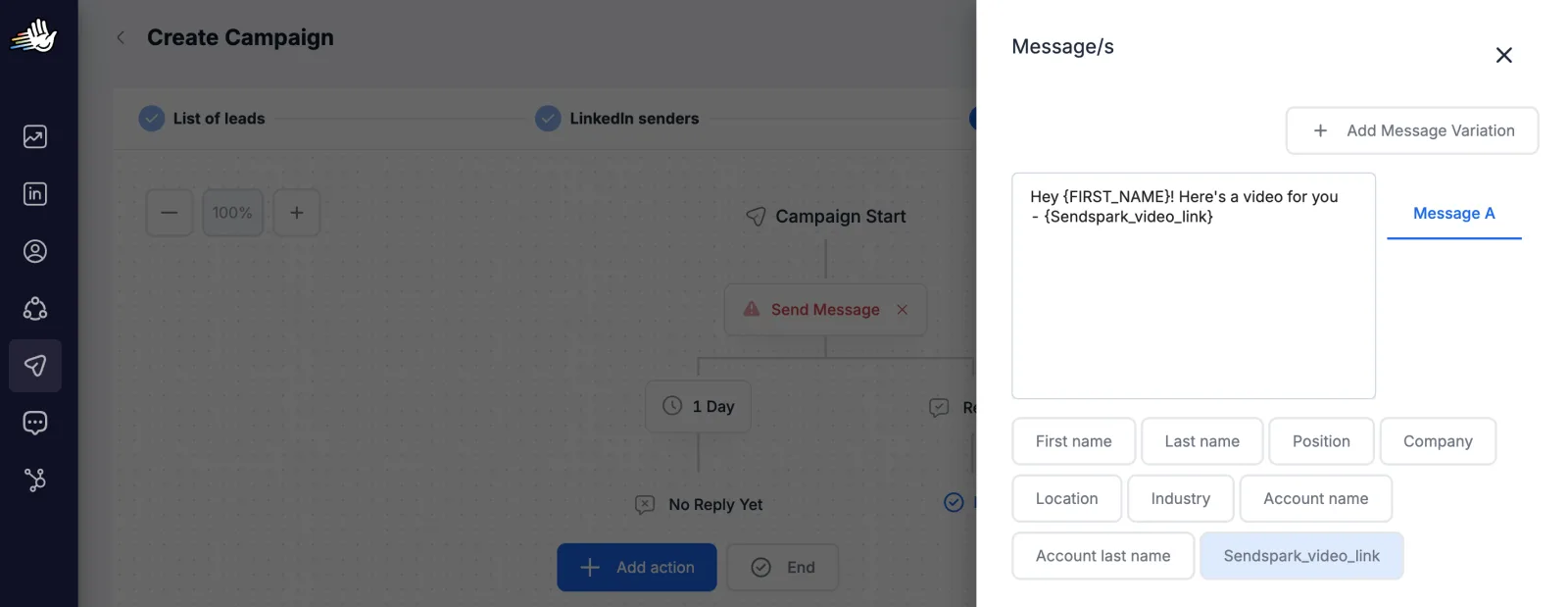
In HeyReach, import the leads from CSV and map Video Link to a custom variable, for example Sendspark_video_link.

- 4
Use the variable in your messages
Insert the variable in a connection request or message; the link unfurls into an animated preview.
What HeyReach data personalizes each video
- Video Link is each prospect's unique video; map it to a HeyReach custom variable.
- Map the LinkedIn Profile URL too, so the right video reaches the right person.
- HeyReach's own variables, such as First name and Company, work alongside it.
Where you see who watched from HeyReach
Views, watch time, CTA clicks and likes are tracked in Sendspark, not in HeyReach.
Explore Video AnalyticsSendspark and HeyReach: frequently asked questions
Does Sendspark integrate with HeyReach?
Not with a direct sync. You export Sendspark's CSV of video links, upload it to HeyReach, and use the Video Link as a custom variable in your messages.
Can I put the video in a connection request?
Yes, HeyReach lets you use the variable in connection requests or messages. The help article doesn't say whether the preview shows before someone accepts.
Updated


Make your next outreach personal.
Record one video and let Sendspark do the rest.
