Send AI personalized videos in Skylead LinkedIn sequences
You can put a personalized video into Skylead messages three ways: paste a Sendspark share snippet, import a CSV whose videoLink column holds each prospect's AI video, or let a Skylead webhook trigger video creation automatically. Sendspark is an AI personalized video platform for B2B sales and marketing teams. Skylead doesn't sync with Sendspark; you paste your video in, and views are tracked in Sendspark.
 SOC 2 Type II
- Read reviews on G2


Sendspark and Skylead at a glance
- Integration type
- Share snippet, CSV video links, and webhook automation
- How data moves
- You paste a snippet or import a CSV of video links into Skylead. Optionally, a Skylead Individual Webhook sends lead data to a Sendspark automation that generates the video. Nothing is written back to Skylead.
- Plan
- Automated Workflows (the webhook method): Growth and above.
- What you need
- A Skylead account; for the webhook method, your Skylead Campaign ID, Workspace ID, Secret Key and API Key.
- Setup guides
- On Skylead's side
- Sendspark guide on Skylead Help
Your LinkedIn sequence runs itself, but every message reads like a template
Automation gets your sequence in front of more people, and it also makes every touch look the same. Recording a video for each lead would fix that, but you can't do it for a whole campaign.
How to use Sendspark with Skylead
- 1
Generate the videos and download the CSV
Create a Dynamic Video campaign, generate the videos, and download the CSV. It adds a Video Link column. Import each lead's LinkedIn profile URL into a spare field such as Job Title so it's easy to find later.
- 2
Rename the columns to Skylead's field names
Before importing, rename First Name to firstName, Email to email, Company Name to currentCompany, Job Title to profileUrl, Background Url to website and Video Link to videoLink.
- 3
Drop {{videoLink}} into your Smart Sequence
In the Skylead campaign steps, add {{videoLink}} to a message. The link unfurls into an animated preview in LinkedIn.
- 4
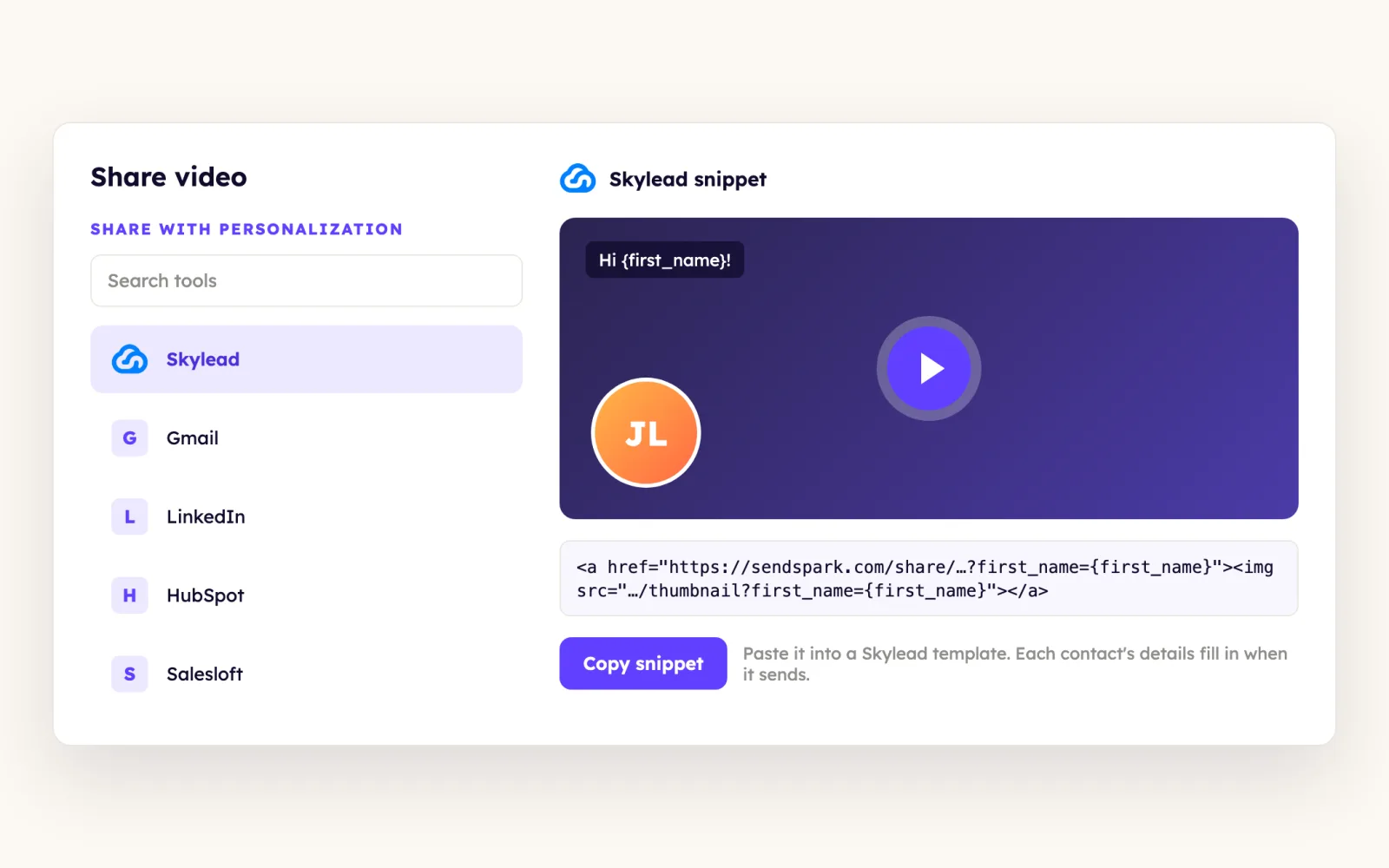
Or paste one video with a share snippet
For a single video, click Share, choose Skylead (add it through the share modal shortcuts if it's missing), and paste the snippet into your Skylead message.
What teams do with Sendspark and Skylead
A lead replies or views a profile, and a video gets made for them
Create an Individual Webhook in Skylead (Integrations, Individual Webhooks, Create) on the campaign you choose, then build a Sendspark automation with an Incoming Webhook trigger and a Dynamic Video action. Map First Name and Email; Website is optional and can come from the email domain.
Read the guideWhat Skylead data personalizes each video
- The videoLink column is each lead's own AI video; use it as {{videoLink}} in Skylead messages.
- Skylead's own variables, such as {{firstName}} and {{companyName}}, work alongside it.
- Background Url maps to Skylead's website field, so the scrolling website background matches the lead.
- Webhook gotcha: paste Skylead's credentials into the webhook header with no quotation marks and one key-value pair per line, and click Create on the Skylead webhook or it never fires.
Where you see who watched from Skylead
Views, watch time, CTA clicks and likes are tracked in Sendspark, not in Skylead.
Explore Video AnalyticsSendspark and Skylead: frequently asked questions
Does Sendspark integrate with Skylead?
Yes, without a direct sync. You paste a share snippet or import a CSV with a videoLink column into Skylead, or you use a Skylead webhook to start a Sendspark automation that creates the video.
Should I put the video in a Skylead connection request?
It's better as a follow-up. LinkedIn only shows the video preview once the person has accepted your connection or InMail request; before that they just see a link.
Why isn't my Skylead webhook creating videos?
Check that the header has no quotation marks and one key-value pair per line, that you clicked Create on the Skylead webhook, and that the Sendspark action is Dynamic Video. Check Results in Sendspark should show the incoming data.
Updated


Make your next outreach personal.
Record one video and let Sendspark do the rest.
