Sendspark Woodpecker integration for AI personalized video
Paste your Sendspark video into a Woodpecker email, and each prospect sees a video that greets them by name over their own website. It's for cold email teams who run their campaigns in Woodpecker. Sendspark is an AI personalized video platform that does this from a single recording.
 SOC 2 Type II
- Read reviews on G2


Sendspark and Woodpecker at a glance
- Integration type
- Share snippet
- How data moves
- You paste the Woodpecker snippet into your Woodpecker email template; your Woodpecker contact fields fill the merge tags. No data returns to Woodpecker, and Sendspark logs who watched.
- What you need
- Active Sendspark and Woodpecker accounts, with first name and company data on your Woodpecker contacts.
- On Woodpecker's side
- About Woodpecker
Prospects delete your cold email before the second line
A well-written opener still looks like the dozens of others in the same inbox. Proving you did your homework on each account takes time a campaign can't afford, so the effort never shows.
How to use Sendspark with Woodpecker
- 1
Record with a placeholder name
Create a dynamic video in Sendspark and open by saying "Hi watermelon". Toggle on voice cloning, and Sendspark replaces "watermelon" with each prospect's first name.
- 2
Import contacts and check the videos
Upload a CSV, or type in a few contacts to test, then play the generated videos to see you over each prospect's website.
- 3
Copy the Woodpecker snippet
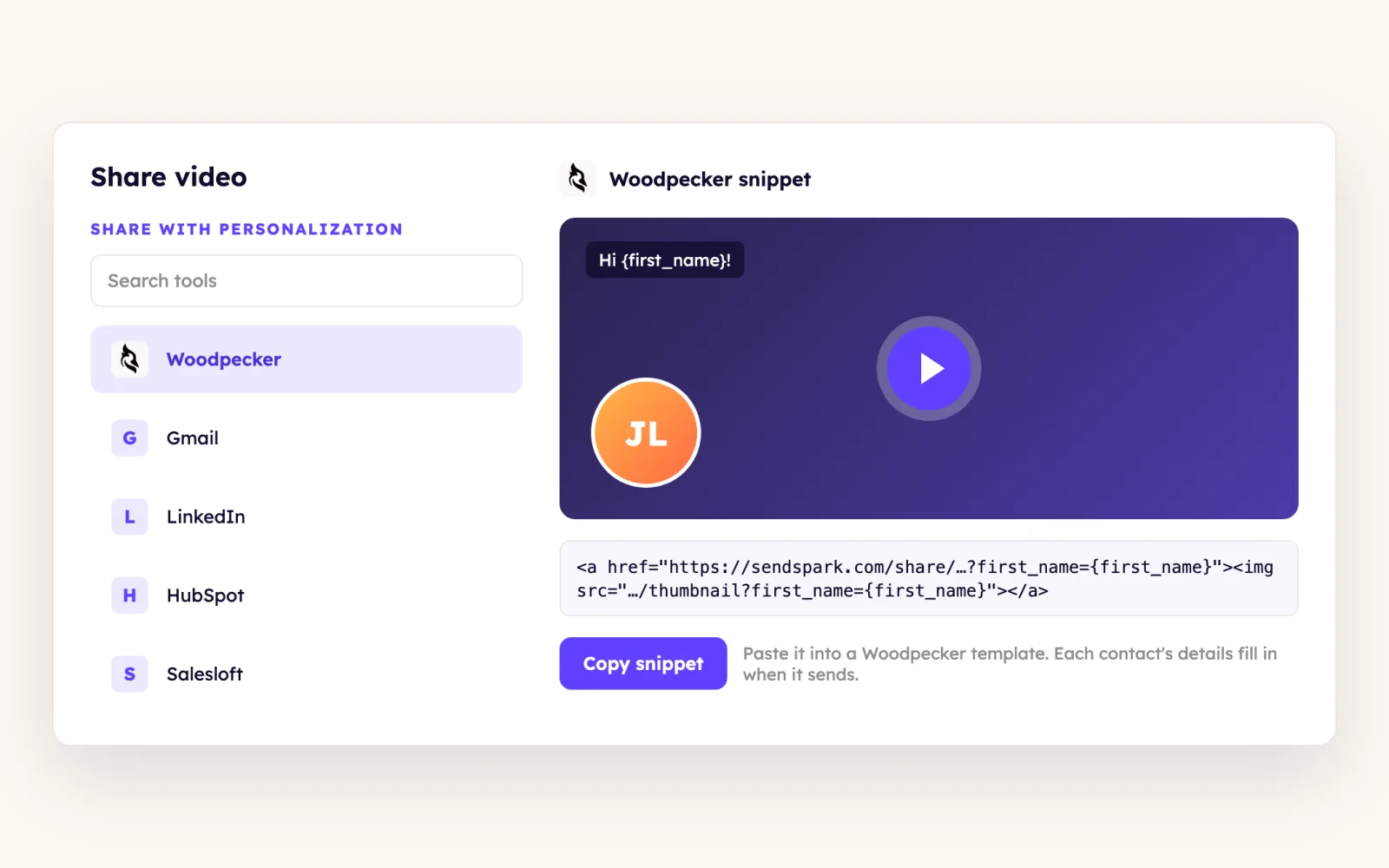
Click Share Campaign, select Woodpecker and copy the share snippet to your clipboard. For a single video, copy the Woodpecker snippet from the video page.
- 4
Paste it into the Woodpecker email
Open the email in Woodpecker, delete any placeholder already there and paste the snippet. Add or remove line breaks until the spacing looks right.
What teams do with Sendspark and Woodpecker
A single uploaded video turns personal for every Woodpecker contact
On the video page, click Customize and put {{first_name}} and {{company_name}} in the header, message and call-to-action button, with fallback text for missing data. Then add a personalized text overlay in the thumbnail editor, because the thumbnail is the first thing prospects see.
Read the guideWhat Woodpecker data personalizes each video
- Any merge tag that matches a field in your Woodpecker contact data works, including {{first_name}}, {{company_name}} and your Woodpecker custom fields.
- Fallback text covers blank fields, for example "Schedule demo with me" instead of "Schedule demo {{first_name}}".
- The "Watch video on Sendspark" line under the thumbnail can be edited in the Woodpecker template, or changed by default in your Sendspark workspace settings.
- Right after pasting you'll see only your camera video with no background. That's the fallback; preview a real contact to see their version.
Where you see who watched from Woodpecker
Sendspark analytics and Team Insights show which Woodpecker prospects watched and how far they got.
Explore Video AnalyticsSendspark and Woodpecker: frequently asked questions
Does Sendspark integrate with Woodpecker?
Yes. Sendspark has a Woodpecker share snippet that you paste into a campaign email, and your Woodpecker contact data fills the merge tags. Nothing syncs back to Woodpecker.
Why does my pasted video in Woodpecker have no background?
No contact is selected yet, so you see the fallback: your camera-only video. Preview with real contacts and you'll see yourself over each prospect's website.
Can I use Woodpecker custom fields in the video?
Yes. Any merge tag that corresponds to a field in your Woodpecker contact data, custom fields included, can personalize the video page.
Updated


Make your next outreach personal.
Record one video and let Sendspark do the rest.
