Key Takeaways
- Video CRM integration connects AI-personalized video platforms with HubSpot, Salesforce, and Outreach so engagement data flows bidirectionally between your video tool and your sales CRM.
- According to Gartner, 80% of B2B sales interactions will occur in digital channels by 2025, making video engagement data in the CRM essential for pipeline visibility.
- Teams that sync video engagement data back to their CRM see 200-300% higher email response rates and 40-50% more meetings booked compared to text-only outreach.
- Bi-directional sync means video views, watch time, and CTA clicks automatically update contact records, trigger workflow actions, and feed sales sequences without manual data entry.
Published August 2026
What Is Video CRM Integration?
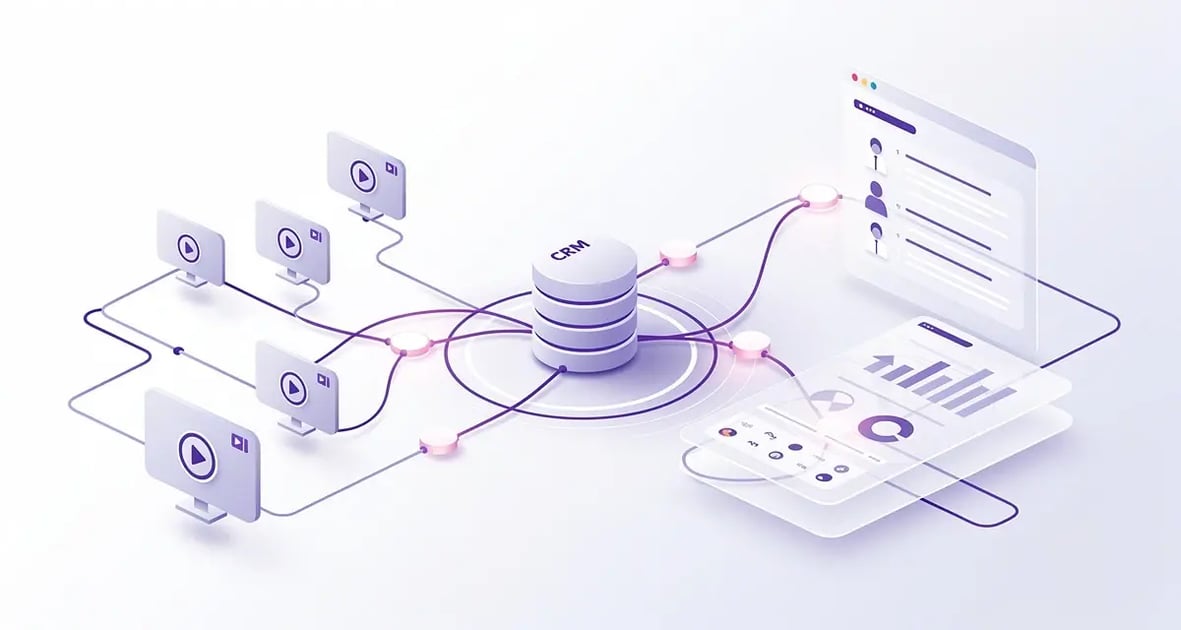
Video CRM integration is a bi-directional data connection between an AI video personalization platform and a customer relationship management system that automatically syncs video engagement data — views, watch time, CTA clicks, and recipient responses — with contact records, deal stages, and sales sequences. Rather than treating video as a standalone channel, integration embeds AI-personalized video outreach directly into the CRM workflow where sales teams already operate.
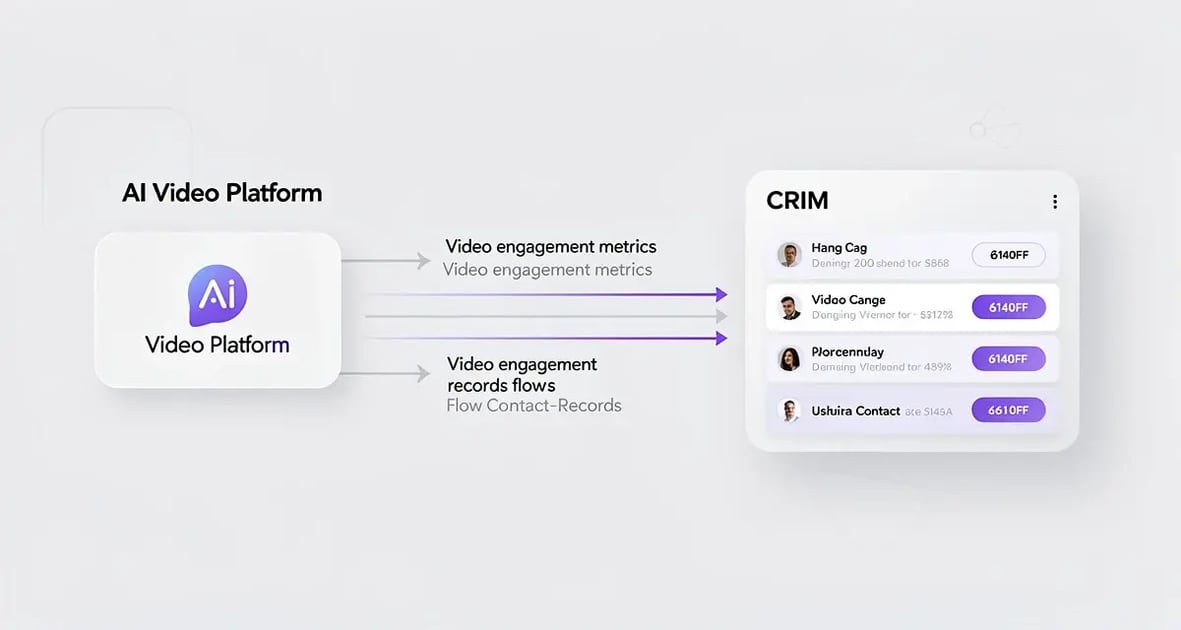
The integration works in two directions. When a sales rep sends an AI-personalized video through a platform like Sendspark, the CRM automatically logs the send event on the contact's timeline. When the prospect watches the video, clicks a call-to-action, or replies, that engagement data flows back into the CRM in real time — updating the contact record, triggering workflow actions, and alerting the rep.
For B2B sales teams using HubSpot, Salesforce, or Outreach, this means video becomes a native part of the sales motion rather than a disconnected tool. Reps can trigger AI-personalized video sends from within a CRM workflow, track exactly which prospects engaged, and use video analytics to prioritize follow-up — all without leaving the CRM interface.
The key distinction is between embed-only integrations (which just paste a video link into a CRM field) and full bi-directional integrations (which sync engagement data, trigger workflows, and enable automation). The latter is what drives measurable pipeline impact. According to Salesforce, high-performing sales teams are 1.5 times more likely to use AI and automation tools integrated with their CRM compared to underperforming teams.
Why Video CRM Integration Matters for B2B Sales Teams
Video CRM integration matters because B2B sales has shifted decisively to digital channels, and the engagement data from video outreach is too valuable to leave trapped in a separate platform. According to Gartner, 80% of B2B sales interactions between suppliers and buyers will occur in digital channels by 2025, which means sales teams need full visibility into every digital touchpoint — including video — within their CRM.
"By 2025, 80% of B2B sales interactions between suppliers and buyers will occur in digital channels." — Gartner, Future of Sales Research
Without integration, video engagement data lives in a silo. A rep sends a personalized video, the prospect watches it three times and clicks the meeting-booking CTA, but the rep has no idea — they see the same CRM record as before. This blind spot leads to missed follow-up opportunities, poorly timed calls, and lost deals.
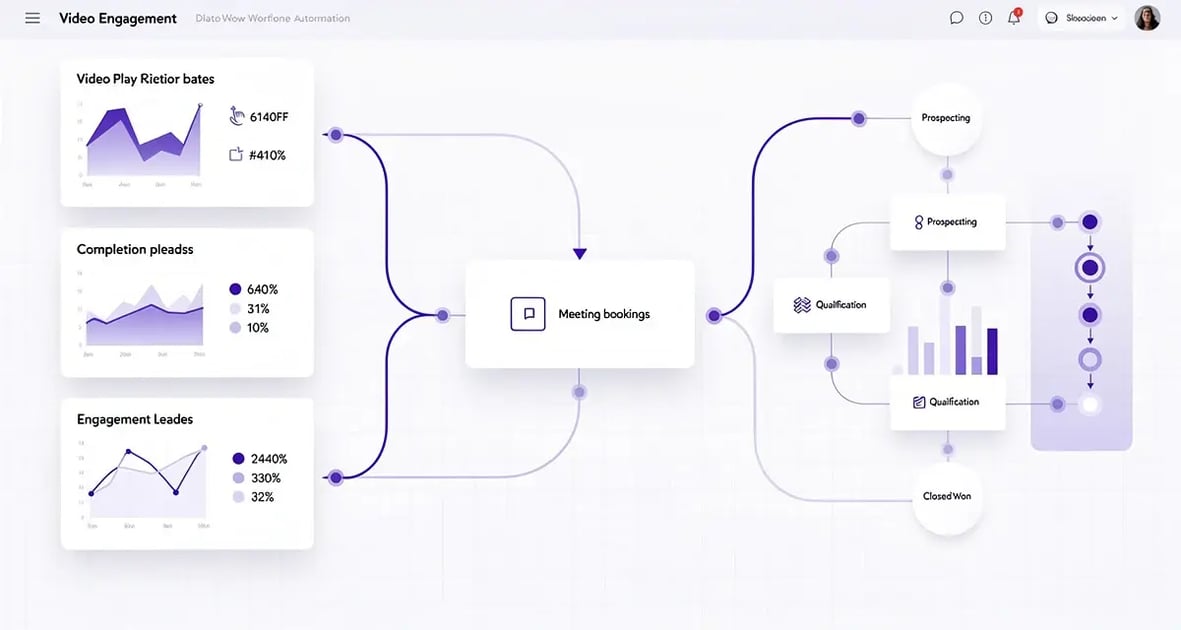
With integration, that same video view triggers a CRM workflow: the contact record updates with view count and watch time, the rep gets a real-time notification, and the prospect is automatically enrolled in the next sequence step based on their engagement level. This is the difference between reactive and proactive selling.
The stakes are quantifiable. B2B teams using AI-personalized video outreach integrated with their CRM see a 200-300% increase in email response rates, a 50% increase in click-through rates, and 40-50% more meetings booked compared to text-only email campaigns. The meeting-to-reply ratio for video outreach is 2:1 versus text email — meaning prospects who reply to a video are twice as likely to book a meeting.
For sales leaders, the operational impact is equally significant. Integration eliminates the manual data entry that Salesforce research shows consumes up to 30% of a rep's selling time. When video engagement data flows automatically into the CRM, reps spend less time on admin and more time on revenue-generating activities — saving 10+ hours per campaign.
How to Integrate AI-Personalized Video with HubSpot
Integrating AI-personalized video with HubSpot involves connecting your video platform to HubSpot's CRM through a native integration, configuring which engagement events sync to contact records, and setting up workflow triggers that fire based on video activity. HubSpot's open API and native app marketplace make it one of the most straightforward CRMs to integrate with video tools.
The process starts with Sendspark's HubSpot integration, which provides a native bi-directional connection. After authenticating your HubSpot account, the integration maps video events — sent, viewed, watched partially, watched fully, CTA clicked — to HubSpot contact properties and activity timeline entries. Each AI-personalized video send automatically logs on the contact's record with the video thumbnail, send date, and engagement status.
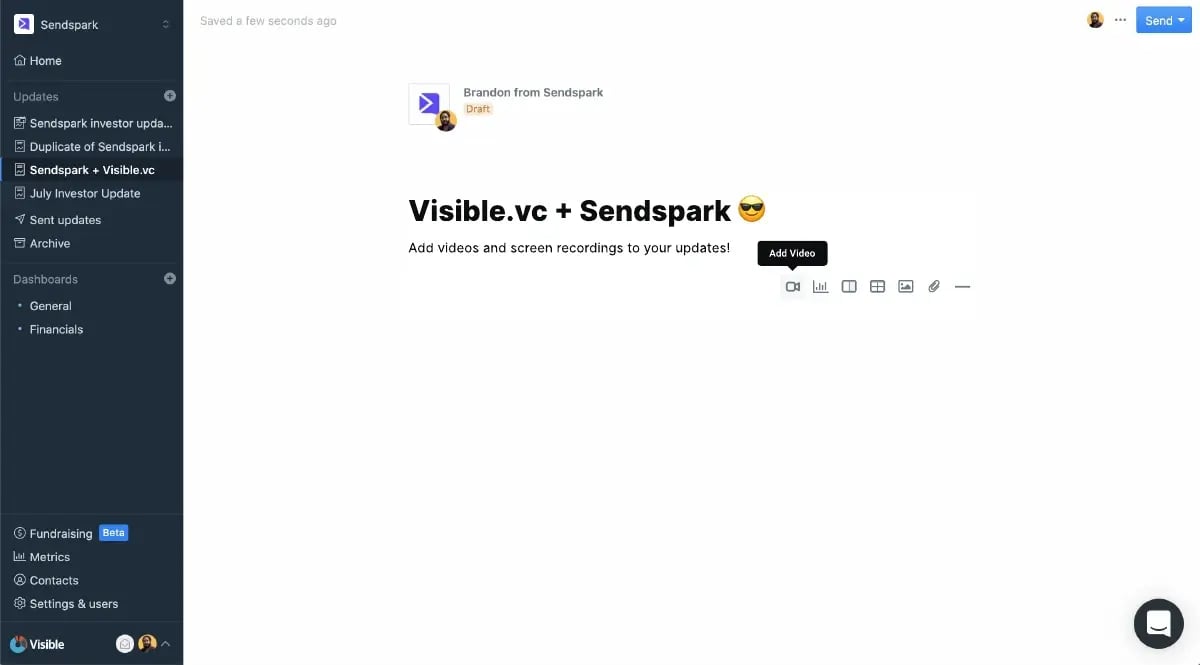
Once connected, you can build HubSpot workflows that trigger video sends based on CRM events. For example, when a contact moves to the "qualified" stage, HubSpot can automatically trigger Sendspark to generate an AI-personalized video using voice cloning and dynamic backgrounds — addressing the prospect by name and showing their company website — then log the send on the contact timeline.
Pro Tip: Map your Sendspark video CTA clicks to a custom HubSpot contact property called "Video CTA Clicked." This lets you build a workflow that automatically notifies the assigned rep and creates a task to follow up within 24 hours — the window when prospect interest is highest.
The HubSpot Sales Hub integration extends this to deal records. When a rep sends a video as part of a deal-progression sequence — say, a proposal walkthrough or a demo recap — the video engagement data appears on the deal timeline. Sales managers can then filter deals by video engagement level, identifying which opportunities have the highest buyer interest based on watch time and repeat views.
For marketing teams, the HubSpot Marketing Hub integration enables video in automated email sequences. According to HubSpot Research, emails containing video content achieve higher click-through rates than text-only emails, and personalization amplifies this effect further. When AI voice cloning personalizes each video for the specific recipient, the combination of personalization and video creates a compounding engagement lift.
The key configuration decisions when setting up the HubSpot integration are: which video events to sync (at minimum: sent, viewed, and CTA clicked), whether to create tasks on video views (recommended for high-value accounts), and whether to use video engagement as a workflow enrollment trigger (recommended for follow-up sequences). For a deeper dive on HubSpot-specific video tactics, see our guide on how to send a video through email.
Connect Your CRM to AI-Personalized Video
Sync video engagement data with HubSpot, trigger automated workflows, and turn video views into pipeline — in minutes.
Try Sendspark Free →How to Connect Video to Salesforce and Outreach Sequences?
Connecting AI-personalized video to Salesforce and Outreach sequences requires mapping video engagement events to Salesforce activity records and configuring Outreach cadence steps that include video sends. The goal is to make AI-personalized video a native step in your sales sequence rather than a manual, one-off action.
With the Sendspark Salesforce integration, video events sync to Salesforce as activity records on the lead or contact object. When a rep sends an AI-personalized video, Salesforce logs the activity with the video URL, thumbnail, and recipient information. When the prospect engages — watches the video, replays it, or clicks a CTA — those events update the activity record in real time, giving the sales team complete visibility into buyer engagement without leaving Salesforce.
Salesforce reports and dashboards can then aggregate video engagement across the pipeline. A sales manager can create a report showing which opportunities have the highest video watch rates, filter by deal stage, and identify deals where buyers are actively engaging with video content but haven't yet booked a meeting. This is particularly valuable for deal progression — video engagement is one of the strongest leading indicators of deal momentum.
For Outreach integration, AI-personalized video becomes a step in the sales cadence. Instead of a generic text email, a cadence step can trigger Sendspark to generate a personalized video — with AI voice cloning addressing the prospect by name and dynamic backgrounds showing their company website — and embed it in the sequence email. The prospect receives a video that feels hand-crafted, while the rep benefits from sequence automation at scale.
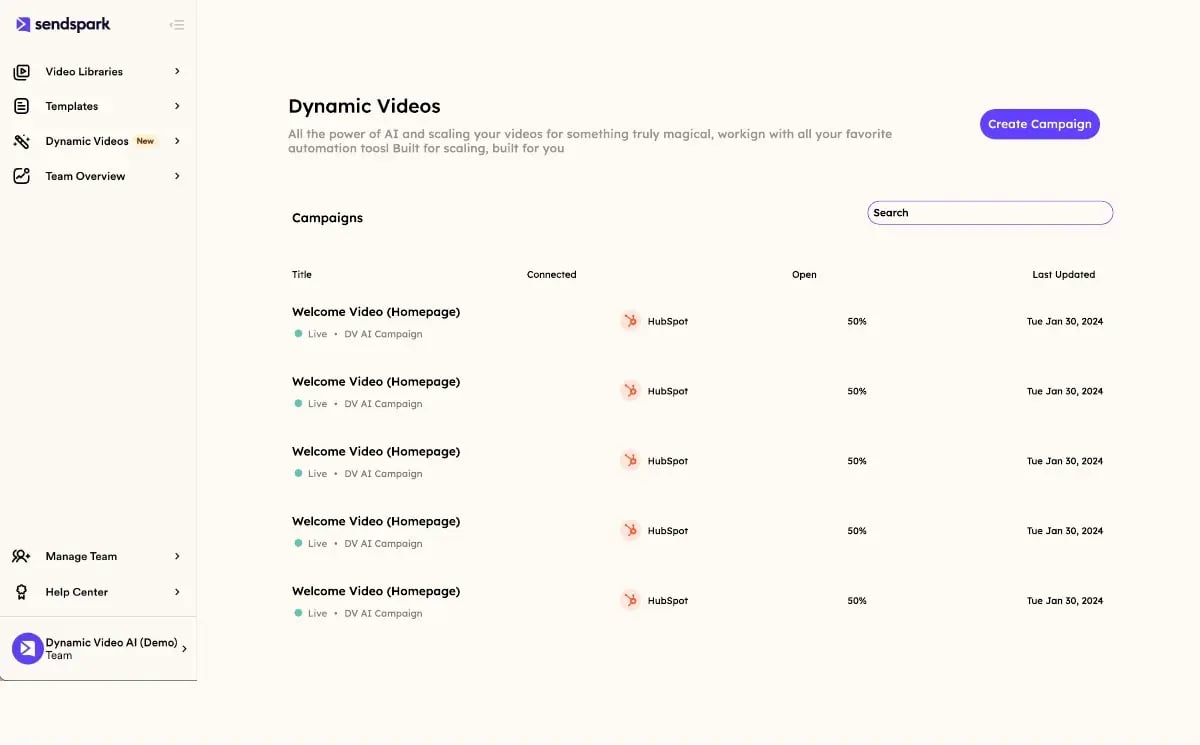
The same approach works with SalesLoft and Apollo sequences. The critical configuration is ensuring that video engagement data flows back from Sendspark into the sequence platform, so the cadence can branch based on whether the prospect watched the video. For example, if a prospect watches more than 75% of a video, the next cadence step can escalate to a meeting-booking email rather than a generic follow-up.
For teams using sales cadence software, the integration pattern is consistent: connect the platforms, map video events to the cadence platform's activity fields, and configure branching logic based on engagement. This approach turns a static cadence into a dynamic, behavior-driven sequence that responds to real buyer interest signals.
What Video Engagement Data Should Flow Back to Your CRM?
The video engagement data that should flow back to your CRM includes send events, view events, watch-through percentage, repeat views, CTA clicks, and reply actions — each mapped to a specific CRM field so sales teams can filter, report, and trigger workflows based on buyer engagement level. Not all video data is equally valuable, so prioritizing the events that signal buying intent is essential.
The most important data points to sync are those that indicate active buyer interest. A prospect who watches a video once for 10 seconds is low-intent; a prospect who watches 80% of a video, replays it, and clicks the "Book a Meeting" CTA is high-intent. Your CRM needs to distinguish between these engagement levels automatically.

The table below maps the key video engagement events to the CRM fields they should update:
| Video Event | CRM Field to Update | Sales Action Triggered |
|---|---|---|
| Video sent | Last Video Sent Date | Log activity on contact timeline |
| Video viewed | Last Video Viewed Date | Notify assigned rep; create follow-up task |
| Watch-through > 75% | High Video Engagement (custom field) | Escalate cadence step; trigger meeting-booking email |
| CTA clicked | Video CTA Clicked (custom field) | Immediate rep notification; create high-priority task |
| Repeat views (>2) | Video Replay Count | Flag as warm lead; add to priority follow-up list |
| Video replied | Last Contacted via Video | Auto-enroll in meeting-booking sequence |
Watch-through percentage is the single most predictive metric. According to Content Marketing Institute research, videos under 90 seconds retain the highest engagement, and the drop-off point directly correlates with message effectiveness. When watch-through data flows into the CRM, sales managers can identify which video messages resonate with specific buyer personas and iterate on their video scripts accordingly.
The Sendspark platform tracks all of these engagement metrics per recipient, so when integrated with a CRM, the data populates individual contact records rather than aggregate dashboards. This per-recipient granularity is what makes video CRM integration actionable — a rep can see exactly which prospect watched which video, for how long, and whether they clicked through.
How to Build Automated Video Workflows in Your CRM?
Building automated video workflows in your CRM means configuring trigger-based rules that generate and send AI-personalized videos without manual rep action — using CRM events like stage changes, form submissions, or sequence enrollments to fire video sends through Sendspark's automated workflow engine. The result is thousands of individually personalized videos sent at the right moment in the buyer journey, each addressing the prospect by name with AI voice cloning and dynamic backgrounds.
The workflow architecture follows a simple pattern: trigger → video generation → delivery → engagement tracking → next action. The CRM provides the trigger (e.g., a contact submits a demo request form), Sendspark generates the video (using AI voice cloning to address the prospect by name and showing their company website as a dynamic background), the video is delivered via email or sequence step, engagement is tracked and synced back to the CRM, and the CRM determines the next action based on engagement level.
Tip: Start with one high-impact workflow before scaling. The most effective initial workflow is a "demo request follow-up" — when a prospect submits a form, automatically send an AI-personalized video within 5 minutes. According to HubSpot Research, companies that respond to leads within 5 minutes are 8 times more likely to qualify the lead. Video makes that response stand out.
Common automated video workflows that integrate with CRM triggers include:
- New lead welcome: When a lead enters the CRM from any source, trigger an AI-personalized video introducing the assigned rep and referencing the lead's company.
- Sequence enrollment: When a contact is enrolled in an Outreach or Reply sequence, include an AI-personalized video as step 1 or 2 of the cadence.
- Deal stage progression: When a deal moves to a new stage, trigger a video that addresses the specific stage — a proposal walkthrough for the "proposal sent" stage, or a QBR recap for the "closed-won" stage.
- Re-engagement: When a contact has been inactive for 30+ days, trigger a personalized "checking in" video with AI voice cloning to re-establish the relationship.
- Customer onboarding: When a deal is marked closed-won, trigger a series of onboarding videos synced to the CRM's onboarding workflow.
The key to making these workflows effective is ensuring the video personalization data — prospect name, company name, and context — pulls automatically from CRM fields. Sendspark's AI voice cloning reads the prospect's name from the CRM contact record and generates a personalized greeting, while dynamic backgrounds pull the prospect's company website URL from the CRM. This means the video is not just personalized in content but personalized to the specific data point the CRM already holds.
What Are the Common Video CRM Integration Mistakes?
The most common video CRM integration mistakes include syncing too much low-value data (creating noise in contact records), failing to configure workflow triggers based on video engagement, treating video as a one-way send rather than a bi-directional data channel, and neglecting to map video CTAs to CRM fields that sales teams actually filter on. Each mistake undermines the value of integration and can cause reps to lose trust in the video data.
Mistake 1: Syncing everything, prioritizing nothing. Some teams configure their integration to sync every video event — every partial view, every thumbnail impression, every abandoned play. The result is a contact timeline cluttered with low-signal events that bury the meaningful data. Instead, prioritize the three events that matter most: video viewed, watch-through above 75%, and CTA clicked. These three events cover the full engagement spectrum without creating timeline noise.
Mistake 2: No workflow triggers. Syncing data without acting on it is the most common waste of integration effort. If a prospect watches a video and the CRM updates the contact record but no workflow fires, the rep still has to manually check the CRM and decide what to do. Every meaningful video event should trigger an automated next step — a task, a notification, or a sequence branch.
Warning: Do not rely on "video sent" as a workflow trigger. Sending a video tells you nothing about buyer intent — the prospect hasn't engaged yet. Build your workflow triggers around engagement events (viewed, watched 75%+, CTA clicked) rather than send events. A "CTA clicked" trigger is worth 10x a "video sent" trigger for prioritizing follow-up.
Mistake 3: One-way integration. Some teams set up the integration to push video sends from the CRM to the video platform but never configure the return sync. The CRM knows a video was sent but not whether it was watched. This defeats the entire purpose of integration. Always configure bi-directional sync from day one — the return path (engagement data flowing back to the CRM) is where 90% of the value lives.
Mistake 4: Generic video in personalized sequences. Dropping a generic, non-personalized video into a CRM workflow is a missed opportunity. According to McKinsey, companies that personalize their outreach see 40% higher conversion rates than those that don't. When your CRM integration includes AI video personalization — voice cloning, dynamic backgrounds, personalized thumbnails — every video in the workflow is individually tailored to the recipient, not a one-size-fits-all recording.
Mistake 5: Not training reps on video engagement data. Even with perfect integration, if reps don't know how to read video engagement signals in the CRM, the data is wasted. Train your team on what each video event means: a 75%+ watch-through signals interest, a CTA click signals intent, and a repeat view signals warming. Make video engagement a standard part of your pre-call research process.
How to Measure the ROI of Video CRM Integration
Measuring the ROI of video CRM integration requires tracking metrics across four dimensions: engagement lift (how much more prospects interact with video vs text), pipeline impact (how video engagement correlates with deal progression), efficiency gains (hours saved through automation), and revenue attribution (deals influenced or closed by video touchpoints). The CRM is the system of record for all four, making it the natural measurement hub.
The table below maps each ROI dimension to the specific metrics you should track in your CRM:
| ROI Dimension | Key Metrics | How to Measure in CRM |
|---|---|---|
| Engagement Lift | Email reply rate, CTR, video watch-through | Compare video-enabled vs non-video contact segments |
| Pipeline Impact | Meeting booking rate, deal stage velocity | Filter deals by video engagement level; compare stage transition speed |
| Efficiency Gains | Hours saved per campaign, manual data entry eliminated | Track tasks auto-created vs manually created; measure rep activity time |
| Revenue Attribution | Deals with video touchpoints, influenced revenue | Build a CRM report filtering closed-won deals by video activity presence |
For engagement lift, the baseline comparison is straightforward. B2B teams using AI-personalized video integrated with their CRM see a 200-300% increase in email response rates and a 50% increase in click-through rates compared to text-only campaigns. The meeting-to-reply ratio for video outreach is 2:1 — meaning for every two prospects who reply to a video, one books a meeting, compared to a lower conversion rate for text email replies.
For pipeline impact, the most telling metric is deal velocity. When video engagement data is visible in the CRM, sales managers can compare the time-to-close for deals with high video engagement versus deals with no video touchpoints. Deals where buyers actively engage with video content — watching demos, proposal walkthroughs, and recap videos — typically progress through stages faster because the buyer has already absorbed key information asynchronously.
For efficiency gains, the calculation is direct. Integration eliminates manual data entry for video sends and engagement tracking, saving 10+ hours per campaign. When video workflows are automated through the CRM, the time savings compound — a single workflow can generate and track thousands of personalized videos that would take a rep weeks to record manually.
For revenue attribution, build a CRM report that filters closed-won deals by whether they included a video touchpoint. This gives you the percentage of revenue influenced by video, which you can compare against the cost of your video platform and CRM integration. With 50,000+ companies using Sendspark and a 4.8/5 rating on G2, the platform-level ROI is well-established — but the specific ROI for your team depends on how thoroughly you integrate video engagement data into your CRM workflow.
For more on building a complete video sales strategy around your CRM, see our guides on video prospecting and AI video personalization for outbound sales. To explore all 50+ platform connections available for CRM integration, visit the Sendspark integrations directory.
Frequently Asked Questions
What does video CRM integration do?
Video CRM integration creates a bi-directional data connection between your AI video personalization platform and your CRM. It automatically logs video sends on contact timelines, syncs engagement data (views, watch time, CTA clicks) back to contact records, and enables CRM workflow triggers based on video activity — eliminating manual data entry and giving sales teams real-time visibility into buyer engagement.
How long does it take to set up a HubSpot video integration?
A native HubSpot video integration like Sendspark's can be set up in under 10 minutes. The process involves authenticating your HubSpot account in Sendspark, selecting which video events to sync to contact properties, and optionally configuring workflow triggers. Once connected, all AI-personalized video sends and engagement events automatically appear on HubSpot contact and deal timelines.
Can AI-personalized video work with Salesforce sequences?
Yes, AI-personalized video integrates with Salesforce by syncing video events as activity records on leads and contacts. When a rep sends a video through Sendspark, Salesforce logs the activity with engagement data. Sales teams can then build reports filtering deals by video engagement level and use that data to prioritize follow-up within Salesforce sequences.
What video engagement data is most valuable for sales teams?
The three most valuable video engagement events for sales are: watch-through above 75% (signals active interest), CTA clicks (signals intent to take action), and repeat views (signals warming). These events should be mapped to CRM fields and used as workflow triggers. A prospect who watches 75%+ of a video and clicks a CTA is a high-intent lead worth immediate follow-up.
Will CRM be replaced by AI video tools?
No, CRM systems will not be replaced by AI video tools. Instead, AI video personalization platforms like Sendspark are becoming integrated layers within the CRM ecosystem. Gartner predicts 80% of B2B sales interactions will be digital by 2025, which means CRMs need richer engagement data — including video — not less. Video integration makes the CRM more valuable by feeding it high-signal buyer engagement data.
How much does video CRM integration cost?
Video CRM integration cost depends on your video platform and CRM tier. Sendspark plans start at $49/month (Solo) with HubSpot integration included, and the Growth plan at $99/month adds API access and agentic workflows for deeper CRM automation. HubSpot and Salesforce CRM costs are separate. Most teams see positive ROI within the first campaign through time savings and increased meeting bookings.
Sources & References
- Gartner — "80% of B2B sales interactions between suppliers and buyers will occur in digital channels by 2025" (2023)
- HubSpot Research — "Personalized CTAs convert 202% better than default versions" and video email performance benchmarks (2024)
- Salesforce State of Sales — "High-performing sales teams are 1.5x more likely to use AI and automation tools integrated with their CRM" (2024)
- McKinsey — "Companies that personalize outreach see 40% higher conversion rates; AI adoption boosts productivity by 40% in service businesses" (2024)
- Content Marketing Institute — "Videos under 90 seconds retain the highest engagement; watch-through drop-off correlates with message effectiveness" (2024)
- Gartner Future of Sales — "Digital channels will dominate B2B sales interactions, requiring integrated engagement data in CRM systems" (2023)
Ready to connect AI-personalized video to your CRM?
Record one video, and Sendspark's AI voice cloning personalizes thousands — synced automatically to HubSpot, Salesforce, and Outreach.
Get Started Free →No credit card required • Set up in 2 minutes